AIDA64 Extreme: Quick Facts
| Detail | Information |
|---|---|
| Developer | FinalWire |
| Main purpose | System information, monitoring, benchmarks and stability testing |
| Platform | Windows PC; current releases are 64-bit |
| Intended use | Personal, non-commercial use |
| Devices | Up to 3 computers for one user |
| Store listing | AIDA64 Extreme, 3 Devices, Lifetime License, Global |
| Try before buying | Official 30-day trial with some limitations |
A game starts stuttering, the fans get louder, and suddenly that expensive PC has you getting an anxiety attack (been there, done that moment). Obviously, before buying another component, it helps to understand what your existing hardware is doing. And you would be stupid to not do it, espeically in this economy, where component prices are through the damn roof. That is where AIDA64 Extreme becomes interesting for gamers and people who enjoy building, upgrading or tuning their own computers.
If you’re looking to buy an AIDA64 Extreme key, its appeal is the combination of hardware information, monitoring and testing tools in one application. Here are five reasons it could earn a place on your PC.
1. Find Out Exactly What Is Inside Your PC
Remembering your graphics card is easy. Remembering your motherboard model, BIOS version and storage configuration two years after building the machine is another matter. AIDA64 brings those details together alongside information about Windows, installed software and connected devices.
The practical benefit is having a useful starting point when researching an upgrade or asking for troubleshooting help. You can identify the motherboard before looking up its manufacturer’s compatibility information, or check which drive is actually installed instead of relying on an old shopping basket. It makes those conversations more precise, especially when “I think it’s the 1TB one” is currently your entire technical description.
2. Monitor Temperatures and Fan Speeds While Problems Happen
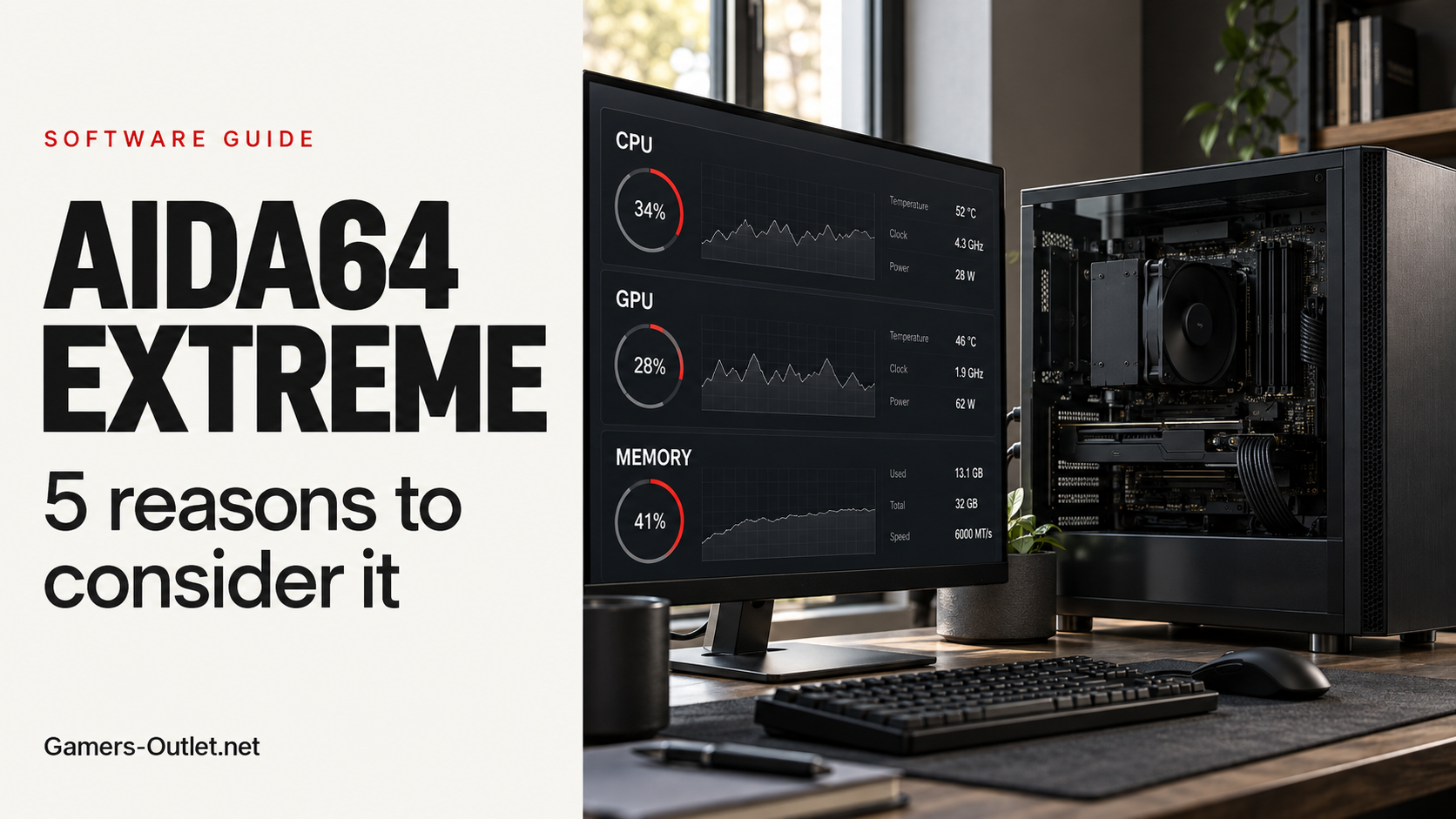
AIDA64 can read temperatures, voltages and fan speeds from supported hardware sensors. It also lets you save selected readings to HTML or CSV logs, giving you something to examine after a gaming session instead of constantly switching windows.
For example, you could compare readings before and after cleaning a dusty case, keeping the workload and room conditions as similar as possible. Or you could examine whether a temperature change coincides with the behaviour you’re investigating. The readings available depend on your hardware, and they still need interpretation, but a recorded pattern gives you more to work with than “the fans were going kinda crazy.” For anyone who regularly adjusts their cooling setup, that visibility is a convincing reason to consider buying AIDA64 Extreme.
3. Check Whether Your Tweaks Made a Measurable Difference
Changing a setting and deciding the PC “feels faster” is wonderfully convenient. Measuring the result is more useful. AIDA64 includes CPU benchmarks and a Cache & Memory Benchmark that measures read, write and copy performance alongside latency.
These tools let you compare configurations under repeatable conditions. If you change memory settings, for instance, you can record a baseline and run the same benchmark again afterwards. Keep background activity consistent and repeat the measurement before getting excited about a small difference. AIDA64’s benchmarks are synthetic, so a better score does not automatically translate into more frames per second in your favourite game. Treat them as evidence about a specific workload, then check the applications you actually use. Maybe you don’t know this but AIDA64 is pretty old, and one of the first decent stress testing softwares. And people still use it. There’s a reason for that.
4. Test Stability After Changing Your Setup
A PC reaching the Windows desktop is encouraging, but it tells you little about how that configuration behaves under sustained load. AIDA64’s System Stability Test lets you select components such as the CPU, memory and GPU for demanding tests while monitoring readings.
That makes it useful when investigating instability after a hardware or configuration change. You can focus the test on relevant components and observe what happens, rather than changing several things at once and hoping the problem disappears. These tests can generate substantial heat and power demand, so monitor the machine and stop if it behaves abnormally. A crash during testing is a clue, not automatic proof that the component being tested is faulty; FinalWire specifically notes that power-supply issues can also cause instability.
5. Build a SensorPanel That Actually Suits Your Setup
SensorPanel is probably AIDA64’s most visually appealing feature. It lets you create a dashboard using supported sensor readings, with custom layouts, graphs, gauges, colours and images. You can also start with downloadable designs instead of building everything yourself.
The attraction is choosing the information you care about and making it readable at a glance. A simple panel showing a few temperatures and fan speeds may be more useful to you than a screen covered in tiny numbers. It also gives PC enthusiasts another way to personalise their setup while keeping useful information visible. Anyone who has spent an evening choosing the right RGB colour will probably understand the appeal.
Is AIDA64 Extreme Worth the Price for Everyone?
The strongest case is for people who will regularly use several of these features. If all you need is an occasional glance at basic system information, paying for a full toolkit may be unnecessary. For someone who benchmarks upgrades, investigates instability and wants a custom monitoring dashboard, the combined package makes more sense.
Try the official AIDA64 Extreme trial first to check how it works with your hardware. The trial lasts 30 days, although some functionality and displayed information are limited. And that gives you plent of time to see if you meed the paid version. 🙂 Fun fact: We do offer one and at an amazing price too!
Deal Spotlight: Buy an AIDA64 Extreme Key
Our AIDA64 Extreme 3-device license is listed as a Global lifetime license with digital delivery. Extreme is intended for one user’s personal use on up to three computers; professional and business use require a suitable alternative edition.
One detail deserves attention: lifetime use does not automatically mean lifetime updates. FinalWire’s standard maintenance policy covers updates and technical support for a defined period. The latest version released during that period continues working afterwards. Check the maintenance coverage included with your key before ordering, particularly if you regularly buy newly released hardware.
Why Buy From Gamers-Outlet?
At Gamers-Outlet, we offer competitive software key prices, free digital delivery and 24/7 customer support. Our 4.6/5 Trustpilot rating from around 47,000 reviews gives you customer feedback to check before purchasing. Compare the current price and license details, then decide whether AIDA64’s tools fit how you use your PC.
CHECK THE AIDA64 EXTREME KEY PRICE AT GAMERS-OUTLET.NET!
Also, before we forget: We get a lot of messages from our customers talking about Discord servers that pretend to be us or try to scam them with different methods – that is NOT us. This is our one and only official Discord Server: CLICK HERE
Feel free to join it to join in on our discussions or to simply hang out, or to report a scam, but yeah stay safe out there on the interwebs, folks!