Quick Facts
| Detail | Information |
|---|---|
| Software | Windows 10 / Windows 11 |
| Main Topic | Windows Activation |
| Platforms | PC |
| License Type | Product Key / Digital License |
| Get It at Gamers-Outlet.net | Browse Windows Keys |
Why Windows Activation Matters More Than Ever In 2026
If you recently installed Windows and started searching for phrases like “how to activate Windows 11,” or “Windows key not working,” you’re at the right spot.
Windows activation has become more important in recent years, especially because Microsoft continues tightening restrictions around unsupported hardware, online verification, and account-linked licenses. What used to be a quick one-time process has gradually evolved (or some would say, devolved) into a system tied closely to Microsoft accounts, hardware IDs, and digital verification.
To be fair, most users only think about activation when something goes wrong. Usually it starts with:
- A watermark appearing on the desktop (one of the most common ones)
- Personalization features becoming restricted
- A failed hardware upgrade
- A fresh Windows installation refusing to activate
And honestly, this is where many people end up making avoidable mistakes. They either use the wrong Windows edition, enter an invalid key, or buy licenses from unreliable marketplaces that stop working later. The good news is that activating Windows correctly is still fairly straightforward once you understand how the system works. And as usual, we at Gamers-Outlet have got your back.
The Difference Between Product Keys And Digital Licenses
One thing that confuses many users is the difference between a traditional Windows key and a digital license. A product key is the classic 25-character activation code most people are familiar with. You enter it manually during installation or later inside Windows settings. Microsoft still officially supports this process for both Windows 10 and Windows 11.
A digital license works differently. Instead of relying purely on the product key itself, Microsoft links activation to your hardware and Microsoft account. This means reinstalling Windows on the same machine often activates automatically without needing to re-enter the code.
This is also why motherboard replacements sometimes break activation completely. To Windows, a new motherboard can look like an entirely new PC. This feels like I’m giving a lecture, but trust me, this is important information that often gets overlooked and gets people confused.
How To Activate Windows 10 Or Windows 11 Properly
The activation process itself is fairly simple when using a valid key.
After installing Windows:
- Open Settings
- Go to System
- Select Activation
- Choose “Change Product Key”
- Enter your 25-character key
- Confirm activation
If the key matches your installed edition and the license is valid, Windows should activate almost immediately online. In most cases, the process takes less than a minute. However, this is also where users commonly encounter problems.
Why Windows Activation Fails
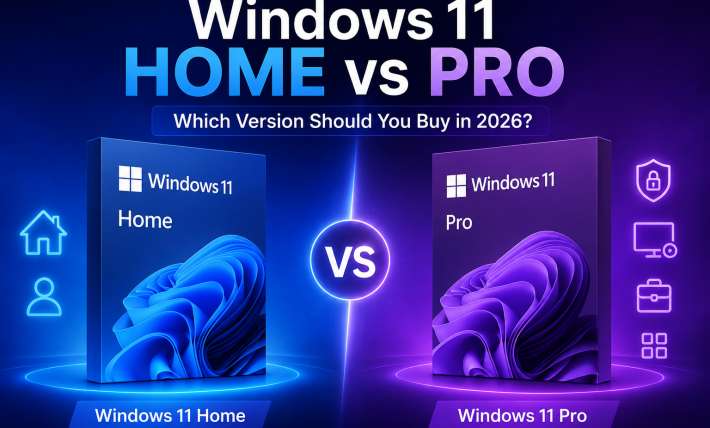
Activation failures usually come down to one of a few recurring issues. The most common problem is edition mismatch. For example, trying to activate Windows 11 Pro with a Home edition key will fail every single time.
Another major issue is reused or unauthorized keys. Extremely cheap marketplace codes may activate temporarily, then later fail once Microsoft flags the license. This is particularly common with:
- Recycled OEM licenses
- Region-locked keys
- Unauthorized volume keys
Hardware changes can also trigger activation problems. Replacing a motherboard or significantly changing your system configuration may cause Windows to require reactivation because the hardware ID no longer matches the original license registration.
And realistically, unsupported Windows 11 installations have complicated activation further. Some users bypass hardware requirements successfully, only for future updates or reactivation attempts to fail later.
Microsoft Quietly Changed Activation In 2026
This is something many older tutorials still fail to mention. Microsoft has gradually moved Windows activation further toward online-only systems. In fact, traditional phone-based activation methods were quietly phased out in late 2025 and early 2026 in favor of Microsoft’s newer online activation portal. I remember doing some of those myself – they are somehow quite easy and complicated at the same time; but I did it because it was extremely cheap.
Previously, users could activate Windows offline using automated phone systems. That option largely disappeared, with users now redirected toward Microsoft’s online activation infrastructure instead.
Microsoft stated the transition was made to improve:
- Security
- Reliability
- Fraud prevention
But realistically, it also means users now depend much more heavily on Microsoft accounts and internet access during activation. This change matters because many outdated activation guides online still reference methods that no longer work consistently.
OEM Keys vs Retail Keys Still Matter
Another thing users frequently overlook is the difference between OEM and Retail licenses. OEM keys are usually tied to a single machine permanently. They are commonly used on prebuilt PCs and laptops. Retail keys, meanwhile, are more flexible and can often be transferred between systems. This becomes important if you:
- Upgrade hardware regularly
- Build custom gaming PCs
- Replace motherboards often
Using the wrong license type can create activation headaches later, especially after major hardware upgrades.
Why Cheap Random Windows Keys Often Cause Problems Later
This is honestly one of the biggest mistakes users still make. A suspiciously cheap Windows key may work initially, but later:
- Fail validation checks
- Trigger activation warnings
- Break after hardware changes
- Stop working during major updates
And unfortunately, many users do not realize the problem came from the key itself until much later. That is why searches like:
- “Windows activation error”
- “Windows key stopped working”
- “buy genuine Windows key”
continue generating strong traffic every year. The license source matters far more than many people expect.
Deal! Buy A Windows Key At The Best Price
If you are installing Windows for the first time, upgrading systems, or fixing activation issues, using a verified Windows license from a trusted source is the safest approach.
Gamers-Outlet.net offers:
- Verified Windows 10 and Windows 11 keys
- Competitive pricing
- Instant delivery after purchase
- Secure checkout process
For users searching:
- “buy Windows 11 key cheap”
- “Windows activation key discount”
- “cheap Windows 10 Pro key”
This provides a reliable alternative to questionable marketplaces and reused licenses. And trust matters with software purchases. Gamers Outlet currently maintains more than 40,000 Trustpilot reviews alongside a strong 4.6/5 rating, helping users verify reliability before purchasing digital licenses.
So What Is The Best Way To Activate Windows In 2026?
Realistically, the safest approach today is:
- Use an officially supported Windows edition
- Make sure your hardware meets requirements
- Link your Microsoft account when possible
- Use a verified product key from a trusted seller
Trying to bypass activation systems or relying on questionable activation tools creates far more problems long-term. Tbf, Microsoft’s activation ecosystem has become stricter over the years. But when everything matches properly, activation itself remains fairly simple.
Final Thoughts
Windows activation in 2026 is no longer just about typing in a product key.
It now involves:
- Hardware verification
- Microsoft account integration
- Online validation systems
- Edition compatibility
Most activation issues ultimately come down to mismatched editions, unsupported hardware, or unreliable licenses. Once those are handled properly, the process itself becomes straightforward.
Why Us?
Here, the focus is on helping users avoid activation problems before they happen.
If you are reinstalling Windows, upgrading to Windows 11, or setting up a completely new PC – using a verified Windows key matters more than ever. And if you are looking to buy a Windows 11 key, compare pricing, or secure a reliable activation license without risky third-party sellers, Gamers-Outlet.net offers competitive pricing, instant delivery, and secure purchases backed by verified customer reviews.