Quick Facts
| Detail | Information |
|---|---|
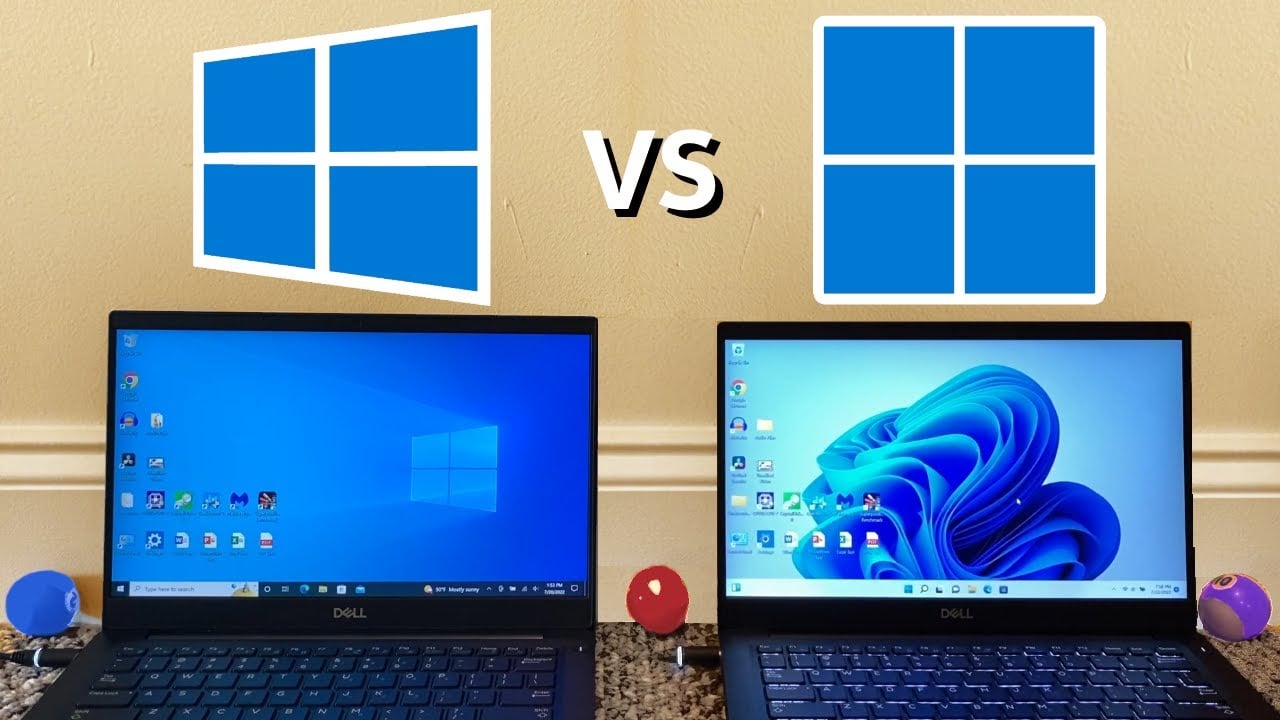
| Software | Windows 10 vs Windows 11 |
| Key Decision | Version Comparison |
| Platforms | PC |
| License Type | Product Key |
| Get It at Gamers-Outlet.net | Browse Windows Keys |
Why This Comparison Matters More Than Ever in 2026
If you are searching for terms like “buy Windows 11 key cheap” or “Windows 10 vs Windows 11 which is better,” you are already in decision mode. This is not just about features. It is about choosing the right operating system for long-term use.
The biggest shift in 2026 is simple. Windows 10 is no longer in mainstream support, while Windows 11 continues to receive updates, security patches, and feature improvements.
That alone changes the stakes. But there is another layer to this that many users are now starting to realize.
A significant number of PCs cannot upgrade to Windows 11 at all. Estimates suggest hundreds of millions of devices are effectively locked out due to hardware requirements, which is forcing users to reconsider their options entirely.
This is no longer just a comparison. It is a transition phase for the entire PC ecosystem.
Windows 10: Still Reliable, But No Longer Future-Proof
Windows 10 remains widely used even in 2026. In fact, it still accounts for a large portion of global usage, even though Windows 11 has overtaken it in adoption. There is a reason for that.
Windows 10 offers:
- Stability built over years of updates
- Strong compatibility with older hardware
- A familiar interface that many users still prefer
For users searching “buy Windows 10 key cheap,” the appeal is clear. It works, it is reliable, and it runs on almost anything. Also, a lot of users are just… sort of used to it, and do not want to go outside of their comfort zone. And I get that, if you are used to a type of UI and workflow, it takes ages to change from that, even within the same OS.
The main problem is long-term viability.
With support ending in October 2025:
- Security updates are no longer guaranteed
- Vulnerabilities will increase over time
- Software compatibility will gradually decline
This creates a strange situation where Windows 10 is still usable, but increasingly risky.
Windows 11: The Default Future for Most Users
Windows 11 is not just an upgrade. It is Microsoft’s long-term platform.
It introduces:
- A redesigned interface with better usability
- Improved performance on modern CPUs
- Gaming-focused features like DirectStorage
More importantly, it is where all future development is happening. From performance testing and user feedback:
- Windows 11 handles newer hardware more efficiently
- Multitasking and scheduling are improved
- Gaming performance is slightly better in newer titles
This explains why searches like:
- “buy Windows 11 key discount”
- “windows 11 pro buy”
continue to grow.
However, there is one major limitation.
The Hardware Barrier That Is Changing Everything
Windows 11 introduced strict hardware requirements:
- TPM 2.0
- Secure Boot
- Modern CPU support
While this improves security, it has also created a massive divide.
Millions of users cannot upgrade. This has led to an unexpected development in the market.
According to recent reporting, companies are now targeting these users directly. One notable example is the push toward alternative operating systems like ChromeOS Flex, which is being positioned as a way to extend the life of older PCs instead of replacing them.
This highlights a key reality: Users today are choosing between:
- Buying a new system for Windows 11
- Staying on Windows 10 with reduced security
- Switching to an entirely different OS
For most users, the first option remains the most practical.
Performance: Real-World Differences
Performance differences depend heavily on your hardware.
On older systems:
- Windows 10 performs more consistently
- Lower system requirements reduce strain
On newer systems:
- Windows 11 performs better overall
- CPU scheduling improvements are noticeable
- Gaming load times can improve with DirectStorage
In practical terms:
- Windows 10 is optimized for legacy systems
- Windows 11 is optimized for modern builds
This is why there is no one-size-fits-all answer.
Gaming: Where Windows 11 Starts to Pull Ahead
For gamers, the choice is becoming clearer over time.
Windows 11 includes:
- DirectStorage for faster asset loading
- Auto HDR for improved visuals
- Better integration with modern GPUs
While the difference is not always dramatic today, newer games are increasingly built with Windows 11 in mind.
This means:
- Short-term performance differences are small
- Long-term advantages favor Windows 11
For anyone searching “best Windows version for gaming,” Windows 11 is quickly becoming the standard recommendation.
User Experience: Familiar vs Modern
This is where personal preference comes in.
Windows 10:
- Traditional layout
- Familiar navigation
- Minimal learning curve
Windows 11:
- Cleaner design
- Improved multitasking tools
- More modern interface
User feedback is divided.
Some users prefer Windows 10 for its simplicity. Others prefer Windows 11 for its updated design and features. Personally, I prefer Windows 11. I like the UI and the minimalism it offers. This is not a technical decision. It is a usability preference.
The Bigger Industry Shift
What makes 2026 different is not just Windows 10 vs Windows 11.
It is the pressure being applied to users.
With Windows 10 support ending and hardware requirements limiting upgrades:
- Users are being pushed toward newer systems
- Alternative operating systems are entering the conversation
- The cost of staying on older hardware is increasing
The emergence of alternatives like ChromeOS Flex shows that this is not just a Microsoft transition. It is an industry-wide shift in how operating systems are distributed and maintained.
For users, this reinforces one key takeaway:
Delaying the decision will only reduce your options later.
Common Buying Mistakes (And How to Avoid Them)
Users often make avoidable mistakes when purchasing a Windows key.
Common issues include:
- Buying Windows 11 for unsupported hardware
- Choosing the wrong edition (Home vs Pro)
- Buying Windows 10 without considering support limitations
These lead to:
- Activation errors
- Compatibility issues
- Additional costs
Before purchasing, always verify:
- Your hardware compatibility
- Your long-term usage plans
Deal: Buy Windows 10 or Windows 11 Key at the Best Price
If you are ready to buy, the most efficient option is to purchase a Windows key at a discounted price from a trusted source.
Gamers-Outlet.net provides:
- Windows 10 and Windows 11 keys
- Verified global licenses
- Instant delivery
- Competitive pricing
For users searching:
- “buy Windows 11 key cheap”
- “Windows 10 key discount”
- “cheap Windows license”
We gotchu 🙂 If you ever see us pop up in your searches, head on over to our site and purchase these keys at the best possible prices, and you get the added benefit of 24/7 support, trust, and instantaneous delivery. And if you are still unsure – check out our Trustpilot ratings. That should definitely help you make your decision! With over 40,000 reviews and an average of 4.6 out of 5, I think it is safe to say what our users and customers think of us.
Which One Should You Buy in 2026?
Choose Windows 11 if:
- Your hardware supports it
- You want long-term updates and security
- You are building or upgrading a modern PC
Choose Windows 10 if:
- Your system cannot run Windows 11
- You need short-term compatibility
- You are not ready to upgrade hardware yet
But the direction is clear.
Windows 11 is the long-term platform. Windows 10 is temporary.
Our Take On This
Windows 10 vs Windows 11 is no longer just a comparison. It is a transition driven by hardware, security, and industry changes.
Windows 10 still works, but its time is limited. Windows 11 represents the future, but requires modern hardware.
The best decision depends on your system today, but also on where you want to be in the next few years.
At Gamers-Outlet.net, the focus is on helping users make informed software decisions that last.
Whether you are upgrading your system or installing a fresh OS, choosing the right Windows version is critical. With verified keys, competitive pricing, and instant delivery, Gamers-Outlet.net ensures you can purchase a Windows 10 or Windows 11 key with confidence and activate your system without delays.
1 Comment