This product is non-stackable, it cannot be redeemed on accounts with an active Xbox Game Pass Ultimate subscription. A payment method must be added to your Xbox account to activate this product.
Game Pass Ultimate 1 Month (Xbox Key / Global)

Game Pass Ultimate 1 Month (Xbox Key / Global)
Rating

Reviews
Price
  • $12.71
cards klarna GPay Apple Pay affirm afterpay

Official License: Global | 24/7 U.S. Support | Gamers Outlet - CD Keys

Platform
Xbox Xbox Key
Points Gained
10
Availability
In Stock
Support
24/7 Support
Delivery
Free digital delivery
Your Region
Supported
Available Options for GamePass Regions

$12.71

Instant Delivery: Game Pass Ultimate 1 Month (Xbox Key / Global) Game Key

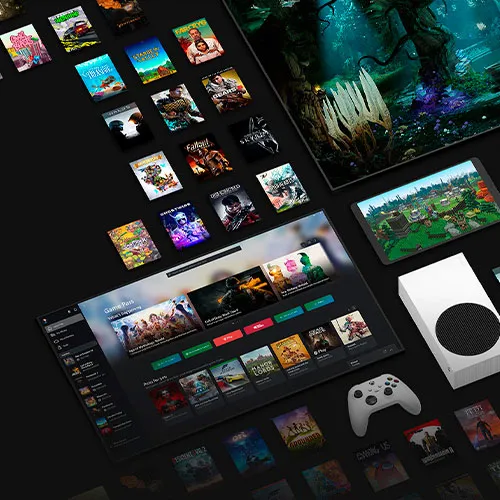
Experience the ultimate in gaming with Xbox Game Pass Ultimate. This 1-month membership gives you unlimited access to over 100 high-quality games across Xbox consoles and Windows PC.

Benefits:

- Play over 100 games on Xbox One and Series X|S consoles. New games are added all the time.
- Play over 100 PC games on Windows 10 devices. The PC library continues to grow.
- Combine Game Pass, Xbox Live Gold, and exclusive member discounts into one subscription.
- Download full games to your Xbox or PC to play offline anytime.
- Play alongside friends with online multiplayer on supported games.
- New Xbox exclusive titles from Bethesda, ID@Xbox, and more added on launch day.

This product is non-stackable, it cannot be redeemed on accounts with an active Xbox Game Pass Ultimate subscription. A payment method must be added to your Xbox account to activate this product.

Xbox Game Pass Ultimate is perfect for gamers who want to expand their library without spending a fortune. With new games added all the time, there is always something new to discover. Get unlimited access for one low monthly price with this 1-month membership.

Do you still have Xbox Live Gold or Game Pass prepaid time?

To upgrade to Xbox Game Pass Ultimate and combine Xbox Live Gold service and Xbox Game Pass into one bundle, follow these steps:

  1. Check if you have any remaining Xbox Live Gold or Game Pass prepaid time.
  2. When you upgrade to Xbox Game Pass Ultimate, any existing prepaid time will be automatically applied to the new Ultimate subscription.
  3. For more details and frequently asked questions about Xbox Game Pass Ultimate, refer to the Xbox Game Pass Ultimate FAQ
By upgrading to Xbox Game Pass Ultimate, you can enjoy the benefits of both Xbox Live Gold and Xbox Game Pass services in a single convenient bundle.

  • Will I get an invoice?
    Invoice will automatically generate upon placing an order.

  • Where can I find my invoice?
    Once the order is completed, the invoice will be available under 'My Account' (top right corner of the top bar) -> 'Order History.'

  • Can I edit my invoice?
    Currently, you cannot do this yourself. Please contact our support via email at [email protected], and we will be glad to assist you with the matter. For a faster process, please include the order number and any relevant information you want to be shown (such as your name, ID/tax number, etc.).

  • Is this product for every platform?
    No, this product is specific to the Microsoft platform.

  • Can I redeem this product anywhere?
    Yes, this Product is a Global version.

  • Is this product a game, credit, subscription or DLC?
    This product is a subscription to Game Pass Ultimate.
    It will grant you access to Game Pass Ultimate for the duration of the subscription.


  • Can I transfer this game to new hardware or a new console?
    Yes, This key is bind to your Microsoft account.

  • Is there a specific way I need to install this product?
    This product is Stackable.
    For more information, please read the 'Activation' tab.

How to activate the key for Xbox Game Pass Ultimate

Xbox One Console:

1-Sign in to your Xbox Live account and navigate to the "Home" screen.
2-Go to the "Store" in the "Categories" section.
3-Choose "Games" and then select "Use a code."
4-Opt to "enter the 25 character code" and input the code.


Web Browser:

1-Visit redeem.microsoft.com in a web browser.
2-Log in with your Microsoft account details.
3-Enter the code and click "Next"; follow the instructions to complete the redemption process.

Note: Currently, the Microsoft activation servers are experiencing an issue when redeeming Xbox Game Pass. In the meantime, please change the country of your account to Mexico (Here), and it should work. No VPN is needed.

Jordan Robinson 25/10/2024

1 month of GPU was quite cheap, and the key was available within like 10 seconds after payment was completed

Edvards 09/07/2024

Great product, all works without any issue.

Angel Liceaga 30/06/2024

Easy to active in my mexican account.

Write a review

Note: HTML is not translated!
Captcha
Review Score: 5 / 5
Jordan Robinson 25/10/2024

1 month of GPU was quite cheap, and the key was available within like 10 seconds after payment was completed

Edvards 09/07/2024

Great product, all works without any issue.

Angel Liceaga 30/06/2024

Easy to active in my mexican account.

Support