If you'd like to buy a big amount of copies, please contact [email protected]
This key can be used again if OS is reinstalled/formatted only if you link it to your Microsoft account (we can send instructions).
The key will work on an inactivated working Win11 Pro or a clean installation of Windows 11 Pro.
For instructions on upgrading from Windows 11 Home to Pro, please contact our support team.
Microsoft Windows 11 Pro OEM (Lifetime License / Global)

Microsoft Windows 11 Pro OEM (Lifetime License / Global)

Rating

Price
  • $6.43
cards klarna GPay Apple Pay affirm afterpay

Official License: Global | 24/7 U.S. Support | Gamers Outlet - CD Keys

Platform
Microsoft Lifetime License
Points Gained
5
Availability
In Stock
Support
24/7 Support
Delivery
Free digital delivery
Your Region
Supported
Available Options for Windows 11 options
$6.43

Instant Activation: Microsoft Windows 11 Pro OEM (Lifetime License / Global) CD Key

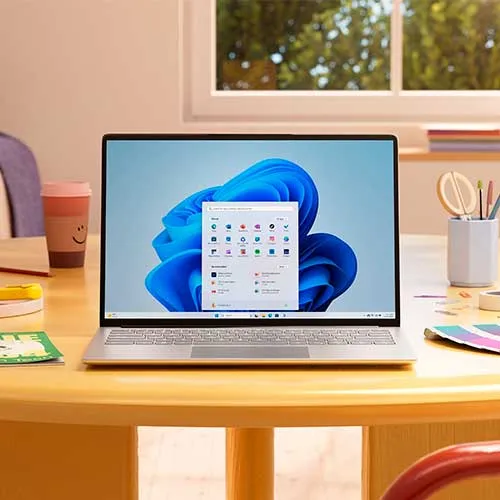
Windows 11 Pro brings a whole new set of features and improvements over its predecessor, Windows 10. With its sleek design, redesigned Start menu, and powerful performance enhancements, Windows 11 Pro is the ultimate operating system for professionals and power users alike.

One of the standout features is the Snap Layouts, which allows you to effortlessly organize your open windows and multitask like a pro. You'll also love the Virtual Desktops feature, which lets you create separate workspaces for different tasks, making it easier than ever to stay organized.

Download link: https://www.microsoft.com/software-download/windows11

In order to install the software on your PC, please follow the instructions here.

In case of an issue with activating your Windows key, please use one of the methods:

Method 1:

Download link: https://www.microsoft.com/software-download/windows11
Download the installation kit media creation tool on a bootable device like dvd or usb stick.
After Windows installation:

1. Go to "Settings''

2. Find "Activation"

3. Select "Activate" or "Change Product Key"

4. Insert the purchased key

5. Windows 11 Pro is operational

Method 2:

1. Click on ”Start” icon , then open ”Settings”, choose ”Update & security”, and then select ”Activation”.

2. Choose the ”Activate by phone” option.

3. Click the drop-down menu, select your country, and then click ”Next”.

4. Call the Toll free number and follow instructions to generate confirmation ID to activate your Windows.

Method 3:

1. Press and hold "Windows" key and press "R" on your keyboard.

2. Type "SLUI 4" in the window that pops up and press enter.

3. Click the drop-down menu, select your country and then click Next.

4. Call the Toll free number and follow instructions to generate confirmation ID to activate your Windows.

More information regarding phone activation can be found here.


  • Will I get an invoice?
    Invoice will automatically generate upon placing an order.

  • Where can I find my invoice?
    Once order is completed, the invoice will be under "my account" (top right corner of the top bar)->"Order History".

  • Can I edit my invoice?
    Currently you cannot do it yourself, but please contact our support via mail at [email protected] and we will be glad to assist on the matter.
    For faster process, please try to add the order number and full info you want to be shown (name, id/tax number etc`...).

  • ian, Spanish, Turkish, Czech, Polish, Japanese, Chinese, Korean and more)
  • Can I install this on MacOs?
    No, This product does not support MacOs.

  • Can I redeem this Product from anywhere?
    Yes, this Product is a Global version.

  • Can I transfer this software to a new hardware?
    Yes, this key can be used again if the OS or software is reinstalled or formatted, if the key is bind to your Microsoft account.
    For instructions, please contact our support at [email protected]

  • Is there a specific way I need to install this software?
    The key will work on an inactive Windows 11 Pro system or a clean installation of Windows 11 Pro.
    For more information, please read the 'Activation' tab.

  • Can I use this key to directly upgrade from Windows 11 Home?
    The key can't be used to upgrade from Windows 11 Home.
    For instructions on upgrading from Windows 11 Home to Pro, please contact our support team at [email protected].

  • What if I need a COA sticker for that product?
    The COA label print can be scanned and sent to you upon request, for an additional charge.

Activation Instructions for Windows 11 Pro Cd Key OEM:
Download link: https://www.microsoft.com/software-download/windows11

In order to install the software on your PC, please follow the instructions here.

In case of an issue with activating your Windows key, please use one of the methods:

Method 1:

Download link: https://www.microsoft.com/software-download/windows11
Download the installation kit media creation tool on a bootable device like dvd or usb stick.
After Windows installation:

1. Go to "Settings''

2. Find "Activation"

3. Select "Activate" or "Change Product Key"

4. Insert the purchased key

5. Windows 11 Pro is operational


Method 2:

1. Click on ”Start” icon , then open ”Settings”, choose ”Update & security”, and then select ”Activation”.

2. Choose the ”Activate by phone” option.

3. Click the drop-down menu, select your country, and then click ”Next”.

4. Call the Toll free number and follow instructions to generate confirmation ID to activate your Windows.


Method 3:

1. Press and hold "Windows" key and press "R" on your keyboard.

2. Type "SLUI 4" in the window that pops up and press enter.

3. Click the drop-down menu, select your country and then click Next.

4. Call the Toll free number and follow instructions to generate confirmation ID to activate your Windows.

More information regarding phone activation can be found here.

Dylan LIAO 14/08/2026

Bien que j'ai eu un problème avec ma licence, Tushar du SAV a pu m'aider totalement pour pouvoir activer ma licence. Il pourrait sauver le monde s'il le voulait ou trouver une cure au cancer. J'en suis convaincu. Thank you so much Tushar and wish you the best in your life !

Keegan  12/08/2026

Worked for realsies. Did have a small issue for it working at first but that was fault on my PC and not the code. Was even given the steps to fix my activation problem so it would work! Thank you

Jason Lin 12/08/2026

Very good, works in 10 seconds

Jas Dhillon 08/08/2026

Got what I payed for, great service

tinkertoker 07/08/2026

Bought and activated in under 1min, no issues!

Write a review

Note: HTML is not translated!
Captcha
Review Score: 5 / 5
Dylan LIAO 14/08/2026

Bien que j'ai eu un problème avec ma licence, Tushar du SAV a pu m'aider totalement pour pouvoir activer ma licence. Il pourrait sauver le monde s'il le voulait ou trouver une cure au cancer. J'en suis convaincu. Thank you so much Tushar and wish you the best in your life !

Keegan  12/08/2026

Worked for realsies. Did have a small issue for it working at first but that was fault on my PC and not the code. Was even given the steps to fix my activation problem so it would work! Thank you

Jason Lin 12/08/2026

Very good, works in 10 seconds

Jas Dhillon 08/08/2026

Got what I payed for, great service

tinkertoker 07/08/2026

Bought and activated in under 1min, no issues!

Support