



























If you'd like to buy a big amount of copies, please contact [email protected]
You cannot link this license to a personal account as this as an activated account with the license.
This account gives you access to Educational Version of Autodesk Revit 2026 for Windows.
There is no reference to the educational version in print nor the classic watermark.
Cloud services and access to mobile and web applications are not included in this type of license!
Revit 2026 (1 Year / 1 Device Account) (Windows) (Subscription - Global)
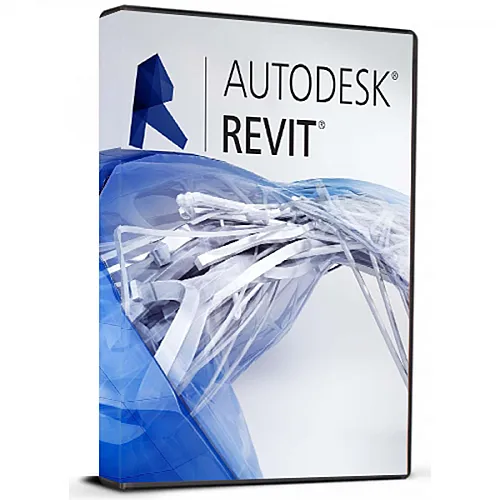

Revit 2026 (1 Year / 1 Device Account) (Windows) (Subscription - Global)

Rating

Reviews
Price
  • $15.33
cards klarna GPay Apple Pay affirm afterpay

Official License: Global | 24/7 U.S. Support | Gamers Outlet - CD Keys

Platform
Autodesk Subscription
Points Gained
12
Availability
In Stock
Support
24/7 Support
Delivery
Free digital delivery
Your Region
Supported


$15.33

Instant Delivery: Autodesk Revit 2026 (1 Year / 1 Device Account) (Windows) (Subscription / Global) Game Key

If you'd like to buy a big amount of copies, please contact [email protected] <br>
You cannot link this license to a personal account as this as an activated account with the license. <br>
This account gives you access to Educational Version of Autodesk Revit 2026 for Windows. <br>
There is no reference to the educational version in print nor the classic watermark. <br>
Cloud services and access to mobile and web applications are not included in this type of license!

  • Will I get an invoice?
    Invoice will automatically generate upon placing an order.

  • Where can I find my invoice?
    Once the order is completed, the invoice will be available under 'My Account' (top right corner of the top bar) -> 'Order History.'

  • Can I edit my invoice?
    Currently, you cannot do this yourself. Please contact our support via email at [email protected], and we will be glad to assist you with the matter. For a faster process, please include the order number and any relevant information you want to be shown (such as your name, ID/tax number, etc.).

  • Can I install this on macOS?
    No, this product does not support MacOS.

  • Can I redeem this product from anywhere?
    Yes, this product is a global version.

  • Can I transfer this product to new hardware?
    No, The code is valid for 1 pc or 1 installation - if you uninstall or reinstall you might need to buy a new code.

  • Is there a specific way I need to install this product?
    For more information, please read the 'Activation' tab.

Activation Instruction For Autodesk Revit 2026 For Windows:

️IMPORTANT RULES (Please Read) Max 4 Activations: You can generate a maximum of 4 OTP codes per account. Once you reach 4 activations, the account will be locked permanently and you will not be able to retrieve any new codes.


YOUR ASSIGNED EMAIL: 

[Please use the email received in your order — Do NOT use personal email]


OTP ACCESS PORTAL

https://campusmail.org/get-otp.php


Please follow video guides before you start installation.


First Time Users

Watch Video if you have never installed Revit on your computer before. Shows how to sign in and activate for the first time.


Existing Users

Watch Video if you already have Revit installed and need to renew or extend an expiring license without reinstalling.


Step 1: Download Software (First Time Users Only)

Required: Download BOTH files below. The software will NOT install if only one file is downloaded.


Download Link 1 (.exe File):

https://edutrial.autodesk.com/NetSWDLD/ODIS/prd/2026/RVT/8986CA21-EA9C-32F3-A1DB-C34BD2BDA7A5/SFX/RVT_2026_NA_win_db_001_002.exe


Download Link 2 (.7z File):

https://edutrial.autodesk.com/NetSWDLD/ODIS/prd/2026/RVT/8986CA21-EA9C-32F3-A1DB-C34BD2BDA7A5/SFX/RVT_2026_NA_win_db_002_002.7z


After both files finish downloading into the same folder, run the .exe file to initiate installation.


Step 2: Activate & Login

  • Open Autodesk Revit 2026.
  • On the "Let's Get Started" window, click "Sign in with Autodesk ID".
  • Sign in using your Assigned Email as guided in the video.


Step 3: Get Your OTP Code

  • Visit portal: campusmail.org/get-otp.php
  • Enter Assigned Email and click Fetch Latest Code.
  • Paste 6-digit code into Autodesk window to complete setup!


Troubleshooting

Issue: "No recent Autodesk emails found"

Solution: You clicked "Fetch" too quickly. Return to Autodesk, click "Send Code", wait 30 seconds, then click Fetch on our page again.

There are no reviews for this product.

Write a review
Note: HTML is not translated!
Captcha
Support

