Instant Activation: Ashampoo UnInstaller 11 (Windows) (Lifetime License / Global) CD Key
UnInstaller has not just users but fans! That's why we ran three surveys during its development to learn about your requests–and received thousands of answers! This helped us come up with features like Quick Uninstall (1-click uninstallations), manual log editing, improved cookie management and better tooltips. The community also inspired us to add a widescreen mode for low-res displays, the ability to trigger in-depth cleaning manually and to improve Registry analysis. All of these features were driven by user feedback! We're so grateful for your help and hope you'll enjoy the best Ashampoo® UnInstaller ever!
The world's smartest installation guard!
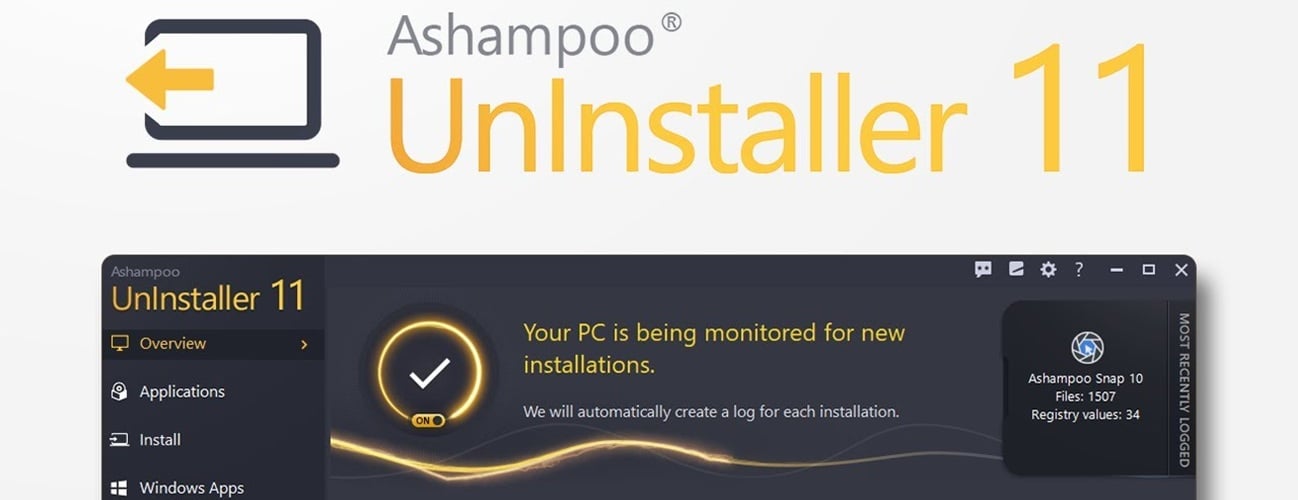
Installation monitoring in previous versions was good but Ashampoo® UnInstaller 11 blows them out of the water! Our latest installation guard detects different installer types and uses per-type optimization to track even the most minute modifications to your system. In most cases, logging will also start and stop automatically so you no longer have to lift a finger! In addition, the program can now tell fresh installations from updates to avoid erroneous logging! This lets UnInstaller monitor what goes on your PC even better!
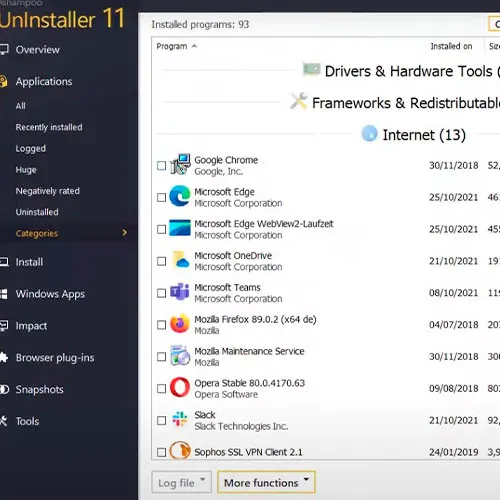
Review installed programs neatly arranged by category
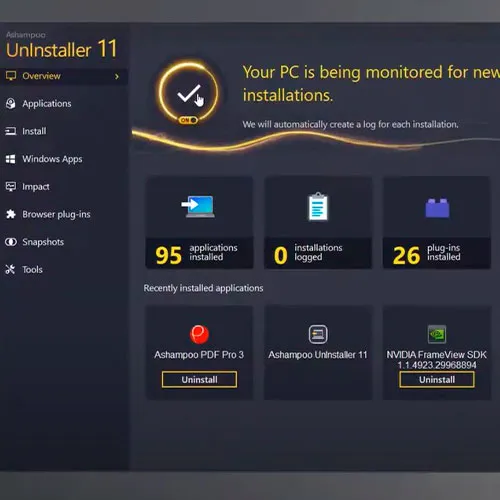
As systems get older, programs start to pile up making it harder to keep track of your software. UnInstaller 11 comes with a handy categories view that lists all of your installed software by category. The program recognizes your installed software applications automatically and sorts them into their respective categories. You can even categorize (very recent) unknown applications manually. And because the categories view is so useful, you can also set it as your UnInstaller start page!
We heard you
The UnInstaller community had a lot of requests and useful suggestions–and we're more than happy to oblige! Want to trigger the uninstallation directly from the programs list view? You got it! Manually trigger in-depth scans for leftover files after uninstallations? Sure! You can now also edit log files manually, e.g. to exclude objects from removal. Finally, there's a faster route to managing your secure cookies! We've also included tooltips to provide useful information about install folders and added and optimized view for low resolution displays.
Also for Windows 11, naturally!
A freshly set up and clean system guarantees optimal performance, which is why we recommend you use UnInstaller to install any new application. UnInstaller 11 is fully compatible with Windows 11 and guarantees clean program uninstalls without leftovers. Don't let software installations clutter up your fresh new Windows system! Have UnInstaller log your installations and rest easy in the knowledge that you can completely remove anything at the click of a button!The program also comes with an interface optimized for the new Windows 11 design in addition to three classic dark versions.
System launch in full view
What happens in your PC when you press that power button? What programs and tasks are loaded–and is there a way to speed things up? Boot Center will show you what goes on on your PC during booting. Examine running processes and autorun entries and disable unnecessary programs, including system-default apps! The handy task view lists all Windows tasks, even orphaned entries that got left behind during uninstalls. Rid yourself of unneeded items and boost the boot time of your Windows PC!
Review Windows tasks and cast off baggage
Windows task scheduling has never looked more beautiful! Instead of navigating through dull system menus, take the easy route and track down superfluous or orphaned tasks in style. Use the filter for a better overview and disable or delete useless tasks. Not sure what do delete? The built-in online search will help you make that decision!
Simply evolved
UnInstaller 11 is responsive, thorough and fast. The program adapts to your screen resolution and automatically switches to widescreen mode where appropriate. In-depth cleaning now benefits from enhanced Registry scans to track down every last byte–even when the original setup scrips are corrupted! You'll also notice a significant speed increase with many modules, as we've done extensive tweaking under the hood. Paired with new and more efficient cleaners, this is the best Ashampoo® UnInstaller yet!
Perfect uninstalls powered by heuristics and expertise
Different setups behave differently on your Windows machine. That's why UnInstaller 11 recognizes the setup type and relies on an extensive database to track and predicts their behavior–similar to heuristics engines in antivirus programs. No other uninstaller can do this! The result is more detailed install logs and the ability to distinguish between fresh installs and mere updates. This feature also allows UnInstaller to detect the start and beginning of installations reliably and to scan for leftovers. Benefit from cutting-edge technology and rid your system of even the most exotic of programs with Ashampoo® UnInstallers 11!
Detail enhancements with major effects
Ashampoo® Uninstaller 10 was a major success, driving us to push the envelope even further in version 11! The new uninstall algorithm works noticeably more thoroughly and detects more clutter! We're striving for the perfect software removal with not a singly byte left behind, which is why installation monitoring and database-powered software removal have also been enhanced. We've also worked closely with our support staff to incorporate your feedback and make this the most robust and stabile UnInstaller yet! And naturally, the all-time favorite cleaner modules, like Internet Cleaner, have been fully updated!
No mercy for unwanted programs
Ashampoo® UnInstaller 11 rids your PC of no longer needed or sub-par applications–but it also gets rid of all the nasty programs that were secretly snuck onto your PC! Especially download portals love to bundle their software with "add-ons" that border on spy or malware. These potentially unwanted programs (PUP), often disguised as toolbars or little helpers, are out of luck when it comes to Ashampoo® UnInstaller 11. We don't like them and we're sure you don't like them either! UnInstaller even detects nested installers and wipes them off your system at your leisure!
Uninstall programs without leftovers
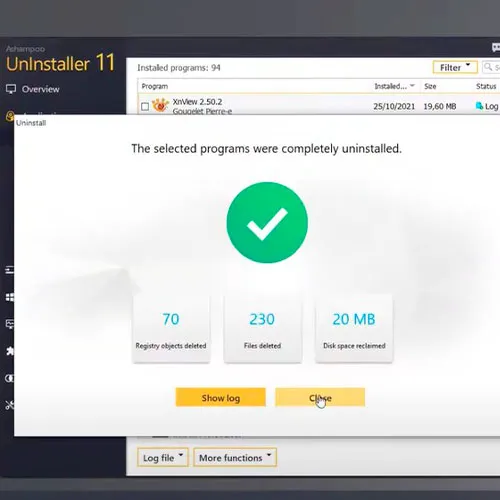
Windows relies completely on uninstall routines provided by the applications themselves–and that just isn't enough! Be it through negligence or intent, uninstalling programs through default means frequently leaves your PC with invalid Registry entries and orphaned files. This clutter not only wastes disk space but also bloats your Registry and degrades the performance of your system. UnInstaller uses sophisticated scan and cleaning methods that go far beyond the capabilities of Windows to detect and eliminate clutter. This is why we're confident in saying Ashampoo® UnInstaller 11 removes software down to the last byte!











































 Lifetime License


