

























If you'd like to buy a big amount of copies, please contact [email protected]
Office 2021 Pro Plus Cd Key Phone activation RETAIL

Office 2021 Pro Plus Cd Key Phone activation RETAIL

Rating

Reviews
Price
  • $8.12
cards klarna GPay Apple Pay affirm afterpay
Platform
Microsoft Windows Microsoft Office
Points Gained
7
Availability
In Stock
Support
24/7 Support
Delivery
Free digital delivery
Your Region
Supported
Available Options for Office 2021 options


$8.12

invoice will automatically generate upon placing an order

Available Languages: MULTILANGUAGE

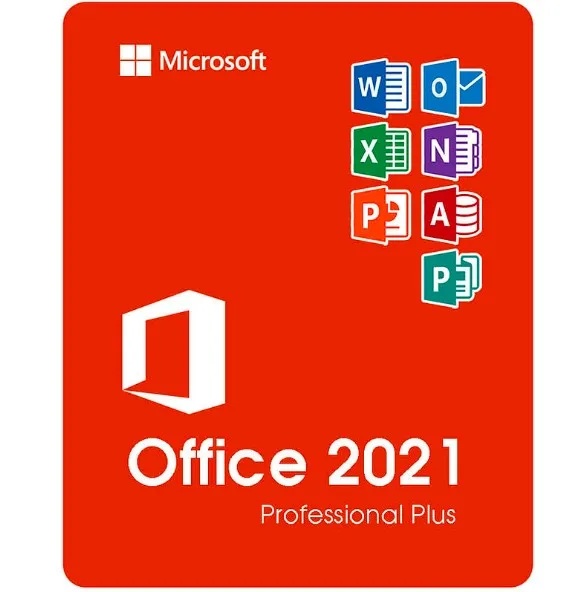
2021 version of Word, Excel, PowerPoint, Outlook, Publisher, Access, OneNote.

Does not work on MacBook. Look for Home and Business @ search bar.

The code is valid for 1 pc / 1 installation - if you uninstall/reinstall your office, you might need to buy a new code.

Doesn't work on android/ChromeOS/iOS Apple devices. Compatible only with Windows 10, Windows 11.

Activation codes must be redeemed within 15-20 days of purchase. We cannot guarantee that codes will work if they are not redeemed within the specified time frame.

ACTIVATION INSTRUCTIONS:

1. Download the official installer from this link: Here
2. Enter the product key you received from us to activate the software.
3. Select the "Activate by Phone" option.

For more detailed instructions, please visit the download section and click on the "How to Activate" button. 

For other languages: https://gamersoutlet.zendesk.com/hc/en-us/articles/4874773336983-How-to-download-Office-2021-ISO-image-link 

We Also Offer Windows 11 cd keys HERE
Windows 10 cd keys HERE
Other Office 2021 cd keys
HERE

  • Will I get an invoice?
    Invoice will automatically generate upon placing an order.

  • Where can I find my invoice?
    Once the order is completed, the invoice will be available under 'My Account' (top right corner of the top bar) -> 'Order History.'

  • Can I edit my invoice?
    Currently, you cannot do this yourself. Please contact our support via email at [email protected], and we will be glad to assist you with the matter. For a faster process, please include the order number and any relevant information you want to be shown (such as your name, ID/tax number, etc.).

  • Can I install this on macOS?
    No, this product does not support macOS, only compatible with Windows 10 and 11.

  • Can I redeem this product anywhere?
    Yes, this Product is a Global version.

  • Can I transfer this product to new hardware?
    No, The code is valid for 1 pc or 1 installation - if you uninstall or reinstall you might need to buy a new code.

  • Is there a specific way I need to install this product?
    Please read the 'Activation' tab.

  • What if I need a COA sticker for that product?
    The COA label print can be scanned and sent to you upon request, for an additional charge.

ACTIVATION INSTRUCTIONS:

Download the official ISO/image to activate: https://officecdn.microsoft.com/pr/492350f6-3a01-4f97-b9c0-c7c6ddf67d60/media/en-us/ProPlus2021Retail.img (Other languages can be found below)

1-After installation, open Word (or any Office app)
When the Office Activation Wizard appears, select “Activate by phone.”
The wizard will display your Installation ID (IID) - you will need this shortly.
The IID is shown as 9 groups of 7 digits.

2-Go to the activation website
Open your browser and go to: https://aka.ms/aoh

3-Sign in
Choose Microsoft Account as the login method and sign in with your Microsoft account.

4-Select “Activate a Microsoft Product”
On the first page, click Activate a Microsoft Product.

5-Choose the product type
Select the category that matches what you are activating:

  • Windows → for Windows activation
  • Microsoft Office → for Office, Project, or Visio
  • Windows Server, etc., if applicable

Note: For Project and Visio, choose Microsoft Office.

6-Select your operating system

7-Choose the product version
Select the version you are activating, for example:

  • Office / Project / Visio 2024
  • Office / Project / Visio 2021
  • Office / Project / Visio 2019, etc. 

8-Enter your Installation ID (IID)
You will see nine empty boxes.
Enter each group of digits from your IID into the matching box (9 groups of 7 digits).
When finished, submit the form to continue.

9-Answer the usage question
When asked, “How many computers have you installed this copy on?”
Type 0, then continue.

10-Receive your Confirmation ID
The website will display your Confirmation ID.

11-Enter the Confirmation ID into your PC
Return to the Office activation wizard and enter the Confirmation ID to finish activation.


More languages:

https://www.gamers-outlet.net/download-office-2021-professional-plus-download-links-languages

 **For a more visual guide, watch our tutorial video here:


JAMES LARGO 03/01/2024

Soy técnico de computadoras y siempre recomiendo a mis clientes que inviertan en licencias originales para proteger sus equipos y la información contenida en ellos. Llevo ya dos años comprando y utilizando las licencias de este sitio web y no he tenido dificultades hasta el momento. Ya van mas de 10 licencias y todas han funcionado muy bien. 100% recomendado tanto por su fiabilidad como por sus bajos precios.

JAMES LARGO 03/01/2024

Soy técnico de computadoras y siempre recomiendo a mis clientes comprar software con licencia original para no poner en riesgo sus equipos y la información contenida en ellos. Durante ya dos años he estado comprando licencias en ésta página web y jamás he tenido dificultades. Ya han sido mas de 10 licencias y no he tenido dificultades con ninguna. Incluso debí formatear un computador y al reinstalar el Office y hacer el proceso de activación con la misma licencia, no tuve ningún inconveniente. No fue necesario comprar una licencia nueva.
También debo destacar que es el sitio web que mejores precio tiene y lo mejor, 100% confiable.

Juan I. Rosendo Martín 20/07/2022

Estoy muy contento.
Hice una pregunta, antes de comprar y me respondieron de inmediato.
Compré licencias de office 2021 para dos pc´s y en cuanto hice el pago, instantáneamente, ya me habían enviado la clave del producto.
Hice la activación siguiendo las instrucciones que había en la descripción del producto, y me ha funcionado perfectamente en los dos ordenadores.
Por lo tanto, sólo puedo decir que lo recomiendo mucho. Es una forma muy económica de tener el software original.
Gracias

AMG 23/05/2022

I bought Office 2021 license for 2 pc.
Turns out I installed the license and activated it over the phone on one of the computers and it worked perfectly. Later I installed it on the second computer but the option to activate the license by telephone did not appear. I contacted customer service and Daniele Minniti assisted me, he solved the problem perfectly, very quickly and he is also very nice! A service of 10, I recommend it to everyone! Thank you Daniele!! :)

Miguel Ángel Glz 15/05/2022

Compré esta versión para dos computadoras hace unas horas, recién la acabo de instalar y al querer activar quise hacerlo desde la opción de INTERNET que me daba Office, falló la activación (me dio a entender que ya estaban activadas dos computadoras), así que intenté nuevamente, pero ahora desde la opción VÍA TELEFÓNICA, aunque realmente no lo hice desde el teléfono, sino desde la página web a la que aquí mismo te enlazan.

La activación tuvo éxito, sólo quiero mencionar que al copiar los números que te piden lo hagas separando las claves con un guión, así, en lugar de poner 12345671234567 pondremos 1234567-1234567; así es para todos los grupos de números que tenemos que indroducir.

Sólo la he instalado en una computadora, aún no verifico la segunda instalación

Write a review

Note: HTML is not translated!
Captcha
Review Score: 5 / 5
JAMES LARGO 03/01/2024

Soy técnico de computadoras y siempre recomiendo a mis clientes que inviertan en licencias originales para proteger sus equipos y la información contenida en ellos. Llevo ya dos años comprando y utilizando las licencias de este sitio web y no he tenido dificultades hasta el momento. Ya van mas de 10 licencias y todas han funcionado muy bien. 100% recomendado tanto por su fiabilidad como por sus bajos precios.

JAMES LARGO 03/01/2024

Soy técnico de computadoras y siempre recomiendo a mis clientes comprar software con licencia original para no poner en riesgo sus equipos y la información contenida en ellos. Durante ya dos años he estado comprando licencias en ésta página web y jamás he tenido dificultades. Ya han sido mas de 10 licencias y no he tenido dificultades con ninguna. Incluso debí formatear un computador y al reinstalar el Office y hacer el proceso de activación con la misma licencia, no tuve ningún inconveniente. No fue necesario comprar una licencia nueva.
También debo destacar que es el sitio web que mejores precio tiene y lo mejor, 100% confiable.

Juan I. Rosendo Martín 20/07/2022

Estoy muy contento.
Hice una pregunta, antes de comprar y me respondieron de inmediato.
Compré licencias de office 2021 para dos pc´s y en cuanto hice el pago, instantáneamente, ya me habían enviado la clave del producto.
Hice la activación siguiendo las instrucciones que había en la descripción del producto, y me ha funcionado perfectamente en los dos ordenadores.
Por lo tanto, sólo puedo decir que lo recomiendo mucho. Es una forma muy económica de tener el software original.
Gracias

AMG 23/05/2022

I bought Office 2021 license for 2 pc.
Turns out I installed the license and activated it over the phone on one of the computers and it worked perfectly. Later I installed it on the second computer but the option to activate the license by telephone did not appear. I contacted customer service and Daniele Minniti assisted me, he solved the problem perfectly, very quickly and he is also very nice! A service of 10, I recommend it to everyone! Thank you Daniele!! :)

Miguel Ángel Glz 15/05/2022

Compré esta versión para dos computadoras hace unas horas, recién la acabo de instalar y al querer activar quise hacerlo desde la opción de INTERNET que me daba Office, falló la activación (me dio a entender que ya estaban activadas dos computadoras), así que intenté nuevamente, pero ahora desde la opción VÍA TELEFÓNICA, aunque realmente no lo hice desde el teléfono, sino desde la página web a la que aquí mismo te enlazan.

La activación tuvo éxito, sólo quiero mencionar que al copiar los números que te piden lo hagas separando las claves con un guión, así, en lugar de poner 12345671234567 pondremos 1234567-1234567; así es para todos los grupos de números que tenemos que indroducir.

Sólo la he instalado en una computadora, aún no verifico la segunda instalación