Anında Etkinleştirme: Microsoft Office 2021 Pro Plus (Telefonla Etkinleştirme) (Ömür Boyu Lisans / Küresel) CD Anahtarı
Microsoft Office 2021 Professional Plus (ISO) Paketi Neleri İçerir?
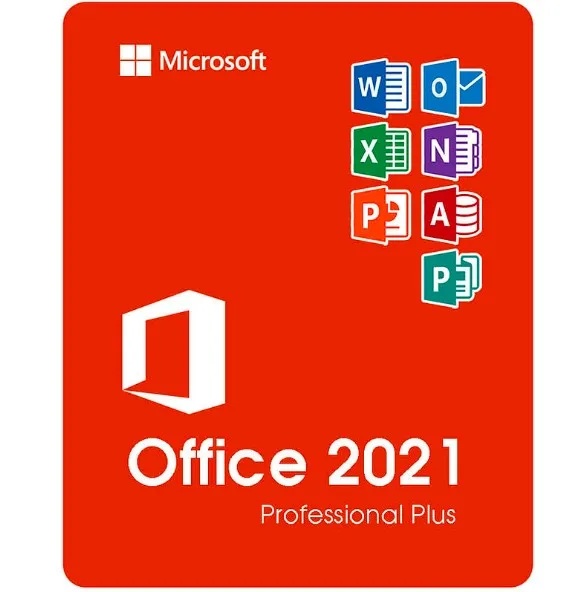
Microsoft Office 2021 Professional Plus, Windows kullanıcıları için Office'ün en eksiksiz tek seferlik satın alma sürümüdür. Bu sürüm, iş, eğitim ve profesyonel ortamlarda kullanılan tüm temel Microsoft üretkenlik uygulamalarını içerir:
Word 2021 – Gelişmiş belge oluşturma ve düzenleme
Excel 2021 – Güçlü elektronik tablolar, veri analizi ve formüller
PowerPoint 2021 – Profesyonel sunumlar ve tasarım araçları
Outlook 2021 – E-posta, takvim ve kişi yönetimi
Publisher 2021 – Pazarlama materyalleri, broşürler ve mizanpajlar
Access 2021 – Veritabanı oluşturma ve yönetimi (yalnızca Windows)
Bu programların tam masaüstü sürümlerini alırsınız — abonelik gerekmez.
“Professional Plus” Ne Anlama Gelir (Home & Business Sürümleriyle Karşılaştırıldığında)
Office 2021'in çeşitli sürümleri mevcuttur, ancak Professional Plus mevcut en üst düzey sürümdür.
Sürüm | Dahil Olan Uygulamalar | En Uygun |
|---|
Ev ve Öğrenci | Word, Excel, PowerPoint | Öğrenciler ve ev kullanımı |
Ev ve İşletme | Word, Excel, PowerPoint, Outlook | Küçük işletme kullanıcıları |
Professional Plus | Word, Excel, PowerPoint, Outlook, Publisher, Access | Profesyoneller, şirketler, ileri düzey kullanıcılar |
Professional Plus, Access ve Publisher'ı da ekleyerek aşağıdakiler için ideal hale gelir:
Verileri yöneten işletmeler
Pazarlama ve tasarım materyalleri
Tam işlevselliğe ihtiyaç duyan Office ortamları
Desteklenen Sistemler ve Diller
Bu ürün şu platformlarda çalışır:
✔ Windows
10✔ Windows 11❌
MacOS, Chromebook'lar, iOS veya Android ile uyumlu değildir.
Dil desteği:
ISO, İngilizce, İspanyolca, Almanca, Fransızca, İtalyanca ve diğer birçok dil dahil olmak üzere Microsoft tarafından desteklenen birçok dilde yüklemeye izin verir.
Teslimat Süreci
Satın alma işleminizin ardından:
Aktivasyon anahtarınızı e-posta yoluyla anında alırsınız.
Office 2021 ISO dosyasını indirebileceğiniz bir bağlantı alırsınız.
Basit yükleme adımlarını izleyin.
Ürün Anahtarınızı kullanarak Office'ü etkinleştirin.
Fiziksel bir disk gönderilmez — her şey dijitaldir ve anında teslim edilir.
Office 2021 ISO Dosyası Nedir?
ISO dosyası, Microsoft Office'ün eksiksiz bir yükleme görüntüsüdür. Bu dosya size şunları sağlar:
Microsoft hesabı aboneliğine ihtiyaç duymadan Office'ü yükle
Gelecekteki yeniden yüklemeler için bir kopyasını saklayın
Sürekli internet bağlantısı olmasa bile yükle
ISO Dosyasını Kullanma
ISO dosyasını indirin.
Dosyaya sağ tıklayın → "Mount" seçeneğini seçin.
Setup.exe dosyasını çalıştırarak Office'ü yükleyin.
İstenildiğinde Ürün Anahtarınızı girin.
ISO dosyası, sistem dağıtımları için kullanılan resmi Office yükleme paketi formatını içerir.
Neden ISO Sürümünü Seçmelisiniz?
✔ Tam Office yükleme
paketi✔ İleri düzey kullanıcılar ve BT
ortamları için kullanışlı✔
Yeniden kurulumlar için elverişli✔ Abonelik ücreti yok — bir kez ödeyin, kalıcı olarak kullanın
- Fatura alacak mıyım?
Sipariş verildiğinde fatura otomatik olarak oluşturulacaktır.
- Faturamı nerede bulabilirim?
Sipariş tamamlandıktan sonra, fatura 'Hesabım' (üst çubuğun sağ üst köşesi) -> 'Sipariş Geçmişi' bölümünde görüntülenecektir.
- Faturamı düzenleyebilir miyim?
Şu anda bunu kendiniz yapamazsınız. Lütfen [email protected] adresinden destek ekibimizle iletişime geçin, size yardımcı olmaktan memnuniyet duyarız. İşlemin daha hızlı gerçekleşmesi için lütfen sipariş numarasını ve gösterilmesini istediğiniz ilgili bilgileri (adınız, kimlik/vergi numaranız vb.) ekleyin.
- Bunu macOS'a yükleyebilir miyim?
Hayır, bu ürün macOS'u desteklemiyor, yalnızca Windows 10 ve 11 ile uyumludur.
- Bu ürünü herhangi bir yerde kullanabilir miyim?
Evet, bu ürün küresel bir versiyondur.
- Bu ürünü yeni bir donanıma aktarabilir miyim?
Hayır, kod 1 bilgisayar veya 1 kurulum için geçerlidir - kaldırırsanız veya yeniden yüklerseniz yeni bir kod satın almanız gerekebilir.
- Bu ürünü yüklemek için belirli bir yöntem izlemem gerekiyor mu?
Lütfen 'Etkinleştirme' sekmesini okuyun.
- Peki ya o ürün için orijinallik sertifikası etiketine ihtiyacım olursa?
Ek bir ücret karşılığında, talep üzerine COA etiketinin çıktısı taranarak size gönderilebilir.
ACTIVATION INSTRUCTIONS:
Download the official ISO/image to activate: https://officecdn.microsoft.com/pr/492350f6-3a01-4f97-b9c0-c7c6ddf67d60/media/en-us/ProPlus2021Retail.img (Other languages can be found below)
1-After installation, open Word (or any Office app)
When the Office Activation Wizard appears, select “Activate by phone.”
The wizard will display your Installation ID (IID) - you will need this shortly.
The IID is shown as 9 groups of 7 digits.
2-Go to the activation website
Open your browser and go to: https://aka.ms/aoh
3-Sign in
Choose Microsoft Account as the login method and sign in with your Microsoft account.
4-Select “Activate a Microsoft Product”
On the first page, click Activate a Microsoft Product.
5-Choose the product type
Select the category that matches what you are activating:
- Windows → for Windows activation
- Microsoft Office → for Office, Project, or Visio
- Windows Server, etc., if applicable
Note: For Project and Visio, choose Microsoft Office.
6-Select your operating system
7-Choose the product version
Select the version you are activating, for example:
- Office / Project / Visio 2024
- Office / Project / Visio 2021
- Office / Project / Visio 2019, etc.
8-Enter your Installation ID (IID)
You will see nine empty boxes.
Enter each group of digits from your IID into the matching box (9 groups of 7 digits).
When finished, submit the form to continue.
9-Answer the usage question
When asked, “How many computers have you installed this copy on?”
Type 0, then continue.
10-Receive your Confirmation ID
The website will display your Confirmation ID.
11-Enter the Confirmation ID into your PC
Return to the Office activation wizard and enter the Confirmation ID to finish activation.
More languages:
https://www.gamers-outlet.net/download-office-2021-professional-plus-download-links-languages
Video Guide:











































 Lifetime License


