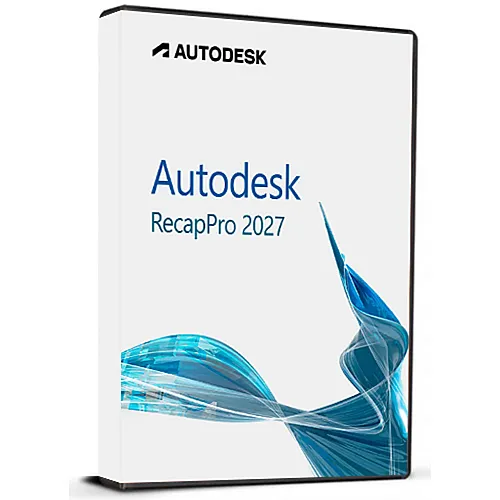
Autodesk ReCap Pro 2027 (Windows) (Subscription - Global)
- $23.59
Transform the physical world into accurate, high-fidelity digital assets with Autodesk ReCap Pro 2027. Engineered specifically for surveyors, BIM managers, civil engineers, and VFX professionals, ReCap Pro (Reality Capture) is the industry-standard software for importing, viewing, and converting raw laser scans and UAV photos into data-rich point clouds and 3D meshes.
The 2027 release marks a massive evolution in reality capture, introducing localized AI-driven tools and standalone mesh workflows that drastically reduce your reliance on cloud data processing. Whether you are performing structural retrofits, validating construction as-builts, or creating massive digital twins, ReCap Pro 2027 anchors your designs in flawless real-world data.
Advanced Reality Capture Integration: Seamlessly import terrestrial laser scans and mobile/SLAM data from all major hardware manufacturers (Faro, Leica, Riegl, Topcon, and more).
Photo-to-3D UAV Reconstruction: Leverage ReCap Photo entitlements to convert high-resolution aerial or drone photography into survey-grade 3D meshes and geographically matched orthophotos.
Intelligent Clean-up & Classification: Automatically isolate and clean up unwanted noise—such as moving vehicles, pedestrians, or foliage—and categorize points into standardized layers like ground, buildings, and structures.
Seamless BIM Ecosystem Handoff: Export your indexed point cloud files directly into native Autodesk formats (RCS and RCP) for instant, high-performance use in Revit, Civil 3D, AutoCAD, Infraworks, and Navisworks.
Precise RealView Measurement: Extract real-world measurements, add annotations, insert markups, and run surface clearance snaps directly inside a photorealistic, panoramic viewpoint layout.
The 2027 release introduces game-changing feature updates that maximize hardware efficiency and save money on cloud processing:
Local Scan-to-Mesh Processing: Generate highly detailed, segmented 3D meshes natively on your local workstation. Eliminate the need for cloud uploads or burning Cloud Credits/Flex Tokens while enjoying custom density settings (Low, Medium, High).
Autodesk Assistant AI Support: Access an integrated, AI-driven conversational interface right inside your workspace. Troubleshoot alignment errors, search documentation, and optimize workflows without ever leaving the app.
Automated SLAM Panoramic Leveling: Automatically corrects and levels tilted or unaligned panoramic images (RealViews) when importing E57 files from handheld or mobile SLAM scanners, eliminating visual disorientation.
Multi-Instance Multitasking: Run multiple instances of ReCap Pro simultaneously. Edit or audit one project's point cloud while a completely separate heavy dataset imports or registers in the background.
BIM Classification Templates: Utilize the brand-new Template Manager to standardize layer metadata and embed asset identifiers or material properties directly into your mesh data—ideal for digital delivery mandates.
| Attribute | Details |
| Product | Autodesk ReCap Pro 2027 (Includes ReCap Photo) |
| License Type | Digital Activation Key (Subscription) |
| Duration | 1 Year (12 Months) |
| Platform | Windows (64-bit only) |
| Delivery | Electronic Delivery via Email |
| Language | Multilingual Support |
Operating System: Microsoft® Windows® 11 or Windows® 10 (64-bit only)
Processor: Intel® Core™ i7 / i9 or AMD Ryzen 7 / 9 (3.0 GHz base, 4.0+ GHz turbo recommended); multiple processors or Xeon chips suggested for heavy ReCap Photo reconstruction.
Memory (RAM): 16 GB minimum; 32 GB to 64 GB strongly recommended for massive scan arrays and dense mesh processing.
Disk Space: 10 GB for software installation + substantial secondary workspace for gigabyte-scale scan point caches (SSD required for performance).
Graphics Card: OpenGL 3.3 capable workstation-class graphics card with dedicated VRAM (Minimum 2 GB); NVIDIA GeForce GTX 1070 / Quadro M6000 or higher (DirectX 11/12 compliant) recommended for rapid point density rendering.
Please find below the official Autodesk download links for your software allocation along with step-bystep setup instructions.
Download: Click the download link matching your preferred language from below.
Execute: Once the download completes, right-click the file and select "Run as Administrator".
Setup: Complete the installation wizard by following the instructions displayed on your screen.
Activation: Launch Autodesk ReCap Pro 2027 and enter the product license information provided at the time of purchase to activate your account.
English: https://upload3.delivery.autodesk.com/DeploymentPackage151977608078740.exe?response-content-disposition=attachment%3B%20filename%20%3D%22ReCap_Pro_2027_English.exe%22%20%3B%20filename%2A%3DUTF-8%27%27ReCap_Pro_2027_English.exe
German: https://upload3.delivery.autodesk.com/DeploymentPackage152032136226613.exe?response-content-disposition=attachment%3B%20filename%20%3D%22ReCap_Pro_2027_German.exe%22%20%3B%20filename%2A%3DUTF-8%27%27ReCap_Pro_2027_German.exe
Italian: https://upload3.delivery.autodesk.com/DeploymentPackage152180093826287.exe?response-content-disposition=attachment%3B%20filename%20%3D%22ReCap_Pro_2027_Italian.exe%22%20%3B%20filename%2A%3DUTF-8%27%27ReCap_Pro_2027_Italian.exe
Windows 11 Pro Retail CD Key is your golden ticket to the latest and most powerful operating system from Microsoft. This software has been a game-changer for users, businesses, and developers alike. In this post, we'll discuss everything you need to know about Windows 11 Pro, how it compares to other popular software like Microsoft Office 365 Family Home 1 Year CD Key, Office 2021 Professional Plus CD Key, and Windows 11 Home CD Key OEM, and how to activate your Windows 11 Pro Retail CD Key.Windows 11 Pro: The Next Generation of WindowsWindows 11 Pro brings a whole new set of features and improvements over its predecessor, Windows 10. With its sleek design, redesigned Start menu, and..
$11.20
Microsoft Office 2021 Professional Plus is the most complete one-time purchase version of Office for Windows users. This edition includes all core Microsoft productivity applications used in business, education, and professional environments:Word 2021 – Advanced document creation and editingExcel 2021 – Powerful spreadsheets, data analysis, and formulasPowerPoint 2021 – Professional presentations and design toolsOutlook 2021 – Email, calendar, and contact managementPublisher 2021 – Marketing materials, brochures, and layoutsAccess 2021 – Database creation and management (Windows only)You receive the full desktop versions of these programs — no subscription required.What “Professional Plus” M..
$10.61
Experience the ultimate in gaming with Xbox Game Pass Ultimate. This 1-month membership gives you unlimited access to over 100 high-quality games across Xbox consoles and Windows PC. Benefits:- Play over 100 games on Xbox One and Series X|S consoles. New games are added all the time.- Play over 100 PC games on Windows 10 devices. The PC library continues to grow.- Combine Game Pass, Xbox Live Gold, and exclusive member discounts into one subscription.- Download full games to your Xbox or PC to play offline anytime.- Play alongside friends with online multiplayer on supported games.- New Xbox exclusive titles from Bethesda, ID@Xbox, and more added on launch day.This product is non-stackable,..
$13.04