Natychmiastowa Dostawa: Bionic Bay: Deluxe Edition (PC Steam Key / Globalny) Game Key
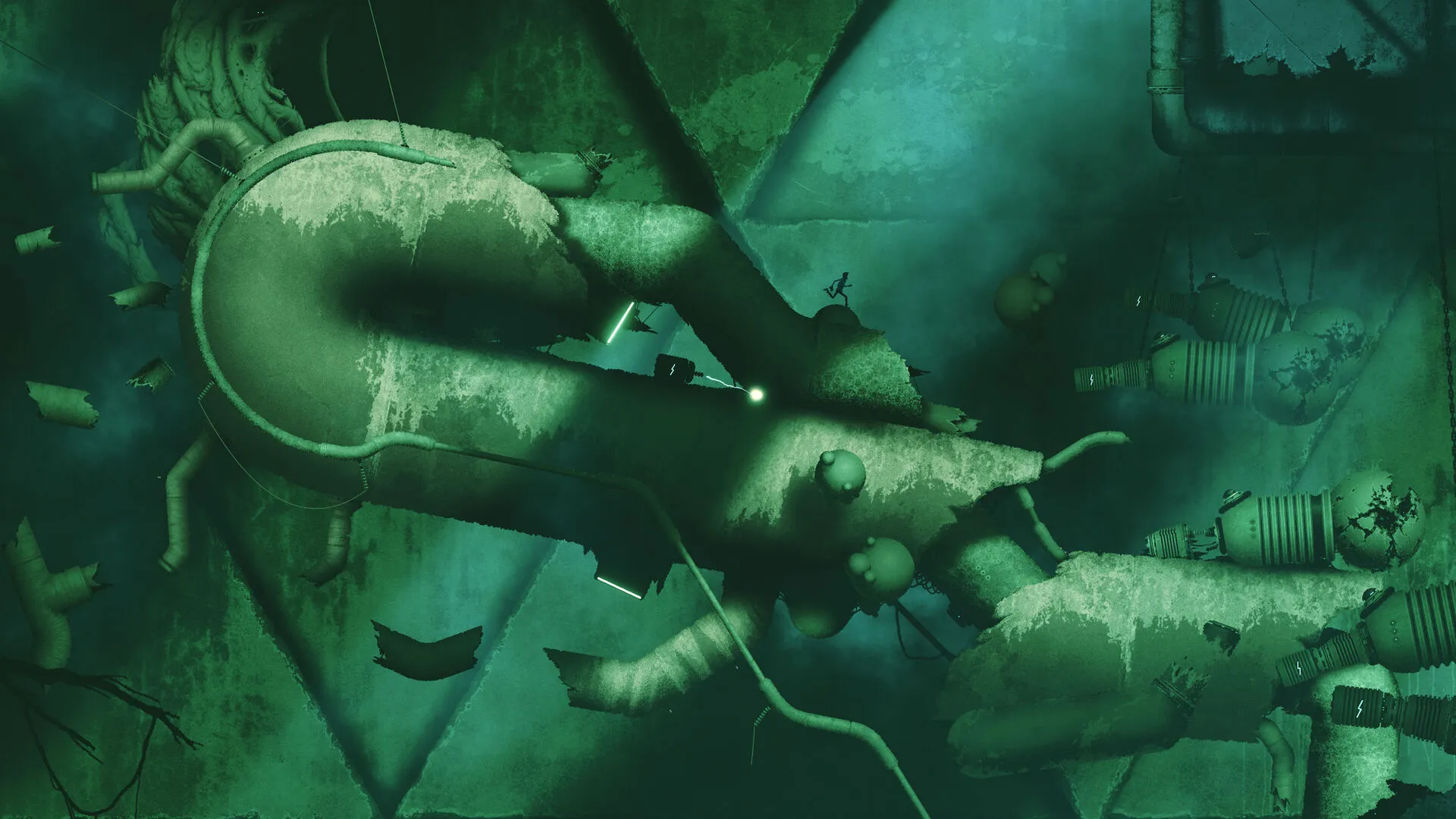
Naukowiec używa wyjątkowego urządzenia do teleportacji, aby uciec ze starożytnego, biomechanicznego świata pełnego pomysłowej technologii, śmiertelnych pułapek i ukrytych sekretów.
Mechanika zamiany i realistyczny system fizyczny
Centralnym elementem gry Bionic Bay jest innowacyjna mechanika zamiany i realistyczny system fizyki. Połączenie tych elementów oferuje nowy sposób interakcji z otoczeniem – od zmiany grawitacji po zamianę pozycji z obiektami i przeciwnikami, a także możliwość poruszania się, obrony lub ataku. Uważaj jednak, aby nie spalić, nie zniszczyć, nie zamrozić, nie eksplodować ani nie wyparować.
Starożytny świat biomechaniczny
Zanurz się w starożytnym, biomechanicznym świecie pełnym pomysłowych urządzeń, tajemniczej technologii i osobliwych mieszkańców. Zatrać się w rozległych krajobrazach science fiction, otoczonych surowym, pikselowym stylem i trzymającym w napięciu dźwiękiem, który wyróżnia każdy biom. Spróbuj odkryć sekrety starożytnego świata.
Platformówka stworzona do speedrunów
Płynny ruch i reaktywna fizyka zapewniają mnóstwo adrenaliny i akcji na każdym unikalnie zaprojektowanym poziomie. Kreatywnie omijaj liczne, intrygujące niebezpieczeństwa, precyzyjnie wykonując odpowiednie kombinacje zamian i manewrów. A może… spróbuj ukończyć każdy poziom tak szybko, jak potrafisz.
Tryb online: rywalizacja w speedrunningu, rankingi i personalizacja postaci
Sprawdź swoje umiejętności w wyścigach na czas z duchami innych graczy i zostaw ich w tyle, aby zdobyć pierwsze miejsce w rankingach. Zachowaj styl, próbując swoich sił i wyróżniając się na tablicach wyników, korzystając z funkcji w grze, która pozwala stworzyć własnego naukowca. Pamiętaj jednak, aby nie spoczywać na laurach, ponieważ tryb online regularnie aktualizuje się o nowe wydarzenia.
Twórz, udostępniaj i graj w niestandardowe poziomy
Edytor poziomów w grze to doskonałe narzędzie dla pomysłowych członków społeczności Bionic Bay, którzy chcą wykazać się kreatywnością, dając im możliwość projektowania własnych, spersonalizowanych poziomów. Eksperymentuj z różnorodnymi zasobami i elementami świata Bionic Bay, aby tworzyć wyzwania i dzielić się nimi z graczami z całego świata.
- Czy otrzymam fakturę?
Faktura zostanie wygenerowana automatycznie po złożeniu zamówienia.
- Gdzie znajdę moją fakturę?
Po złożeniu zamówienia faktura będzie dostępna w zakładce „Moje konto” (prawy górny róg górnego paska) -> „Historia zamówień”.
- Czy mogę edytować swoją fakturę?
Obecnie nie możesz tego zrobić samodzielnie. Skontaktuj się z naszym działem wsparcia e-mailem pod adresem [email protected], a chętnie Ci pomożemy. Aby przyspieszyć proces, podaj numer zamówienia oraz wszelkie istotne informacje, które chcesz, aby były widoczne (takie jak imię i nazwisko, numer dowodu osobistego/NIP itp.).
- Czy ten produkt jest przeznaczony na każdą platformę?
Nie, ten produkt jest przeznaczony wyłącznie na platformę Steam.
- Czy mogę zrealizować ten produkt gdziekolwiek?
Nie, ten produkt nie jest wersją globalną.
Aby zobaczyć wszystkie obsługiwane kraje, kliknij przycisk „Sprawdź swój region”.
- Czy ten produkt jest grą, kredytem, subskrypcją czy dodatkiem DLC?
Produkt ten jest edycją Deluxe podstawowej wersji gry.
- Czy mogę przenieść tę grę na nowy sprzęt lub nową konsolę?
Tak, ten klucz jest przypisany do Twojego konta Steam.
- Czy muszę zainstalować ten produkt w jakiś konkretny sposób?
Proszę zapoznać się z zakładką „Aktywacja”.
Please follow the steps below to redeem your Steam key:
1) Download and install the Steam client on your PC: https://store.steampowered.com/about/
2) Open the Steam client, log in or create an account if you don't have one, and locate the Games tab on the top menu. Click this and then select "Activate a Product on Steam…"

3) Enter your code into the product activation field

Your game is now viewable in the "Library" tab and is available to download/install when you're ready.
Happy Gaming!













































 PC Steam Key



