
















Planet Zoo (PC Steam Key / Global)

Planet Zoo (PC Steam Key / Global)

Hodnocení

Recenze
Cena
  • $8.15
cards klarna GPay Apple Pay affirm afterpay

Oficiální Licence: Global | 24/7 Podpora z USA | Gamers Outlet - CD Keys

Platforma
Steam PC Steam Key
Získané body
7
Dostupnost
Není skladem
Podpora
24/7 Podpora
Doručení
Bezplatné digitální doručení
Váš region
Nepodporováno

$8.15

Okamžité Dodání: Planet Zoo (PC Steam Key / Global) Game Key
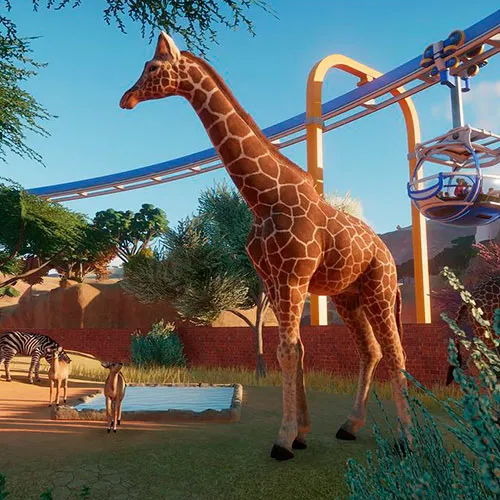
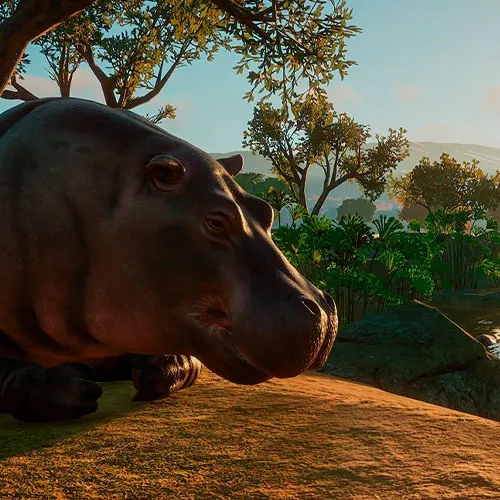
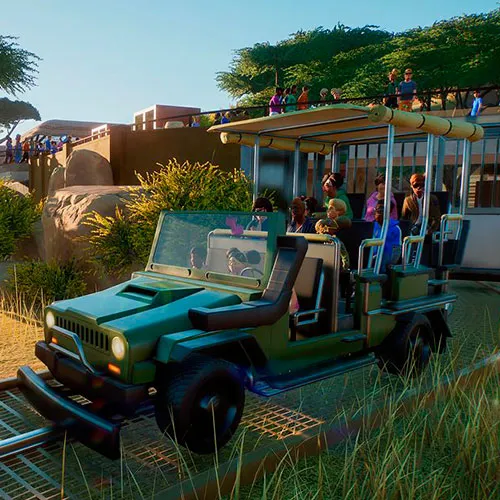
- Vytvořte domov pro divoká zvířata v Planet Zoo!

- Vývojáři her Zoo Tycoon a Planet Coaster vám přinášejí dokonalý simulátor zoo.

- Vytvářejte detailní biotopy pro realistická zvířata, která cítí, myslí a interagují se světem, který kolem nich vytvoříte!


  • Dostanu fakturu?
    Faktura se automaticky vygeneruje po odeslání objednávky.

  • Kde najdu svou fakturu?
    Po dokončení objednávky bude faktura k dispozici v sekci „Můj účet“ (pravý horní roh horní lišty) -> „Historie objednávek“.

  • Mohu si upravit fakturu?
    V současné době to sami nemůžete udělat. Kontaktujte prosím naši podporu e-mailem na adrese [email protected] a my vám s touto záležitostí rádi pomůžeme. Pro rychlejší proces prosím uveďte číslo objednávky a veškeré relevantní informace, které si přejete zobrazit (například vaše jméno, identifikační číslo/daňové číslo atd.).

  • Je tento produkt pro každou platformu?
    Ne, tento produkt je určen výhradně pro platformu Steam.

  • Mohu si tento produkt uplatnit kdekoli?
    Ano, tento produkt je globální verze.

  • Je tento produkt hra, kredit, předplatné nebo DLC?
    Tento produkt je základní hrou.

  • Můžu tuto hru přenést na nový hardware nebo novou konzoli?
    Ano, tento klíč je vázán na váš účet Steam.

  • Existuje nějaký specifický způsob, jak musím tento produkt nainstalovat?
    Přečtěte si prosím záložku „Aktivace“.

Please follow the steps below to redeem your Steam key:

1) Download and install the Steam client on your PC: https://store.steampowered.com/about/
2) Open the Steam client, log in or create an account if you don't have one, and locate the Games tab on the top menu. Click this and then select "Activate a Product on Steam…"


3) Enter your code into the product activation field


Your game is now viewable in the "Library" tab and is available to download/install when you're ready.
Happy Gaming!

serafin ginard reynes 18/10/2021

I appreciate the wide variety of products available on this website. The user-friendly interface makes shopping enjoyable, and the customer service team is always available to help with any questions or concerns.

Andreas 17/10/2021

I appreciate the wide variety of products available on this website. The user-friendly interface makes shopping enjoyable, and the customer service team is always available to help with any questions or concerns.

Napsat recenzi

Poznámky: HTML nejsou přeloženy
Captcha
Review Score: 5 / 5
serafin ginard reynes 18/10/2021

I appreciate the wide variety of products available on this website. The user-friendly interface makes shopping enjoyable, and the customer service team is always available to help with any questions or concerns.

Andreas 17/10/2021

I appreciate the wide variety of products available on this website. The user-friendly interface makes shopping enjoyable, and the customer service team is always available to help with any questions or concerns.

Support