Άμεση ενεργοποίηση: Microsoft Office 2019 Pro Plus (Ενεργοποίηση μέσω τηλεφώνου) (Άδεια χρήσης διάρκειας ζωής / Παγκόσμια) Κωδικός CD
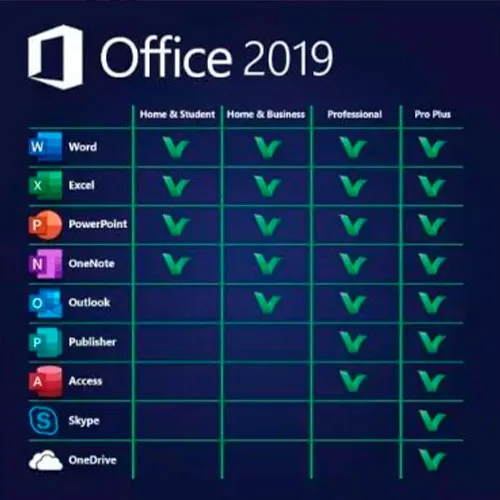
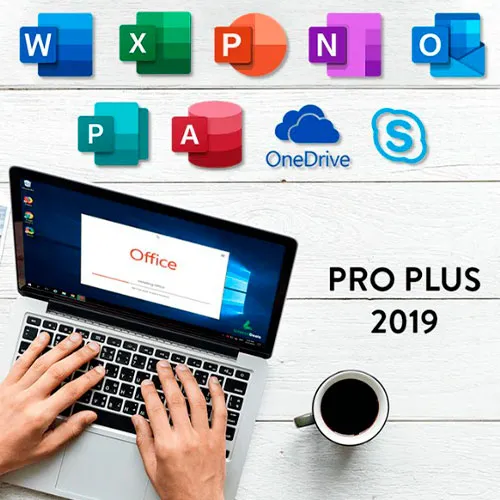
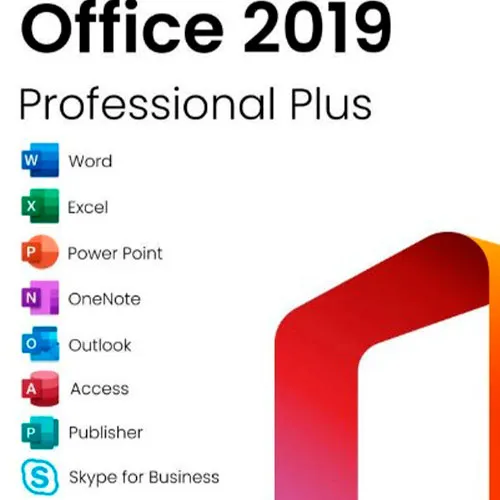
Το Microsoft Office 2019 Professional Plus περιλαμβάνει τις κλασικές εκδόσεις του 2019 των Word, Excel, PowerPoint, OneNote, Outlook, Access, Publisher και Skype for Business.
Το Office 2019 Professional Plus είναι ένα ισχυρό εργαλείο που μας εξυπηρετεί ως τελικούς χρήστες σχεδόν καθημερινά. Για τη δουλειά, ως φοιτητές, για σημειώσεις και για την αποστολή email. Το Office 2019 Pro Plus προσφέρει νέα σχεδίαση και νέες λειτουργίες που θα κάνουν τη ζωή μας ακόμα πιο εύκολη! Βιαστείτε και αποκτήστε το δικό σας αντίγραφο στην πιο οικονομική τιμή της αγοράς. Εγγυημένη διαθεσιμότητα με υποστήριξη 24/7.
ΟΔΗΓΙΕΣ ΕΝΕΡΓΟΠΟΙΗΣΗΣ:
1. Λήψη του επίσημου προγράμματος εγκατάστασης από αυτόν τον σύνδεσμο:
Εδώ2. Εισάγετε τον Κωδικό προϊόντος που λάβατε από εμάς για να ενεργοποιήσετε το λογισμικό.
3. Επιλέξτε την επιλογή «Ενεργοποίηση μέσω τηλεφώνου».
Για πιο λεπτομερείς οδηγίες, επισκεφθείτε την ενότητα Λήψεων και κάντε κλικ στο κουμπί «Πώς να ενεργοποιήσετε».
Προσφέρουμε επίσης Windows 11 κωδικούς CD ΕΔΩ Windows 10 κωδικούς CD ΕΔΩ Office 2021 Κωδικούς CD ΕΔΩ 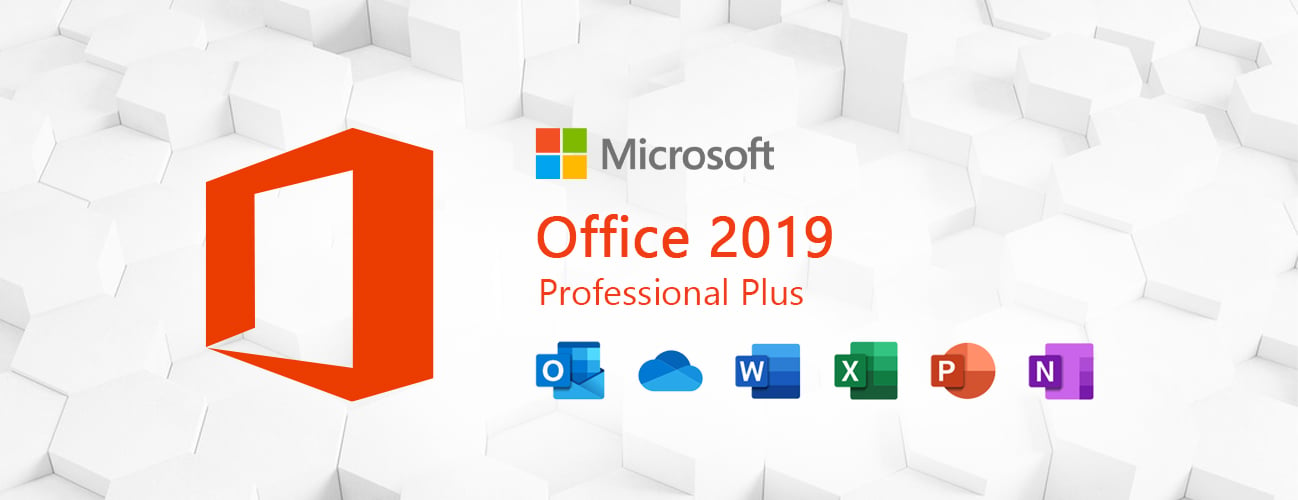
- Θα λάβω τιμολόγιο;
Το τιμολόγιο θα δημιουργηθεί αυτόματα κατά την υποβολή μιας παραγγελίας.
- Πού μπορώ να βρω το τιμολόγιό μου;
Μόλις ολοκληρωθεί η παραγγελία, το τιμολόγιο θα είναι διαθέσιμο στην ενότητα «Ο Λογαριασμός μου» (πάνω δεξιά γωνία της επάνω γραμμής) -> «Ιστορικό Παραγγελιών».
- Μπορώ να επεξεργαστώ το τιμολόγιό μου;
Προς το παρόν, δεν μπορείτε να το κάνετε αυτό μόνοι σας. Επικοινωνήστε με την υποστήριξή μας μέσω email στη διεύθυνση [email protected] και θα χαρούμε να σας βοηθήσουμε με το θέμα. Για ταχύτερη διαδικασία, συμπεριλάβετε τον αριθμό παραγγελίας και τυχόν σχετικές πληροφορίες που θέλετε να εμφανίζονται (όπως το όνομά σας, τον αριθμό ταυτότητας/φορολογικού μητρώου σας κ.λπ.).
- Μπορώ να το εγκαταστήσω σε macOS;
Όχι, αυτό το προϊόν δεν υποστηρίζει MacOS.
- Μπορώ να εξαργυρώσω αυτό το προϊόν οπουδήποτε;
Ναι, αυτό το προϊόν είναι μια Παγκόσμια έκδοση.
- Μπορώ να μεταφέρω αυτό το προϊόν σε νέο υλικό;
Όχι, ο κωδικός ισχύει για 1 υπολογιστή ή 1 εγκατάσταση - εάν απεγκαταστήσετε ή επανεγκαταστήσετε, ίσως χρειαστεί να αγοράσετε έναν νέο κωδικό.
- Υπάρχει κάποιος συγκεκριμένος τρόπος εγκατάστασης αυτού του προϊόντος;
Διαβάστε την καρτέλα «Ενεργοποίηση».
- Τι γίνεται αν χρειαστώ αυτοκόλλητο COA για αυτό το προϊόν;
Η εκτύπωση της ετικέτας COA μπορεί να σαρωθεί και να σας αποσταλεί κατόπιν αιτήματος, με επιπλέον χρέωση.
ACTIVATION INSTRUCTIONS:
Download the official ISO/image to activate: https://officecdn.microsoft.com/pr/492350f6-3a01-4f97-b9c0-c7c6ddf67d60/media/en-US/ProPlus2019Retail.img
1-After installation, open Word (or any Office app)
When the Office Activation Wizard appears, select “Activate by phone.”
The wizard will display your Installation ID (IID) - you will need this shortly.
The IID is shown as 9 groups of 7 digits.
2-Go to the activation website
Open your browser and go to: https://aka.ms/aoh
3-Sign in
Choose Microsoft Account as the login method and sign in with your Microsoft account.
4-Select “Activate a Microsoft Product”
On the first page, click Activate a Microsoft Product.
5-Choose the product type
Select the category that matches what you are activating:
- Windows → for Windows activation
- Microsoft Office → for Office, Project, or Visio
- Windows Server, etc., if applicable
Note: For Project and Visio, choose Microsoft Office.
6-Select your operating system
7-Choose the product version
Select the version you are activating, for example:
- Office / Project / Visio 2024
- Office / Project / Visio 2021
- Office / Project / Visio 2019, etc.
8-Enter your Installation ID (IID)
You will see nine empty boxes.
Enter each group of digits from your IID into the matching box (9 groups of 7 digits).
When finished, submit the form to continue.
9-Answer the usage question
When asked, “How many computers have you installed this copy on?”
Type 0, then continue.
10-Receive your Confirmation ID
The website will display your Confirmation ID.
11-Enter the Confirmation ID into your PC
Return to the Office activation wizard and enter the Confirmation ID to finish activation.
For other Office languages, scroll down here: https://gamersoutlet.zendesk.com/hc/en-us/articles/360058263113-Office-2019-pro-plus-activation-methods
Video Guide:









































 Lifetime License


