






























If you'd like to buy a big amount of copies, please contact [email protected]
You cannot link this license to a personal account or log into an account while using the software, as the license is tied exclusively to your system or device.
Adobe Photoshop Elements 2026 (Windows) (Lifetime License - Global)
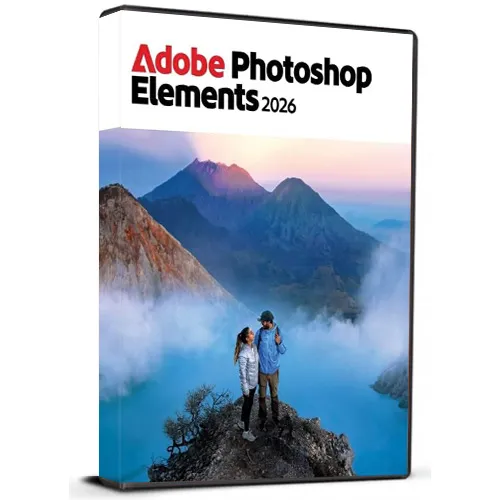

Adobe Photoshop Elements 2026 (Windows) (Lifetime License - Global)

Rating

Reviews
Price
  • $51.91
cards klarna GPay Apple Pay affirm afterpay

Official License: Global | 24/7 U.S. Support | Gamers Outlet - CD Keys

Platform
Adobe Lifetime License
Points Gained
30
Availability
In Stock
Support
24/7 Support
Delivery
Free digital delivery
Your Region
Supported

$51.91

Instant Delivery: Adobe Photoshop Elements 2026 (Windows) (Lifetime License / Global) Game Key

Get Adobe Photoshop Elements 2026 for Windows with a lifetime license key and enjoy powerful photo editing tools designed for both beginners and experienced users. Photoshop Elements makes it easy to enhance, organize, retouch, and creatively transform your photos with an intuitive interface and intelligent editing features. This multilingual version supports multiple languages, allowing you to use the software in your preferred language. Whether you want to remove unwanted objects, improve colors, create impressive effects, restore old photos, or design creative projects, Photoshop Elements provides a wide range of useful tools.


Product Features:

  • Lifetime license key
  • For Windows PC
  • Multilingual support
  • Easy-to-use photo editing tools
  • Creative effects and enhancements
  • Suitable for personal and professional projects
  • Digital delivery


After purchasing, you will receive your license key and download instructions for convenient access to the software.

Note: This product is intended for Windows and requires a compatible system.

  • Will I get an invoice?
    Invoice will automatically generate upon placing an order.

  • Where can I find my invoice?
    Once the order is completed, the invoice will be available under 'My Account' (top right corner of the top bar) -> 'Order History.'

  • Can I edit my invoice?
    Currently, you cannot do this yourself. Please contact our support via email at [email protected], and we will be glad to assist you with the matter. For a faster process, please include the order number and any relevant information you want to be shown (such as your name, ID/tax number, etc.).

  • Can I install this on macOS?
    No, this product does not support MacOS.

  • Can I redeem this product from anywhere?
    Yes, this product is a global version.

  • Can I transfer this product to new hardware?
    No, The code is valid for 1 pc or 1 installation - if you uninstall or reinstall you might need to buy a new code.

  • Is there a specific way I need to install this product?
    For more information, please read the 'Activation' tab.

Please follow below mentioned steps:


1. Download the Software Download link: Download Adobe Photoshop 2026 ZIP

Please note: You need to download the ZIP folder first. After the download is complete, you must extract (unzip) the ZIP folder using WinRAR, 7-Zip, or the Windows default extractor.


2. Extract the ZIP Folder

Step 1: Locate the downloaded ZIP file on your windows computer.

Step 2: Right-click the ZIP file. 

Step 3: Choose Extract All... (Windows) or use WinRAR / 7-Zip and select an extraction option. 

Step 4: Wait until the extraction is finished. 

Step 5: Open the newly created extracted folder.


Important: Do not start the installation directly from inside the ZIP file. The software must be installed from the fully extracted folder. Starting the installer from the ZIP folder may cause the installation to fail or not work correctly.


3. Start the Installation

Step 1: Open the extracted folder.

Step 2: Locate the installation/setup file provided in the folder.

Step 3: Double-click the setup/installer and follow the on-screen installation instructions.

Step 4: Allow the installer to complete before launching the application.


4. You may refer to Video Installation Guide Link

If you prefer a visual walkthrough, use the video guide above and follow the same extraction and installation steps shown in this PDF.

✓ Download the ZIP folder

✓ Wait for the download to finish

✓ Extract the ZIP using Windows Extract All, WinRAR, or 7-Zip

✓ Open the extracted folder

✓ Start installation from the extracted folder

✗ Do NOT install directly from inside the ZIP folder

There are no reviews for this product.

Write a review

Note: HTML is not translated!
Captcha
Support


