

InPixio Photo Studio 10 Ultimate For Windows Cd Key Global
Professional photo editing made simple!
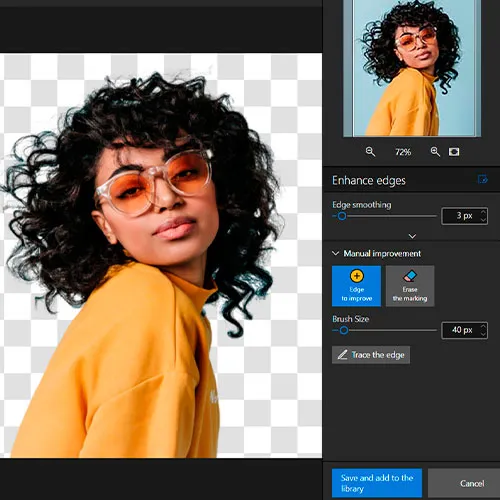
Instant background removal
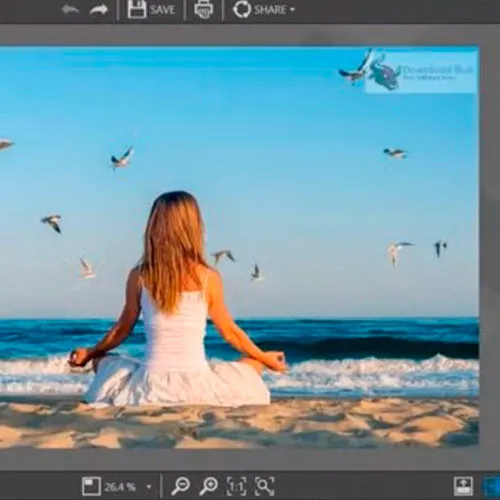
Discover inPixio's powerful background remover! Our AI tool outperforms the competition, delivering clean images with a single click, even when handling intricate details.
Captivating AI-generated backgrounds
Unleash your creativity and create stunning backgrounds with the power of AI. Craft dreamlike composites, change the sky, or swap out dull backdrops for beautiful landscapes in seconds.
Effortless object removal
Say goodbye to unwanted elements in seconds.
Our AI-powered magic eraser seamlessly reconstructs the area behind erased objects while preserving image quality.
Edit on the go with inPixio's app
Our pocket-sized photo editing app is your perfect companion for fast and effortless edits.

- Will I get an invoice?
Invoice will automatically generate upon placing an order.
- Where can I find my invoice?
Once the order is completed, the invoice will be available under 'My Account' (top right corner of the top bar) -> 'Order History.'
- Can I edit my invoice?
Currently, you cannot do this yourself. Please contact our support via email at [email protected], and we will be glad to assist you with the matter. For a faster process, please include the order number and any relevant information you want to be shown (such as your name, ID/tax number, etc.).
- Can I install this on macOS?
No, this product does not support MacOS.
- Can I redeem this product from anywhere?
Yes, this product is a global version.
- Can I transfer this product to new hardware?
No, The code is valid for 1 pc or 1 installation - if you uninstall or reinstall you might need to buy a new code.
- Is there a specific way I need to install this product?
Please read the 'Activation' tab.
Activation Instructions for InPixio Photo Studio 10 Ultimate For Windows:
1. Download installer: Here
2. During the installation or before the first run, you'll be required to insert the CD key you received from us.
3. insert the cdkey (, finish installation if needed) and enjoy.