









invoice will automatically generate upon placing an
order
Available Languages: MULTILANGUAGE
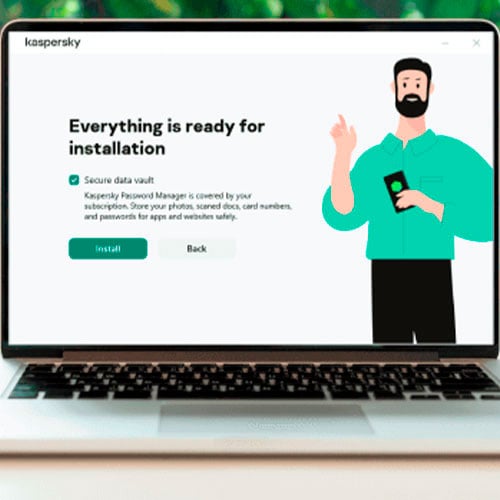
ACTIVATION INSTRUCTIONS:
1. Download the software:
here2. Install the Kaspersky software
3. Launch Kaspersky
4. Press "Enter Activation Code" in the right-bottom corner
5. Choose "Activate application" option
6. Enter the code and save with "Activate"
7. Software may require from you to create or login with Kaspersky account
When you go online shopping or banking – we protect your money & account details… when you socialize – we safeguard your identity… when you surf – we prevent attacks… when you download or stream – we block infected files.
Whatever you do in your digital life – our premium protection is here to help you protect it all.
Features:
- Free VPN with up to 300 MB of traffic per day
- Safe Money to protect online payments & transactions
- Webcam Protection to stop unauthorized access to your webcam
We Also Offer Windows 11 cd keys HERE
Windows 10 cd keys HERE
Office 2021 cd keys HERE

- Will I get an invoice?
Invoice will automatically generate upon placing an order.
- Where can I find my invoice?
Once the order is completed, the invoice will be available under 'My Account' (top right corner of the top bar) -> 'Order History.'
- Can I edit my invoice?
Currently, you cannot do this yourself. Please contact our support via email at [email protected], and we will be glad to assist you with the matter. For a faster process, please include the order number and any relevant information you want to be shown (such as your name, ID/tax number, etc.).
- Can I install this on macOS?
No, this product does not support MacOS.
- Can I redeem this product anywhere?
Yes, this Product is a Global version.
- Can I transfer this product to new hardware?
No, The code is valid for 1 pc or 1 installation - if you uninstall or reinstall you might need to buy a new code.
- Is there a specific way I need to install this product?
Please read the 'Activation' tab.
ACTIVATION INSTRUCTIONS:
1. Download the
software: here
2. Install the Kaspersky software
3. Launch Kaspersky
4. Press "Enter Activation Code" in
the right-bottom corner
5. Choose "Activate application"
option
6. Enter the code and save with
"Activate"
7. Software may require from you to create or
login with Kaspersky account