Instant Activation: Microsoft Windows Server Datacenter 2019 (Lifetime License / Global) CD Key
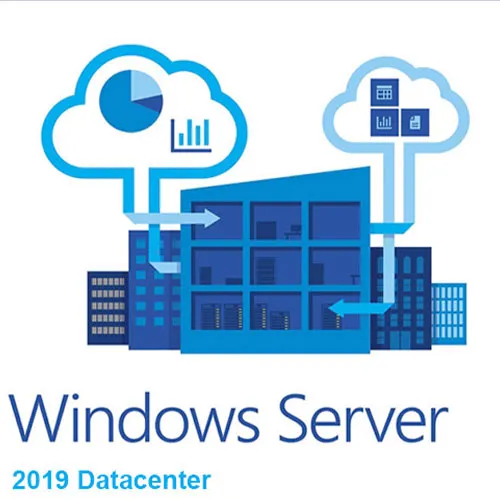
Windows Server 2019 is the operating system that bridges
on-premises environments with Azure services enabling hybrid scenarios
maximizing existing investments. Increase security and reduce business risk
with multiple layers of protection built into the operating system. Evolve your
datacenter infrastructure to achieve greater efficiency and scale with
Hyper-converged Infrastructure. Windows Server 2019 also enables you to create
cloud native and modernize traditional apps using containers and
micro-services. For more details, check out the Windows Server Website.
Ways to try
Windows Server 2019:
In addition to downloading the Windows Server 2019 ISO, you can also try the
new features through the following ways:
Try it in Azure: Azure provides a great way to test Windows Server 2019 with
pre-built images.
Microsoft Hands-on Labs: Skip the setup work and log into our free Hands-on
Labs for a real-world environment along with step-by-step guidance to help you
try the new features.
Choose an
edition and an installation option:
Customers who download the full ISO will need to choose an edition and an
installation option. This ISO evaluation is for the Datacenter and Standard
editions. The Datacenter edition is the most complete edition and includes the
new Datacenter-specific features (Shielded Virtual Machines, Storage Spaces
Direct, and Software-Defined Networking) in addition to unlimited server
virtualization.
Installation
options:
Server Core: This is the recommended installation option. It’s a smaller
installation that includes the core components of Windows Server and supports
all server roles, but does not include a local graphical user interface (GUI).
It is used for “headless” deployments which are managed remotely through
Windows Admin Center, PowerShell, or other server management tools.
Server with Desktop Experience: This is the complete installation and includes
a full GUI for customers who prefer this option.
Before you begin your evaluation, be sure to check out What’s new in Windows
Server 2019.
When you complete your evaluation, you can convert your evaluation versions to
retail.
We Also Offer Windows 11 cd keys HERE
- Will I get an invoice?
Invoice will automatically generate upon placing an order.
- Where can I find my invoice?
Once the order is completed, the invoice will be available under 'My Account' (top right corner of the top bar) -> 'Order History.'
- Can I edit my invoice?
Currently, you cannot do this yourself. Please contact our support via email at [email protected], and we will be glad to assist you with the matter. For a faster process, please include the order number and any relevant information you want to be shown (such as your name, ID/tax number, etc.).
- Can I install this on macOS?
No, this product does not support MacOS.
- Can I redeem this product anywhere?
Yes, this Product is a Global version.
- Can I transfer this product to new hardware?
No, The code is valid for 1 pc or 1 installation - if you uninstall or reinstall you might need to buy a new code.
- Is there a specific way I need to install this product?
Please read the 'Activation' tab.
- What if I need a COA sticker for that product?
The COA label print can be scanned and sent to you upon request, for an additional charge.
ACTIVATION INSTRUCTIONS:
Download the ISO here:
https://www.microsoft.com/en-us/evalcenter/evaluate-windows-server-2019
Then change your version from Evaluation to Standard:
https://www.slashadmin.co.uk/upgrade-windows-server-2019-evaluation-to-full-version/
Activate windows server 2019 using command prompt:
1. Enter key via GUI or run the command: slmgr.vbs /ipk XXXXX-XXXXX-XXXXX-XXXXX-XXXXX
To get the available editions:
1. Open an elevated command prompt.
2. Run the following command: DISM.exe /Online /Get-TargetEditions
To set your Windows Server to a higher edition:
1. Run the following command: DISM.exe /online /Set-Edition:ServerStandard /ProductKey:XXXXX-XXXXX-XXXXX-XXXXX-XXXXX /AcceptEula (Use key from table below)
Windows Server 2019 Standard: N69G4-B89J2-4G8F4-WWYCC-J464C
Windows Server 2019 Datacenter: WMDGN-G9PQG-XVVXX-R3X43-63DFG
Note: It may take some time for the command to complete.
The code is valid for 1 pc / 1 installation - if you uninstall/reinstall you might need to buy a new code.













































 Lifetime License