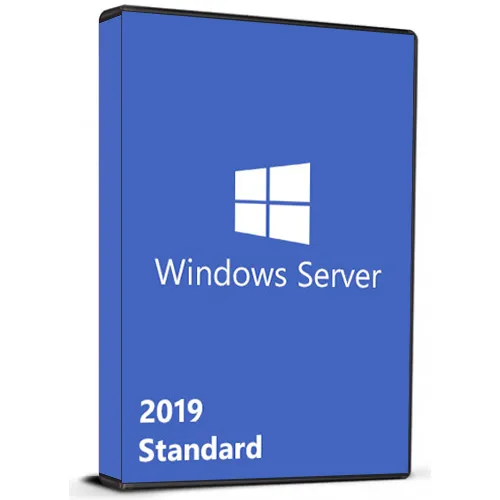
Instant Activation: Microsoft Windows Server Standard 2019 (Lifetime License / Global) CD Key
Elevate your enterprise with a state-of-the-art server operating
system built to handle today’s most demanding projects. Microsoft Windows
Server 2019 Standard features cutting edge tools and infrastructure innovations
designed to help users manage privileged identities, simplify management of HCI
deployments, and seamlessly extend datacenters to the cloud.
Extend datacenter to the cloud. Only Microsoft offers consistent hybrid
services, including a common identity platform with Active Directory, a common
data platform built on SQL Server technologies, and hybrid management and
security.
Secure the operating system. Discover and address security breaches with
integrated Windows Defender Advanced Threat Detection. Help prevent host
intrusion with Windows Defender Exploit Guard, which locks down devices against
attack vectors and blocks behaviors commonly used in malware attacks.
Modernize apps faster with container support. Windows Server 2019 delivers a
smaller Server Core container image for speedier download and offers enhanced
support for computing, storage, and networking of Kubernetes clusters and the
Red Hat OpenShift Container Platform.
ACTIVATION INSTRUCTIONS:
Download the ISO here:
Then change your version from Evaluation to Standard:
Activate windows server 2019 using command prompt:
1. Enter key via GUI or run the command: slmgr.vbs /ipk XXXXX-XXXXX-XXXXX-XXXXX-XXXXX
To get the available editions:
1. Open an elevated command prompt.
2. Run the following command: DISM.exe /Online /Get-TargetEditions
To set your Windows Server to a higher edition:
1. Run the following command: DISM.exe /online /Set-Edition:ServerStandard /ProductKey:XXXXX-XXXXX-XXXXX-XXXXX-XXXXX /AcceptEula (Use key from table below)
Windows Server 2019 Standard: N69G4-B89J2-4G8F4-WWYCC-J464C
Windows Server 2019 Datacenter: WMDGN-G9PQG-XVVXX-R3X43-63DFG
Note: It may take some time for the command to complete.
We Also Offer Windows 11 cd keys HERE
- Will I get an invoice?
Invoice will automatically generate upon placing an order.
- Where can I find my invoice?
Once the order is completed, the invoice will be available under 'My Account' (top right corner of the top bar) -> 'Order History.'
- Can I edit my invoice?
Currently, you cannot do this yourself. Please contact our support via email at [email protected], and we will be glad to assist you with the matter. For a faster process, please include the order number and any relevant information you want to be shown (such as your name, ID/tax number, etc.).
- Can I install this on macOS?
No, this product does not support MacOS.
- Can I redeem this product anywhere?
Yes, this Product is a Global version.
- Can I transfer this product to new hardware?
No, The code is valid for 1 pc or 1 installation - if you uninstall or reinstall you might need to buy a new code.
- Is there a specific way I need to install this product?
Please read the 'Activation' tab.
- What if I need a COA sticker for that product?
The COA label print can be scanned and sent to you upon request, for an additional charge.
ACTIVATION INSTRUCTIONS:
Download the ISO here:
https://www.microsoft.com/en-us/evalcenter/evaluate-windows-server-2019
Then change your version from Evaluation to Standard:
https://www.slashadmin.co.uk/upgrade-windows-server-2019-evaluation-to-full-version/
Activate windows server 2019 using command prompt:
1. Enter key via GUI or run the command: slmgr.vbs /ipk XXXXX-XXXXX-XXXXX-XXXXX-XXXXX
To get the available editions:
1. Open an elevated command prompt.
2. Run the following command: DISM.exe /Online /Get-TargetEditions
To set your Windows Server to a higher edition:
1. Run the following command: DISM.exe /online /Set-Edition:ServerStandard /ProductKey:XXXXX-XXXXX-XXXXX-XXXXX-XXXXX /AcceptEula (Use key from table below)
Windows Server 2019 Standard: N69G4-B89J2-4G8F4-WWYCC-J464C
Windows Server 2019 Datacenter: WMDGN-G9PQG-XVVXX-R3X43-63DFG
Note: It may take some time for the command to complete.
The code is valid for 1 pc / 1 installation - if you uninstall/reinstall you might need to buy a new code.












































 Lifetime License