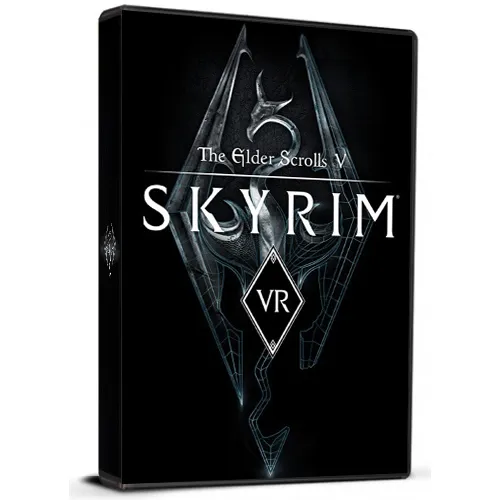
The Elder Scrolls V: Skyrim VR Cd Key

The Elder Scrolls V: Skyrim VR Cd Key

Rating

Reviews
Price
  • $15.59
cards klarna GPay Apple Pay affirm afterpay
Platform
Steam Steam
Points Gained
13
Availability
Out Of Stock
Support
24/7 Support
Delivery
Free digital delivery
Your Region
Supported
$15.59

Available Languages: MULTILANGUAGE

Skyrim VR recreates the masterpiece of epic fantasy complete with a scale, depth and a feeling of immersion without equal. In Skyrim VR, a complete open world comes alive so you can enjoy it at your whim, confronting ancestral dragons, exploring abrupt mountains and many other things.
Skyrim VR includes the main game, acclaimed by critics, and the official accessories: Dawnguard, Hearthfire and Dragonborn.


  • Will I get an invoice?
    Invoice will automatically generate upon placing an order.

  • Where can I find my invoice?
    Once the order is completed, the invoice will be available under 'My Account' (top right corner of the top bar) -> 'Order History.'

  • Can I edit my invoice?
    Currently, you cannot do this yourself. Please contact our support via email at [email protected], and we will be glad to assist you with the matter. For a faster process, please include the order number and any relevant information you want to be shown (such as your name, ID/tax number, etc.).

  • Is this product for every platform?
    No, this product is specific to the Steam platform.

  • Can I redeem this product anywhere?
    Yes, this Product is a Global version.

  • Is this product a game, credit, subscription or DLC?
    This product is the VR version of the game.

  • Can I transfer this game to new hardware or a new console?
    Yes, This key is bind to your Steam account.

  • Is there a specific way I need to install this product?
    Please read the 'Activation' tab.

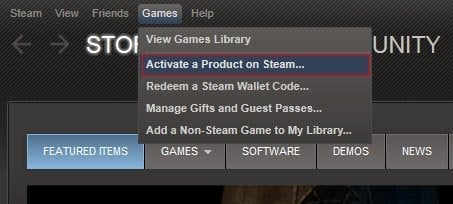
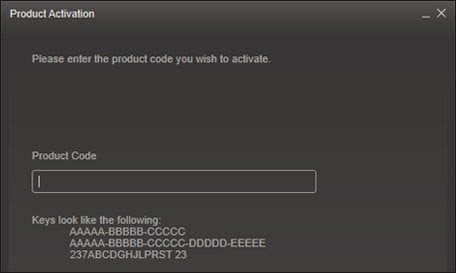
Please follow the steps below to redeem your Steam key:

1) Download and install the Steam client on your PC: https://store.steampowered.com/about/
2) Open the Steam client, log in or create an account if you don't have one, and locate the Games tab on the top menu. Click this and then select "Activate a Product on Steam…"


3) Enter your code into the product activation field


Your game is now viewable in the "Library" tab and is available to download/install when you're ready.
Happy Gaming!

Fabian Narvaez 15/11/2020

This website is a reliable and trustworthy online shopping destination. The product variety is vast, and the customer service team is always there to assist if needed.

Write a review

Note: HTML is not translated!
Captcha
Review Score: 5 / 5
Fabian Narvaez 15/11/2020

This website is a reliable and trustworthy online shopping destination. The product variety is vast, and the customer service team is always there to assist if needed.