Steep Season Pass Europe (PC Ubisoft Connect Key / Europe)
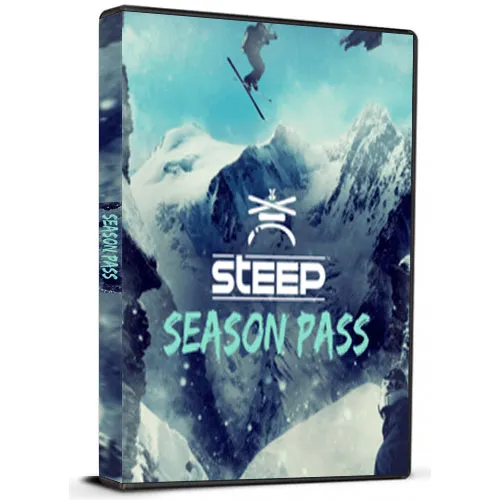
Steep Season Pass Europe (PC Ubisoft Connect Key / Europe)

Rating

Reviews
Price
  • $4.62
cards klarna GPay Apple Pay affirm afterpay

Official License: Europe | 24/7 U.S. Support | Gamers Outlet - CD Keys

Platform
Uplay PC Ubisoft Connect Key
Points Gained
4
Availability
In Stock
Support
24/7 Support
Delivery
Free digital delivery
Your Region
Not Supported

$4.62

Instant Delivery: Steep Season Pass Europe (PC Ubisoft Connect Key / Europe) Game Key

teep is an open-world, extreme sports game developed by Ubisoft Annecy and released in 2016. The game allows players to explore a massive mountain range in the Alps and engage in a variety of extreme sports activities such as skiing, snowboarding, wingsuit flying, and paragliding. In addition to the base game, Steep also offers a Season Pass which provides access to additional content and features. The Season Pass includes three major expansions, new sports, and additional challenges.

The first expansion included in the Steep Season Pass is called "Winterfest." This expansion added a new area to the game, the Aravis Mountain Range, which includes new challenges, events, and equipment. The expansion also introduced a new sport, sledging, which involves riding down snowy slopes on a sled. Additionally, the Winterfest expansion included new costumes and customization options for players.

The second expansion included in the Season Pass is called "Extreme Pack." This expansion introduced three new sports to the game: rocket wings, base jumping, and speed riding. Rocket wings allow players to fly at high speeds using a rocket-powered wingsuit. Base jumping involves jumping off cliffs and buildings and deploying a parachute. Speed riding combines skiing with paragliding, allowing players to glide through the air and perform tricks. The Extreme Pack also added new challenges, costumes, and customization options.

The final expansion included in the Steep Season Pass is called "Road to the Olympics." As the name suggests, this expansion focuses on the Winter Olympics and includes new events and challenges inspired by the games. Players can compete in events such as downhill skiing, snowboarding, and freestyle skiing. The expansion also includes a new mountain, South Korea's Pyeongchang Olympic Village, which is the location of the 2018 Winter Olympics. Overall, the Steep Season Pass provides a wealth of additional content and features for players to enjoy, making the game even more immersive and engaging.


  • Will I get an invoice?
    Invoice will automatically generate upon placing an order.

  • Where can I find my invoice?
    Once the order is completed, the invoice will be available under 'My Account' (top right corner of the top bar) -> 'Order History.'

  • Can I edit my invoice?
    Currently, you cannot do this yourself. Please contact our support via email at [email protected], and we will be glad to assist you with the matter. For a faster process, please include the order number and any relevant information you want to be shown (such as your name, ID/tax number, etc.).

  • Is this product for every platform?
    No, this product is specific to the Uplay platform.

  • Can I redeem this product anywhere?
    No, this product can only be activated from Europe.
    Please click the 'Check Your Region' button to see all the supported countries.


  • Is this product a game, credit, subscription or DLC?
    This product is the DLC of the game - battle pass and will not include the base game.

  • Can I transfer this game to new hardware or a new console?
    Yes, This key is bind to your Uplay account.

  • Is there a specific way I need to install this product?
    Please read the 'Activation' tab.

To activate your product key on the Ubisoft Connect client, please follow these simple steps: 

  1. Download and open Ubisoft Connect: https://ubisoftconnect.com/#experience-pc-section
  2. If you don't have an account, create one or log in: https://www.ubisoft.com/help/article/000078663
  3. Click the 3 lines icon in the top left corner of the application: https://imgur.com/a/aMlMQLg
  4. Choose "Activate a key" from the dropdown menu.
  5. Enter your product key into the "Activation Code" field.
  6. Click "Activate" to confirm.

The game/downloadable content will now appear in your library.

Senne 25/01/2021

I have had nothing but positive experiences with this website. The product descriptions are accurate, the shipping is quick, and the customer service is attentive and helpful.

Write a review

Note: HTML is not translated!
Captcha
Review Score: 5 / 5
Senne 25/01/2021

I have had nothing but positive experiences with this website. The product descriptions are accurate, the shipping is quick, and the customer service is attentive and helpful.

Support