

If you'd like to buy a big amount of copies, please contact [email protected]
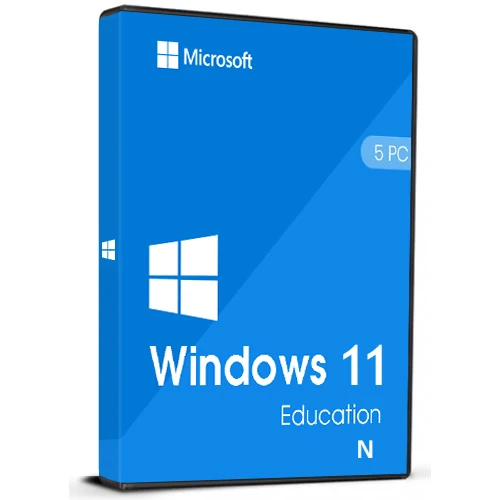
Windows 11 Education N (5PC) Cd Key Retail Microsoft Global

Windows 11 Education N (5PC) Cd Key Retail Microsoft Global

Rating

Reviews
Price
  • $14.49
cards klarna GPay Apple Pay affirm afterpay
Platform
Microsoft Windows Windows
Points Gained
12
Availability
In Stock
Support
24/7 Support
Delivery
Free digital delivery
Your Region
Supported

$14.49

invoice will automatically generate upon placing an order

Available Languages: MULTILANGUAGE

Russian, English, German, French, Italian, Spanish, Turkish, Czech, Polish, Japanese, Chinese, Korean and others.

The key will work on an inactivated working Win11 Education or a clean installation of Windows 11 Education. 

Windows 11 Education N retail 5PC - single product key that can be used to activate Windows 11 on up to 5 different computers.

Download link: https://www.microsoft.com/software-download/windows11

In order to install the software on your PC, please follow the instructions here.

In case of an issue with activating your Windows key, please use one of the methods:

Method 1:

Download link: https://www.microsoft.com/software-download/windows11
Download the installation kit media creation tool on a bootable device like dvd or usb stick.
After Windows installation:

1. Go to "Settings''

2. Find "Activation"

3. Select "Activate" or "Change Product Key"

4. Insert the purchased key

5. Windows 11 Education N is operational 

Method 2:

1. Click on ”Start” icon , then open ”Settings”, choose ”Update & security”, and then select ”Activation”.

2. Choose the ”Activate by phone” option.

3. Click the drop-down menu, select your country, and then click ”Next”.

4. Call the Toll free number and follow instructions to generate confirmation ID to activate your Windows.

Method 3:

1. Press and hold "Windows" key and press "R" on your keyboard.

2. Type "SLUI 4" in the window that pops up and press enter.

3. Click the drop-down menu, select your country and then click Next.

4. Call the Toll free number and follow instructions to generate confirmation ID to activate your Windows.

More information regarding phone activation can be found here.

Windows 11 provides a modern workspace for educational institutions. It offers a range of features and tools aimed at enhancing teaching and learning experiences. With Windows 11 education N, educators can create a secure and collaborative environment for students. It provides advanced security measures to protect sensitive information and prevent unauthorized access

We Also Offer Other Windows 11 cd keys HERE
Windows 10 cd keys HERE
Office 2021 cd keys
HERE

  • Will I get an invoice?
    Invoice will automatically generate upon placing an order.

  • Where can I find my invoice?
    Once the order is completed, the invoice will be available under 'My Account' (top right corner of the top bar) -> 'Order History.'

  • Can I edit my invoice?
    Currently, you cannot do this yourself. Please contact our support via email at [email protected], and we will be glad to assist you with the matter. For a faster process, please include the order number and any relevant information you want to be shown (such as your name, ID/tax number, etc.).

  • Can I install this on macOS?
    No, this product does not support MacOS.

  • Can I redeem this product anywhere?
    Yes, this Product is a Global version.

  • Is there a specific way I need to install this product?
    The key will work on an inactive Windows 11 Education system or a clean installation of Windows 11 Education.
    For more information, please read the 'Activation' tab.

  • What if I need a COA sticker for that product?
    The COA label print can be scanned and sent to you upon request, for an additional charge.

Download link: https://www.microsoft.com/software-download/windows11

In order to install the software on your PC, please follow the instructions here.

In case of an issue with activating your Windows key, please use one of the methods:

Method 1:

Download link: https://www.microsoft.com/software-download/windows11
Download the installation kit media creation tool on a bootable device like dvd or usb stick.
After Windows installation:

1. Go to "Settings''

2. Find "Activation"

3. Select "Activate" or "Change Product Key"

4. Insert the purchased key

5. Windows 11 Education N is operational


Method 2:

1. Click on ”Start” icon , then open ”Settings”, choose ”Update & security”, and then select ”Activation”.

2. Choose the ”Activate by phone” option.

3. Click the drop-down menu, select your country, and then click ”Next”.

4. Call the Toll free number and follow instructions to generate confirmation ID to activate your Windows.


Method 3:

1. Press and hold "Windows" key and press "R" on your keyboard.

2. Type "SLUI 4" in the window that pops up and press enter.

3. Click the drop-down menu, select your country and then click Next.

4. Call the Toll free number and follow instructions to generate confirmation ID to activate your Windows.

More information regarding phone activation can be found here.

There are no reviews for this product.

Write a review

Note: HTML is not translated!
Captcha