Emergency Call 112 Add-on KEF - The minor operations vehicle (PC Steam Key - Global)

Emergency Call 112 Add-on KEF - The minor operations vehicle (PC Steam Key - Global)
Rating

Reviews
Price
  • $5.26 $5.84 -9%
cards klarna GPay Apple Pay affirm afterpay

Official License: Global | 24/7 U.S. Support | Gamers Outlet - CD Keys

Platform
Steam PC Steam Key
Points Gained
4
Availability
In Stock
Support
24/7 Support
Delivery
Free digital delivery
Your Region
Supported

$5.84 $5.26

Instant Delivery: Emergency Call 112 Add-on KEF - The minor operations vehicle DLC (PC Steam Key / Global) Game Key

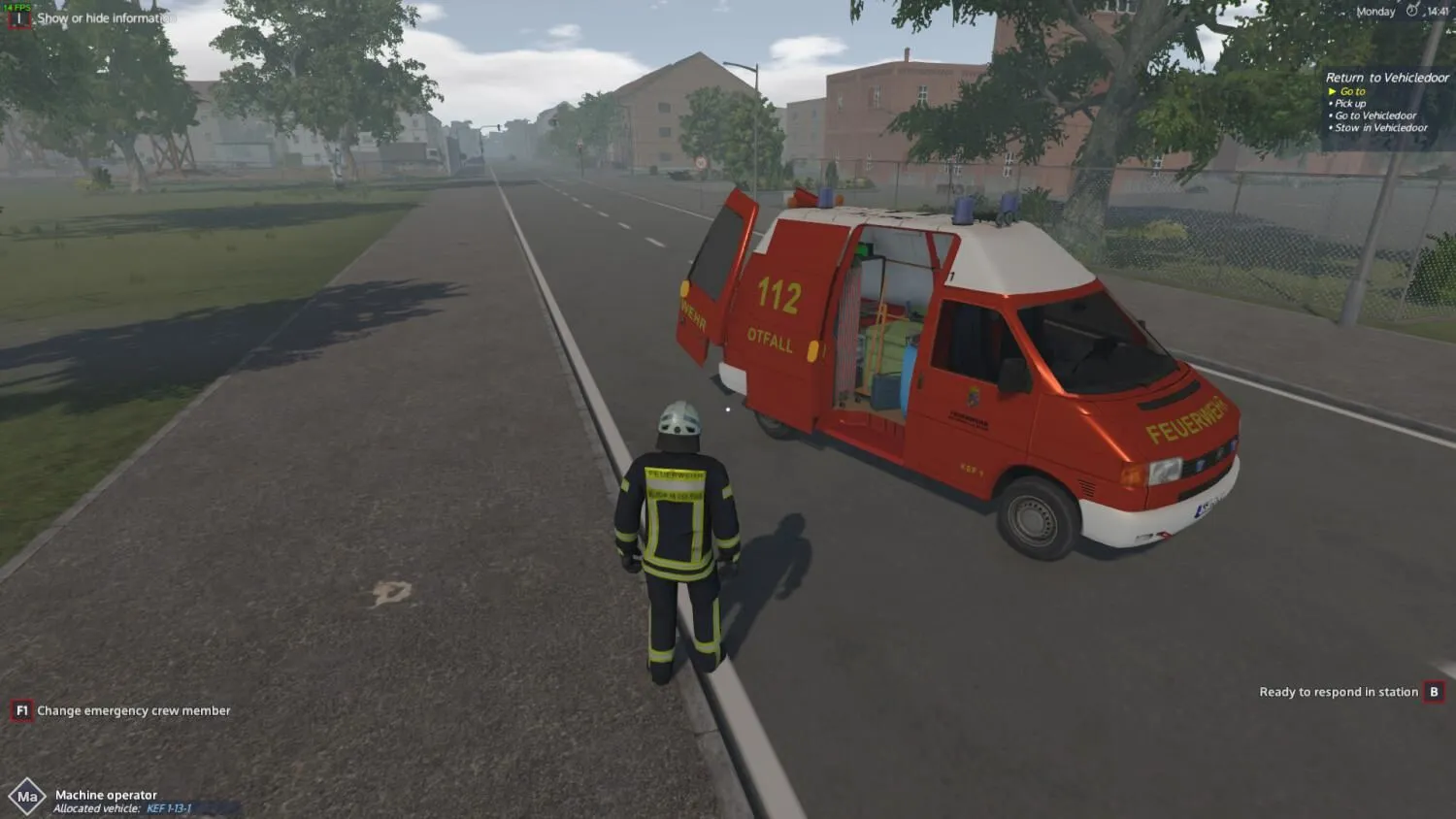
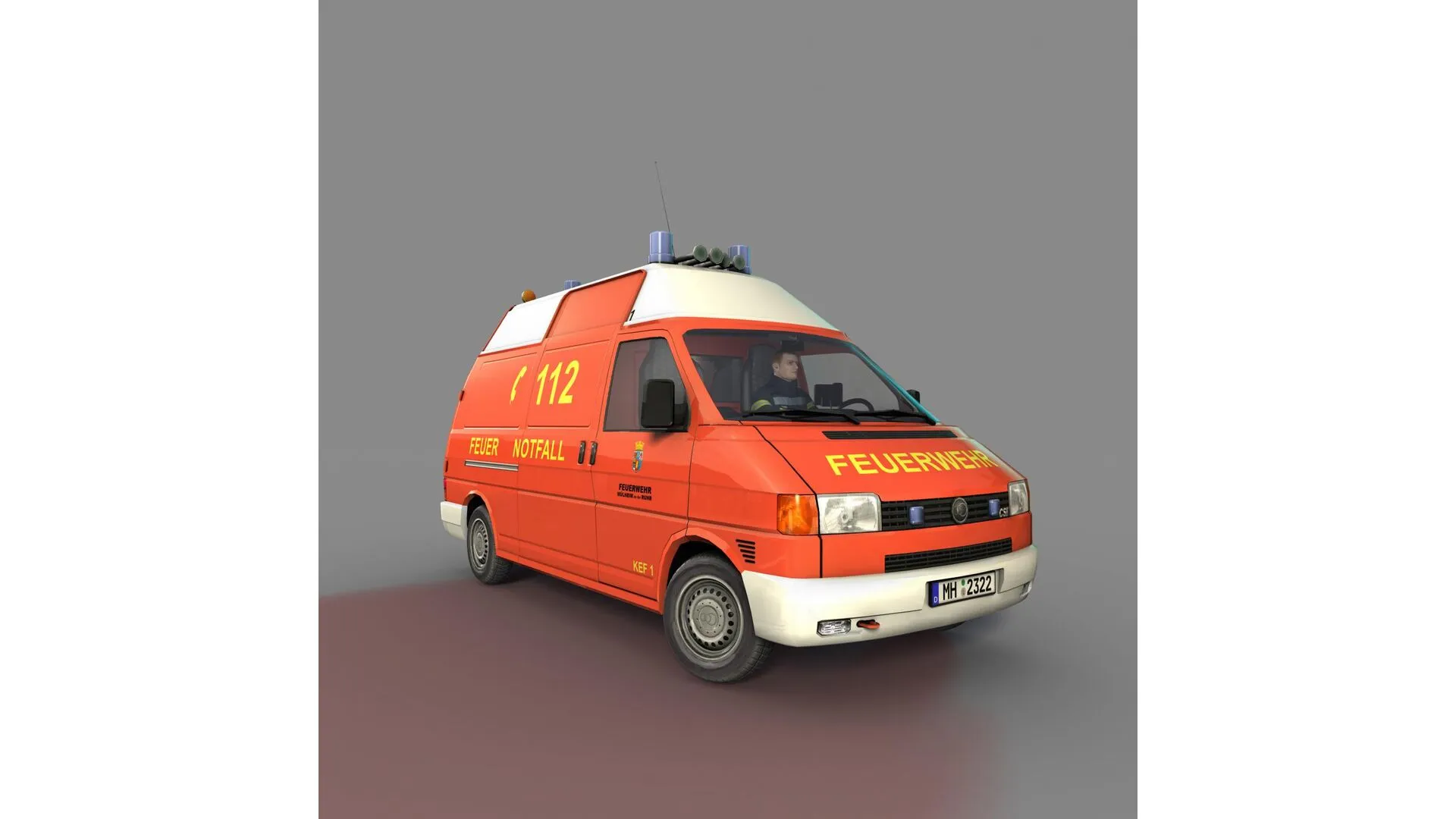
The add-on “KEF – The minor operations vehicle” is the first extension for Emergency Call 112 – The Fire Fighting Simulation. It adds the namesake minor operation vehicle (German: Kleineinsatzfahrzeug, KEF) to the player’s fleet.

Minor operations vehicles are being used for tasks that require only a few people, which mostly means technical assistance where different tools and material are needed. Players can look forward to callouts like: emergency door openings, cleaning oil spills, and barriers, as well as the kind of operations the fire fighters are tasked with following heavy storms.

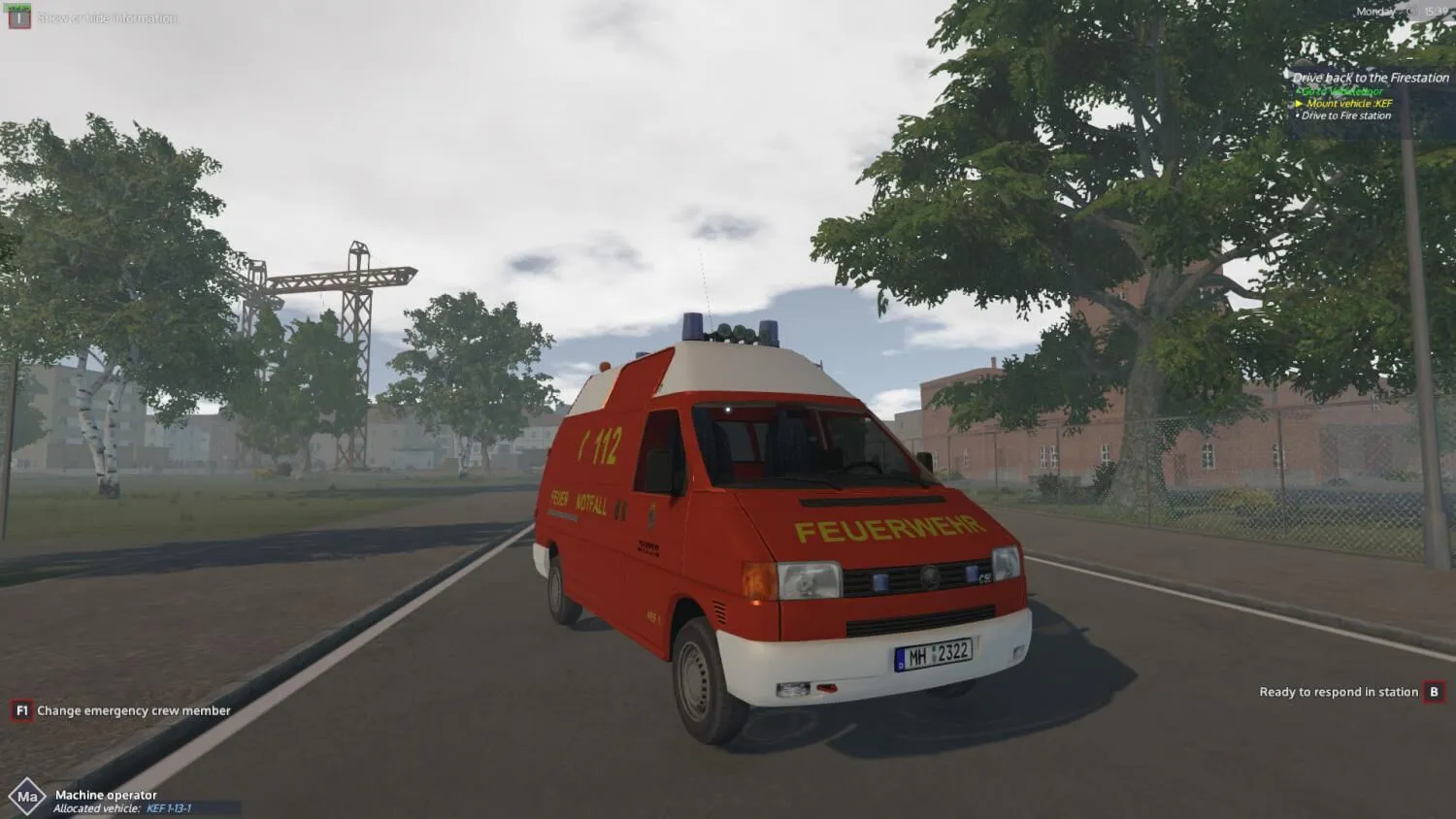
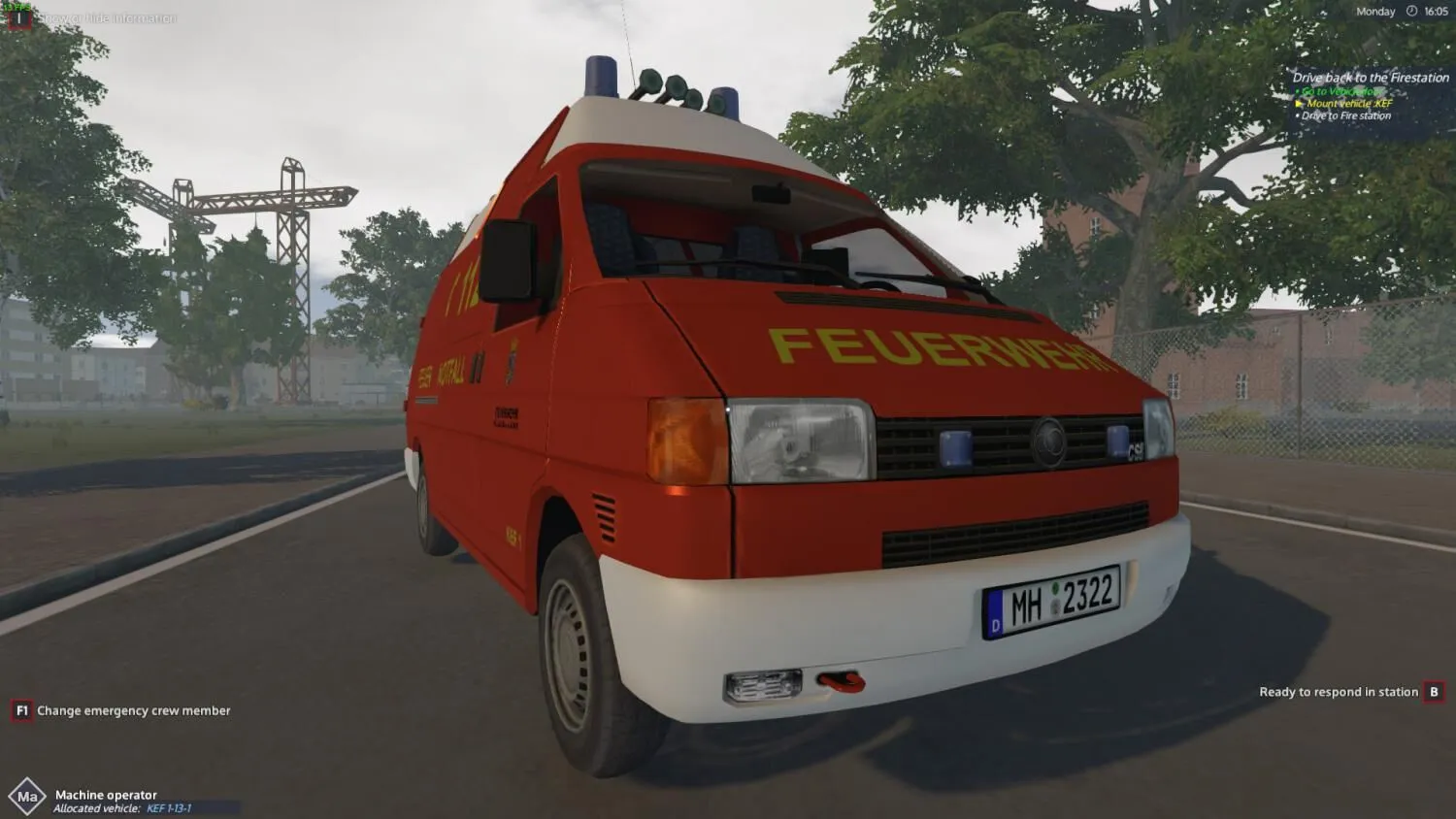
The KEF included in this add-on is a highly detailed model of a VW T4 HD. As you’ve come to expect it from the vehicles in Emergency Call 112, the KEF includes many freely removable tools and equipment as well as a navigation unit. Using the KEF, the player can be called out to scenarios like water pumping, tree pruning and shuttering of doors or windows. If necessary, he also has to care for erecting barriers for self-protection.

Game Features:

  • Highly detailed vehicle, minor operations vehicle (Kleineinsatzfahrzeug, KEF)
  • Freely removable tools and equipment from the vehicle
  • Technical assistance after heavy storms
  • Technical assistance after fire fighting and police operations

Different deployment scenarios like:

  • Pump deployment after heavy rainfall
  • Pump deployment after water pipe breakage
  • Barriers during operations
  • Tree pruning
  • Removing of torn-off branches
  • Emergency door openings
  • Shuttering of doors and windows
  • Night time operations
  • Navigation unit in the vehicle
  • Will I get an invoice?
    Invoice will automatically generate upon placing an order.

  • Where can I find my invoice?
    Once the order is completed, the invoice will be available under 'My Account' (top right corner of the top bar) -> 'Order History.'

  • Can I edit my invoice?
    Currently, you cannot do this yourself. Please contact our support via email at [email protected], and we will be glad to assist you with the matter. For a faster process, please include the order number and any relevant information you want to be shown (such as your name, ID/tax number, etc.).

  • Is this product for every platform?
    No, this product is specific to the Steam platform.

  • Can I redeem this product anywhere?
    No, Please click the 'Check Your Region' button to see all the supported countries.

  • Is this product a game, credit, subscription or DLC?
    This product is the DLC of the game and will not include the base game.

  • Can I transfer this game to new hardware or a new console?
    Yes, This key is bind to your Steam account.

  • Is there a specific way I need to install this product?
    Please read the 'Activation' tab.

Please follow the steps below to redeem your Steam key:

1) Download and install the Steam client on your PC: https://store.steampowered.com/about/
2) Open the Steam client, log in or create an account if you don't have one, and locate the Games tab on the top menu. Click this and then select "Activate a Product on Steam…"


3) Enter your code into the product activation field


Your game is now viewable in the "Library" tab and is available to download/install when you're ready.
Happy Gaming!

There are no reviews for this product.

Write a review

Note: HTML is not translated!
Captcha
Support