

invoice will automatically generate upon placing an
order
Available Languages: MULTILANGUAGE
ACTIVATION INSTRUCTIONS:
1. Download the official installer from this link:
Here2. Enter the product key you received from us to activate the software.
3. Select the "Activate by Phone" option.
For more detailed instructions, please visit the download section and click on the "How to Activate" button.
Does not work on MacBook! Look for Home and
Business @ search bar.
The code is valid for 1pc/1 installation. if you uninstall/reinstall you might need to buy a new code.
Doesn't work on android/ChromeOS/iOS Apple devices. Compatible only with Windows 10, Windows 11.
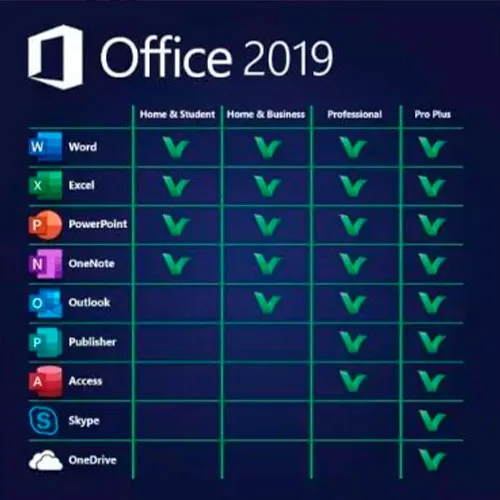
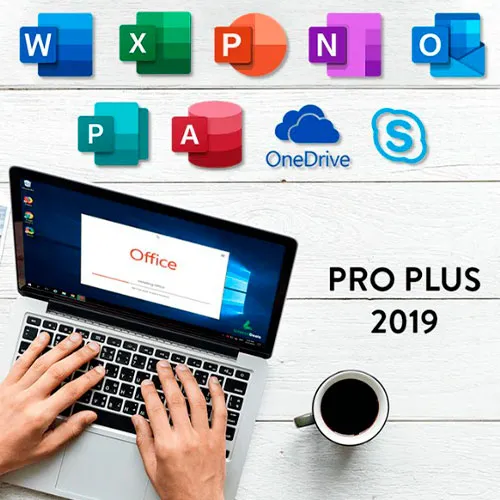
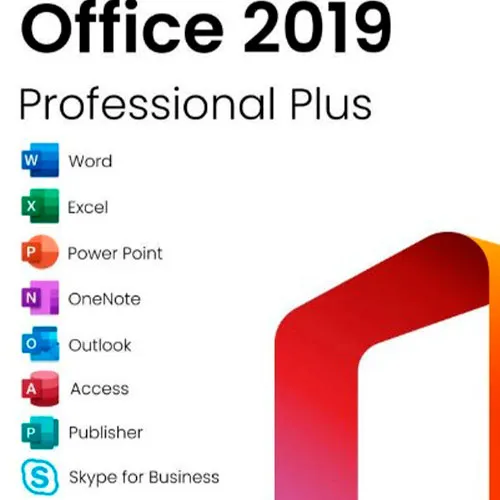
Microsoft Office 2019 Professional Plus includes classic 2019 versions of Word, Excel, PowerPoint, OneNote, Outlook, Access, Publisher, Skype for Business.
Office 2019 professional plus is a powerful tool that serves us as end-users almost on a daily basis. For work, as a student, for notes and for emailing. Office 2019 pro plus provides new design and new features that will make our life even easier! Hurry up and grab your own copy for the cheapest price around. Guaranteed stock with 24/7 support.
We Also Offer Windows 11 cd keys HERE
Windows 10 cd keys HERE
Office 2021 cd keys HERE

- Will I get an invoice?
Invoice will automatically generate upon placing an order.
- Where can I find my invoice?
Once the order is completed, the invoice will be available under 'My Account' (top right corner of the top bar) -> 'Order History.'
- Can I edit my invoice?
Currently, you cannot do this yourself. Please contact our support via email at [email protected], and we will be glad to assist you with the matter. For a faster process, please include the order number and any relevant information you want to be shown (such as your name, ID/tax number, etc.).
- Can I install this on macOS?
No, this product does not support MacOS.
- Can I redeem this product anywhere?
Yes, this Product is a Global version.
- Can I transfer this product to new hardware?
No, The code is valid for 1 pc or 1 installation - if you uninstall or reinstall you might need to buy a new code.
- Is there a specific way I need to install this product?
Please read the 'Activation' tab.
- What if I need a COA sticker for that product?
The COA label print can be scanned and sent to you upon request, for an additional charge.
ACTIVATION INSTRUCTIONS:
Download the official ISO/image to activate: https://officecdn.microsoft.com/pr/492350f6-3a01-4f97-b9c0-c7c6ddf67d60/media/en-US/ProPlus2019Retail.img
1-After installation, open Word (or any Office app)
When the Office Activation Wizard appears, select “Activate by phone.”
The wizard will display your Installation ID (IID) - you will need this shortly.
The IID is shown as 9 groups of 7 digits.
2-Go to the activation website
Open your browser and go to: https://aka.ms/aoh
3-Sign in
Choose Microsoft Account as the login method and sign in with your Microsoft account.
4-Select “Activate a Microsoft Product”
On the first page, click Activate a Microsoft Product.
5-Choose the product type
Select the category that matches what you are activating:
- Windows → for Windows activation
- Microsoft Office → for Office, Project, or Visio
- Windows Server, etc., if applicable
Note: For Project and Visio, choose Microsoft Office.
6-Select your operating system
7-Choose the product version
Select the version you are activating, for example:
- Office / Project / Visio 2024
- Office / Project / Visio 2021
- Office / Project / Visio 2019, etc.
8-Enter your Installation ID (IID)
You will see nine empty boxes.
Enter each group of digits from your IID into the matching box (9 groups of 7 digits).
When finished, submit the form to continue.
9-Answer the usage question
When asked, “How many computers have you installed this copy on?”
Type 0, then continue.
10-Receive your Confirmation ID
The website will display your Confirmation ID.
11-Enter the Confirmation ID into your PC
Return to the Office activation wizard and enter the Confirmation ID to finish activation.
For other Office languages, scroll down here: https://gamersoutlet.zendesk.com/hc/en-us/articles/360058263113-Office-2019-pro-plus-activation-methods
Video Guide: