




Fallout 4 (PC, clave Steam / Global)
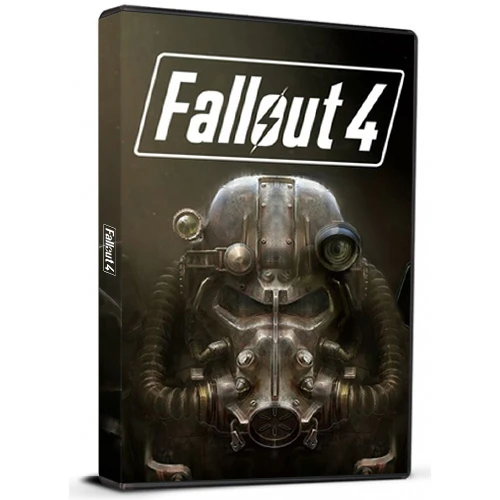
Fallout 4 (PC, clave Steam / Global)
Clasificación:

Precio
  • $6.10
cards klarna GPay Apple Pay affirm afterpay

Licencia oficial: Global | Asistencia en EE. UU. 24 horas al día, 7 días a la semana | Gamers Outlet - Claves de CD

Plataforma
Steam PC Steam Key
Puntos ganados
5
Existencia
Agotado
Soporte
24/7 Soporte
Entrega
Entrega digital gratuita
Tu región
Compatible


$6.10

Entrega inmediata: Fallout 4 (clave para PC Steam / Global) Clave del juego

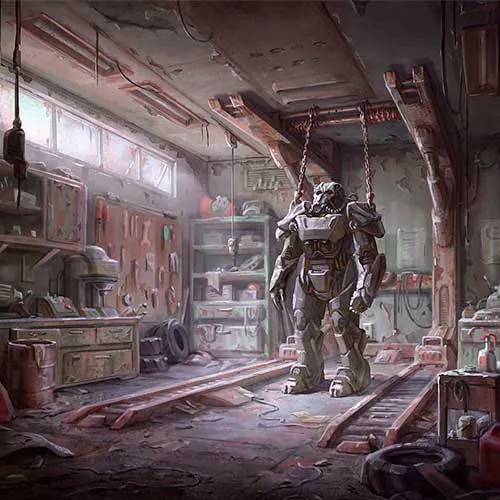
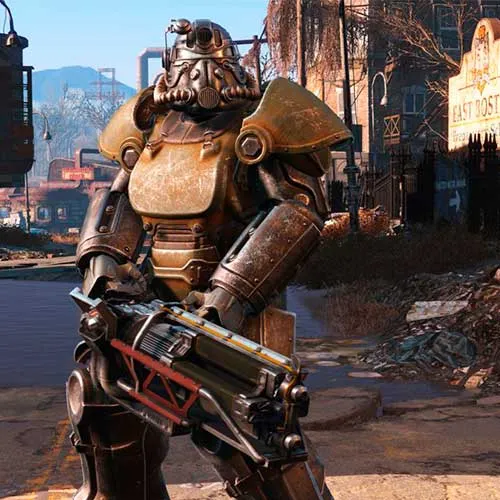
Bethesda Game Studios, los galardonados creadores de Fallout 3 y The Elder Scrolls V: Skyrim, te dan la bienvenida al mundo de Fallout 4: su juego más ambicioso hasta la fecha y la nueva generación de videojuegos de mundo abierto.

  • ¿Recibiré una factura?
    La factura se generará automáticamente al realizar el pedido.

  • ¿Dónde puedo encontrar mi factura?
    Una vez completado el pedido, la factura estará disponible en 'Mi cuenta' (esquina superior derecha de la barra superior) -> 'Historial de pedidos'.

  • ¿Puedo editar mi factura?
    Actualmente, no puede realizar esta acción usted mismo. Por favor, póngase en contacto con nuestro servicio de asistencia por correo electrónico a [email protected] y con gusto le ayudaremos. Para agilizar el proceso, incluya el número de pedido y cualquier información relevante que desee que se muestre (como su nombre, número de identificación fiscal, etc.).

  • ¿Este producto es compatible con todas las plataformas?
    No, este producto es específico de la plataforma Steam.

  • ¿Puedo canjear este producto en algún sitio?
    Sí, este producto es una versión global.

  • ¿Este producto es un juego, un crédito, una suscripción o un DLC?
    Este producto es el juego base.

  • ¿Puedo transferir este juego a un nuevo hardware o a una nueva consola?
    Sí, esta clave está vinculada a tu cuenta de Steam.

  • ¿Hay alguna forma específica en la que deba instalar este producto?
    Por favor, lea la pestaña 'Activación'.

Please follow the steps below to redeem your Steam key:

1) Download and install the Steam client on your PC: https://store.steampowered.com/about/
2) Open the Steam client, log in or create an account if you don't have one, and locate the Games tab on the top menu. Click this and then select "Activate a Product on Steam…"


3) Enter your code into the product activation field


Your game is now viewable in the "Library" tab and is available to download/install when you're ready.
Happy Gaming!

skornatimmy 08/10/2022

Remember that using fake reviews is not a good practice, and it's essential to collect genuine customer feedback. Use these reviews as inspiration or examples for your website.

Tomislav Barbir 02/12/2016

Fast delivery, key works fine. Very satisfied.

fAtP 01/12/2015

Nice Price and Delivery was fast , best one.

Kuldar 11/11/2015

Really straight forward:
- added game in cart
- made account
- paid with paypal
- got the key (img)
- opened steam
- clicked + add a game (down left corner)
- choose activate product on Steam
- Download and enjoy your amazing life.

Saved 20 € here - can't complain!

Airi 11/11/2015

Wow, I'm impressed. I got my key instantly!
I'm now downloading 24Gb :)

Thanks a lot Gamers-Outlet!

Escribir Opinión

Nota: No se permite HTML!
Captcha
Review Score: 5 / 5
skornatimmy 08/10/2022

Remember that using fake reviews is not a good practice, and it's essential to collect genuine customer feedback. Use these reviews as inspiration or examples for your website.

Tomislav Barbir 02/12/2016

Fast delivery, key works fine. Very satisfied.

fAtP 01/12/2015

Nice Price and Delivery was fast , best one.

Kuldar 11/11/2015

Really straight forward:
- added game in cart
- made account
- paid with paypal
- got the key (img)
- opened steam
- clicked + add a game (down left corner)
- choose activate product on Steam
- Download and enjoy your amazing life.

Saved 20 € here - can't complain!

Airi 11/11/2015

Wow, I'm impressed. I got my key instantly!
I'm now downloading 24Gb :)

Thanks a lot Gamers-Outlet!

Support