





























If you'd like to buy a big amount of copies, please contact [email protected]
You cannot link this license to a personal account or log into an account while using the software, as the license is tied exclusively to your system or device.
Adobe Photoshop Elements 2026 (Windows) (Licencia de por vida - Global)
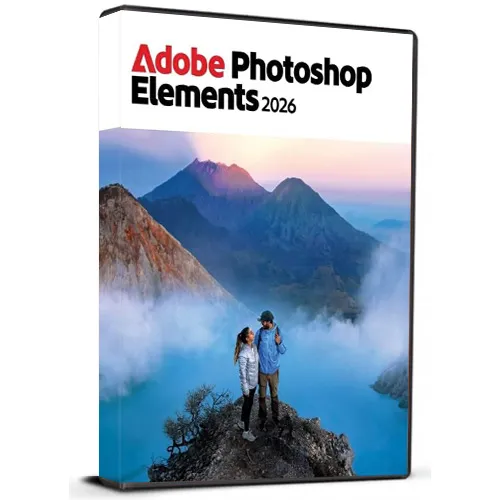

Adobe Photoshop Elements 2026 (Windows) (Licencia de por vida - Global)

Clasificación:

Reseñas
Precio
  • $51.91
cards klarna GPay Apple Pay affirm afterpay

Licencia Oficial: Global | Soporte 24/7 de EE. UU. | Gamers Outlet - CD Keys

Plataforma
Adobe Lifetime License
Puntos ganados
30
Existencia
En stock
Soporte
24/7 Soporte
Entrega
Entrega digital gratuita
Tu región
Compatible

$51.91

Entrega Inmediata: Adobe Photoshop Elements 2026 (Windows) (Lifetime License / Global) Game Key

Consigue Adobe Photoshop Elements 2026 por Windows con una Clave de licencia de por vida y disfruta de potentes herramientas de edición fotográfica diseñadas tanto para principiantes como para usuarios experimentados. Photoshop Elements te permite mejorar, organizar, retocar y transformar creativamente tus fotos de forma sencilla gracias a una interfaz intuitiva y a funciones de edición inteligentes. Esta versión multilingüe es compatible con varios idiomas, lo que te permite utilizar el software en tu idioma preferido. Tanto si deseas eliminar objetos no deseados, mejorar los colores, crear efectos impresionantes, restaurar fotos antiguas o diseñar proyectos creativos, Photoshop Elements te ofrece una amplia gama de herramientas útiles.


Características del producto:

  • Clave de licencia de por vida
  • Para PC Windows
  • Compatibilidad multilingüe
  • Herramientas de edición de fotos fáciles de usar
  • Efectos creativos y mejoras
  • Apto para proyectos personales y profesionales
  • Entrega digital


Tras la compra, recibirás tu clave de licencia y las instrucciones para descargar el software y acceder fácilmente a él.

Nota: Este producto está destinado a Windows y requiere un sistema compatible.

  • ¿Recibiré una factura?
    La factura se generará automáticamente al realizar el pedido.

  • ¿Dónde puedo encontrar mi factura?
    Una vez completado el pedido, la factura estará disponible en «Mi cuenta» (esquina superior derecha de la barra superior) -> «Historial de pedidos».

  • ¿Puedo modificar mi factura?
    Actualmente, no puedes hacerlo por tu cuenta. Ponte en contacto con nuestro servicio de atención al cliente por correo electrónico en [email protected], y estaremos encantados de ayudarte con este asunto. Para agilizar el proceso, incluye el número de pedido y cualquier información relevante que desees que aparezca (como tu nombre, DNI/NIF, etc.).

  • ¿Puedo instalarlo en macOS?
    No, este producto no es compatible con macOS.

  • ¿Puedo canjear este producto desde cualquier lugar?
    Sí, este producto es una versión Global.

  • ¿Puedo transferir este producto a un nuevo equipo?
    No, el código es válido para un PC o una instalación; si lo desinstalas o lo reinstalas, es posible que tengas que comprar un nuevo código.

  • ¿Hay alguna forma específica de instalar este producto?
    Para obtener más información, consulta la pestaña «Activación».

Please follow below mentioned steps:


1. Download the Software Download link: Download Adobe Photoshop 2026 ZIP

Please note: You need to download the ZIP folder first. After the download is complete, you must extract (unzip) the ZIP folder using WinRAR, 7-Zip, or the Windows default extractor.


2. Extract the ZIP Folder

Step 1: Locate the downloaded ZIP file on your windows computer.

Step 2: Right-click the ZIP file. 

Step 3: Choose Extract All... (Windows) or use WinRAR / 7-Zip and select an extraction option. 

Step 4: Wait until the extraction is finished. 

Step 5: Open the newly created extracted folder.


Important: Do not start the installation directly from inside the ZIP file. The software must be installed from the fully extracted folder. Starting the installer from the ZIP folder may cause the installation to fail or not work correctly.


3. Start the Installation

Step 1: Open the extracted folder.

Step 2: Locate the installation/setup file provided in the folder.

Step 3: Double-click the setup/installer and follow the on-screen installation instructions.

Step 4: Allow the installer to complete before launching the application.


4. You may refer to Video Installation Guide Link

If you prefer a visual walkthrough, use the video guide above and follow the same extraction and installation steps shown in this PDF.

✓ Download the ZIP folder

✓ Wait for the download to finish

✓ Extract the ZIP using Windows Extract All, WinRAR, or 7-Zip

✓ Open the extracted folder

✓ Start installation from the extracted folder

✗ Do NOT install directly from inside the ZIP folder

No hay Opiniones para este Producto

Escribir Opinión

Nota: No se permite HTML!
Captcha
Support


