Steamでゲームを有効化/インストール/プレイするには、ロシアのVPNが必要です!
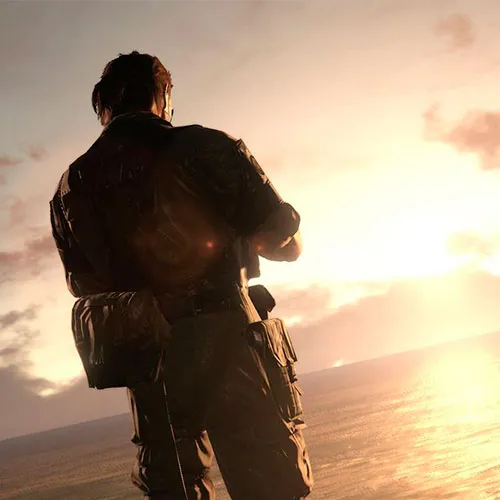
Metal Gear Solid V: The Phantom Pain RU (PC Steam Key / Russian VPN)

Metal Gear Solid V: The Phantom Pain RU (PC Steam Key / Russian VPN)

Rating

レビュー
価格
  • $28.75
cards klarna GPay Apple Pay affirm afterpay

公式ライセンス: Russian VPN | 24時間年中無休の米国サポート | Gamers Outlet - CD Keys

プラットフォーム
Steam PC Steam Key
獲得ポイント
25
在庫状況
在庫あり
サポート
24/7 サポート
配送
無料のデジタル配送
あなたの地域
対応済み

$28.75

Metal Gear Solid V: The Phantom Pain CD Key RU Steam

- オープンワールド型のゲームデザインにより、プレイヤーはミッションへの取り組み方やゲーム全体の進行方法に関して究極の自由度を得られます。

Fox Engineは、フォトリアルなグラフィック、考え抜かれたゲームデザイン、そして真の次世代ゲーム制作品質を実現します。

- オンライン接続により、ゲーム体験をコンソールだけでなく他のデバイスにも拡張し、ゲーム全体の機能性とアクセス性を向上させる。


ゲームの無修正版を有効にするには、以下の手順に従ってください。
1. Steamを終了してください。
2. http://www.flyvpn.com/freetrialにアクセスしてください。
3. 次に、手順1/2に従ってください: http://i.imgur.com/kvHzh3o.png
4. ステップ1:プログラムをダウンロードして実行します
5. ステップ2:提供された試用版のユーザー名/パスワードを使用します。http://i.imgur.com/mnA3AwG.png
6. 制限のない国をリストから選択してください(国ごとにタブが分かれていることに注意してください) - 「接続」を押してください
7. Steamアカウントにログインしてください
8. キーを引き換える
9. 楽しんでください!インストール中/プレイ中はVPNを開いたままにしてください。


Please follow the steps below to redeem your Steam key:

1) Download and install the Steam client on your PC: https://store.steampowered.com/about/
2) Open the Steam client, log in or create an account if you don't have one, and locate the Games tab on the top menu. Click this and then select "Activate a Product on Steam…"


3) Enter your code into the product activation field


Your game is now viewable in the "Library" tab and is available to download/install when you're ready.
Happy Gaming!

Titus Standing 14/03/2022

The fantastic range of products, competitive prices, and exceptional customer service make this website a top choice for online shopping. I highly recommend it to others.


レビューを書く

注: HTML は翻訳されません!
Captcha
Review Score: 5 / 5
Titus Standing 14/03/2022

The fantastic range of products, competitive prices, and exceptional customer service make this website a top choice for online shopping. I highly recommend it to others.

Support