




theHunter Call of the Wild - Mississippi Acres Preserve DLC (PC Steam Key / Global)

theHunter Call of the Wild - Mississippi Acres Preserve DLC (PC Steam Key / Global)

Rating

レビュー
価格
  • $3.26
cards klarna GPay Apple Pay affirm afterpay

公式ライセンス: グローバル | 24時間年中無休の米国サポート | Gamers Outlet - CD Keys

プラットフォーム
Steam PC Steam Key
獲得ポイント
3
在庫状況
在庫切れ
サポート
24/7 サポート
配送
無料のデジタル配送
あなたの地域
対応済み

$3.26

即時配信: theHunter Call of the Wild - Mississippi Acres Preserve DLC (PC Steam Key / グローバル) Game Key

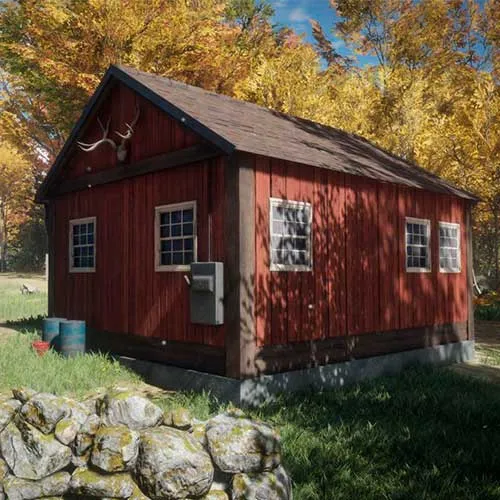
theHunter: Call of the Wild - Mississippi Acres Preserveは、人気ハンティングシミュレーションゲーム「theHunter: Call of the Wild」のダウンロードコンテンツ(DLC)拡張パックです。この拡張パックでは、プレイヤーはミシシッピデルタへと旅立ち、ワニ、イノシシ、オジロジカなど、さまざまな新種の動物を狩ることができます。DLCでは、独自の生態系、植生、気象パターンを備えた新しい環境が導入され、没入感を高めています。ゲームのグラフィックもアップデートされ、デルタの景観の美しさと多様性を捉えた素晴らしいビジュアルとなっています。

このゲームは、追跡や忍び寄りから射撃、解体まで、幅広いスキルを駆使する必要のある、やりがいのあるリアルな狩猟体験を提供します。ゲームのAIシステムは素晴らしく、動物はプレイヤーの動きや匂いに反応するなど、現実的な行動をとります。そのため、プレイヤーは戦略と忍耐力を持って狩猟に臨む必要があり、獲物を出し抜いて狩りを成功させなければなりません。

総じて、『theHunter: Call of the Wild - Mississippi Acres Preserve』はゲームに素晴らしい追加コンテンツであり、プレイヤーに新たな挑戦と自然界を探索する機会を提供します。このDLCはよく設計され、ゲームにシームレスに統合されており、プレイヤーに豊かで没入感のある体験を提供します。狩猟ゲームのファンであろうと、単に自然探索を楽しむ人であろうと、『theHunter: Call of the Wild』のファンなら誰もがプレイすべきDLCです。


  • 請求書は届きますか?
    ご注文いただくと、請求書が自動的に作成されます。

  • 請求書はどこで確認できますか?
    注文が完了すると、請求書は「マイアカウント」(上部バーの右上隅)→「注文履歴」から確認できます。

  • 請求書を編集できますか?
    現在、お客様ご自身でこの操作を行うことはできません。[email protected]までメールにてサポートにお問い合わせください。喜んでお手伝いさせていただきます。より迅速な対応のため、ご注文番号と表示をご希望される関連情報(氏名、身分証明書番号/納税者番号など)をメールにご記入ください。

  • この製品はすべてのプラットフォームに対応していますか?
    いいえ、この製品はSteamプラットフォーム専用です。

  • この商品はどこでも引き換えできますか?
    はい、この製品はグローバル版です。

  • この商品はゲーム、クレジット、サブスクリプション、それともDLCですか?
    本製品はゲームのダウンロードコンテンツ(DLC)であり、基本ゲームは含まれていません。

  • このゲームを新しいハードウェアや新しいコンソールに移行できますか?
    はい、このキーはあなたのSteamアカウントに紐付けられています。

  • この製品をインストールするにあたって、何か特別な手順が必要ですか?
    「アクティベーション」タブをお読みください。

Please follow the steps below to redeem your Steam key:

1) Download and install the Steam client on your PC: https://store.steampowered.com/about/
2) Open the Steam client, log in or create an account if you don't have one, and locate the Games tab on the top menu. Click this and then select "Activate a Product on Steam…"


3) Enter your code into the product activation field


Your game is now viewable in the "Library" tab and is available to download/install when you're ready.
Happy Gaming!

Xavier Villacreses 03/10/2020

Remember that using fake reviews is not a good practice, and it's essential to collect genuine customer feedback. Use these reviews as inspiration or examples for your website.

レビューを書く

注: HTML は翻訳されません!
Captcha
Review Score: 5 / 5
Xavier Villacreses 03/10/2020

Remember that using fake reviews is not a good practice, and it's essential to collect genuine customer feedback. Use these reviews as inspiration or examples for your website.

Support