Jeśli chcesz kupić większą liczbę kopii, skontaktuj się z [email protected]
Kod jest ważny na 1 komputer / 1 instalację - przy odinstalowywaniu/ponownym instalowaniu może być konieczny zakup nowego kodu.
Microsoft Windows Serwer Datacenter 2025 (licencja dożywotnia / Global)
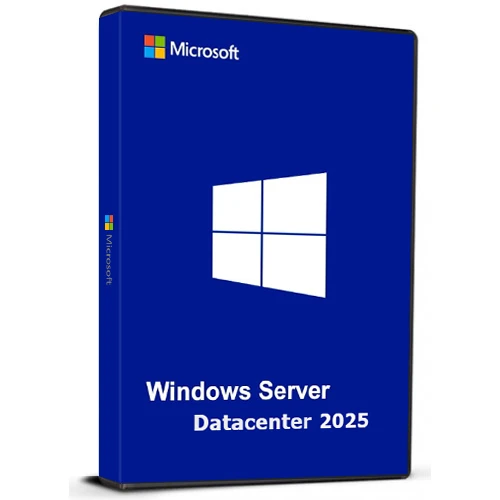

Microsoft Windows Serwer Datacenter 2025 (licencja dożywotnia / Global)

Ocena

Recenzje
Cena
  • $17.24
cards klarna GPay Apple Pay affirm afterpay

Oficjalna Licencja: Globalny | Całodobowe wsparcie z USA | Gamers Outlet - CD Keys

Platforma
Microsoft Lifetime License
Zdobyte punkty
15
Dostępność
W magazynie
Wsparcie
24/7 Wsparcie
Dostawa
Darmowa dostawa cyfrowa
Twój region
Obsługiwane
Dostępne opcje dla Windows Server Option
$17.24

Natychmiastowa Aktywacja: Microsoft Windows Server Datacenter 2025 (Lifetime License / Globalny) CD Key

Windows Server Datacenter 2025 oferuje firmom wysoce skalowalną, bezpieczną i gotową do wdrożenia hybrydowego platformę. Został zaprojektowany do zarządzania aplikacjami o dużej skali i intensywnym przetwarzaniu danych, zarówno lokalnie, jak i w chmurze.

Najważniejsze informacje:

Integracja chmury hybrydowej
Zarządzaj zasobami lokalnymi i w chmurze za pośrednictwem usługi Azure Arc, aby korzystać ze ujednoliconego środowiska.
Zaawansowane zabezpieczenia
Lepsze zabezpieczenia dzięki ulepszonemu Active Directory zapewniającemu większe bezpieczeństwo tożsamości i danych.
Wyższa wydajność
Zoptymalizowany pod kątem dużych obciążeń, takich jak SQL Server, z szybszą obsługą sieci i funkcją szybkiego łatania w celu zminimalizowania przestojów.
Gotowy na sztuczną inteligencję
Efektywnie realizuj zadania związane ze sztuczną inteligencją i uczeniem maszynowym dzięki przyspieszeniu GPU.
Przyjazny dla użytkownika
Znajomy, łatwy w obsłudze interfejs z obsługą nowoczesnych funkcji, takich jak WiFi i Bluetooth.

Zaprojektowane tak, aby sprostać potrzebom dzisiejszych szybko rozwijających się przedsiębiorstw, oferując elastyczność wzrostu i adaptacji do przyszłych technologii.

  • Czy otrzymam fakturę?
    Faktura zostanie wygenerowana automatycznie po złożeniu zamówienia.

  • Gdzie znajdę moją fakturę?
    Po złożeniu zamówienia faktura będzie dostępna w zakładce „Moje konto” (prawy górny róg górnego paska) -> „Historia zamówień”.

  • Czy mogę edytować swoją fakturę?
    Obecnie nie możesz tego zrobić samodzielnie. Skontaktuj się z naszym działem wsparcia e-mailem pod adresem [email protected], a chętnie Ci pomożemy. Aby przyspieszyć proces, podaj numer zamówienia oraz wszelkie istotne informacje, które chcesz, aby były widoczne (takie jak imię i nazwisko, numer dowodu osobistego/NIP itp.).

  • Czy mogę zainstalować to na macOS?
    Nie, ten produkt nie obsługuje systemu MacOS.

  • Czy mogę zrealizować ten produkt gdziekolwiek?
    Tak, ten produkt jest wersją globalną.

  • Czy mogę przenieść ten produkt na nowy sprzęt?
    Nie. Kod jest ważny na 1 komputer lub 1 instalację. Jeśli odinstalujesz lub zainstalujesz program ponownie, może być konieczne zakupienie nowego kodu.

  • Czy muszę zainstalować ten produkt w jakiś konkretny sposób?
    Proszę zapoznać się z zakładką „Aktywacja”.

  • Co zrobić, jeśli dla tego produktu potrzebuję naklejki COA?
    Wydruk etykiety COA może zostać zeskanowany i wysłany na życzenie, za dodatkową opłatą.

ACTIVATION INSTRUCTIONS

Download and install Windows Server Datacenter 2025 using the ISO below:

X23-81958_26100.1742.240906-0331.ge_release_svc_refresh_SERVER_OEMRET_x64FRE_en-us.iso

M D 18/03/2026

i can confirm this method is working : DISM /online /Set-Edition:ServerDatacenter /ProductKey:D764K-2NDRG-47T6Q-P8T8W-YP6DF /AcceptEula

Sebastiaan 05/03/2026

Works when you use the iso linked in 'how to activate'

RayGreen 22/01/2026

I purchased this Windows Server 2025 license recently and it worked well, thanks! The price is reasonable too. If you already downloaded the ISO from Microsoft, with the OS installed, run the DISM /online .... command using an administrator account as others said in the reviews, but with your own purchased key. Thanks again! I will definitely consider this company for my software needs in the future.

Carl 10/07/2025

I purchased a Windows Server 2025 Datacenter key after installing the official ISO downloaded directly from Microsoft's website (Evaluation version). Before activating the OS with your purchased key, you must first upgrade the edition using the following steps:

How to Activate:
Click Start, type CMD, right-click and select Run as Administrator.

Enter the following command and press Enter:

DISM /online /Set-Edition:ServerDatacenter /ProductKey:D764K-2NDRG-47T6Q-P8T8W-YP6DF /AcceptEula

Wait for the process to complete (may take several minutes).

The server will automatically reboot.

Once restarted, go to Settings > Activation.

Click Activate Now, then Change Product Key.

Enter your purchased key and follow the prompts.

After activation, proceed with Windows Updates and you're good to go.

Oliver Krause 26/02/2025

Super-Schneller Versand online direkt nach Bezahlung. Funktioniert auch mit deutschem Evaluierungs-ISO und anschließendem Befehl "DISM /online /Set-Edition:ServerDatacenter /ProductKey:D764K-2NDRG-47T6Q-P8T8W-YP6DF /AcceptEula", anschließendem Neustart - zum Schluss den gekauften Key eingeben. Aktivierung hat reibungslos funktioniert.

Napisz recenzję

Uwaga: HTML nie jest przetłumaczony!
Captcha
Review Score: 5 / 5
M D 18/03/2026

i can confirm this method is working : DISM /online /Set-Edition:ServerDatacenter /ProductKey:D764K-2NDRG-47T6Q-P8T8W-YP6DF /AcceptEula

Sebastiaan 05/03/2026

Works when you use the iso linked in 'how to activate'

RayGreen 22/01/2026

I purchased this Windows Server 2025 license recently and it worked well, thanks! The price is reasonable too. If you already downloaded the ISO from Microsoft, with the OS installed, run the DISM /online .... command using an administrator account as others said in the reviews, but with your own purchased key. Thanks again! I will definitely consider this company for my software needs in the future.

Carl 10/07/2025

I purchased a Windows Server 2025 Datacenter key after installing the official ISO downloaded directly from Microsoft's website (Evaluation version). Before activating the OS with your purchased key, you must first upgrade the edition using the following steps:

How to Activate:
Click Start, type CMD, right-click and select Run as Administrator.

Enter the following command and press Enter:

DISM /online /Set-Edition:ServerDatacenter /ProductKey:D764K-2NDRG-47T6Q-P8T8W-YP6DF /AcceptEula

Wait for the process to complete (may take several minutes).

The server will automatically reboot.

Once restarted, go to Settings > Activation.

Click Activate Now, then Change Product Key.

Enter your purchased key and follow the prompts.

After activation, proceed with Windows Updates and you're good to go.

Oliver Krause 26/02/2025

Super-Schneller Versand online direkt nach Bezahlung. Funktioniert auch mit deutschem Evaluierungs-ISO und anschließendem Befehl "DISM /online /Set-Edition:ServerDatacenter /ProductKey:D764K-2NDRG-47T6Q-P8T8W-YP6DF /AcceptEula", anschließendem Neustart - zum Schluss den gekauften Key eingeben. Aktivierung hat reibungslos funktioniert.

Support