Çok sayıda kopya satın almak istiyorsanız lütfen [email protected] adresine başvurun.
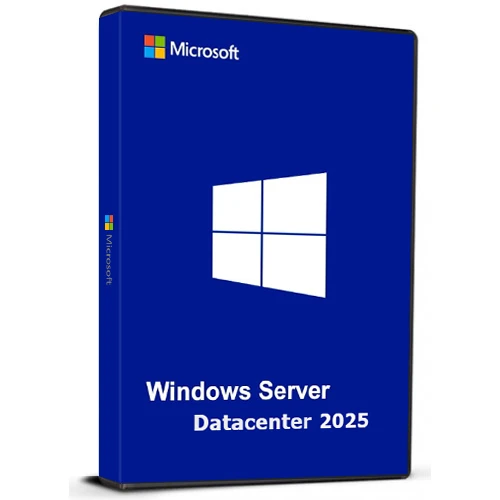
Microsoft Windows Server Datacenter 2025 Cd Key Global

Microsoft Windows Server Datacenter 2025 Cd Key Global

Puanınız

İncelemeler
Fiyat
  • $17.39
cards klarna GPay Apple Pay affirm afterpay
Platformu
Microsoft Windows Windows
Kazanılan Puanlar
15
Uygunluk
Stokta
Destek
24/7 Destek
Teslimat
Ücretsiz dijital teslimat
Bölgeniz
Destekleniyor
Mevcut seçenekler Windows Server Option
$17.39

Windows Server Veri Merkezi 2025

Windows Server Datacenter 2025, işletmelere son derece ölçeklenebilir, güvenli ve hibrit kullanıma hazır bir platform sunar. Hem şirket içinde hem de bulutta büyük ölçekli, veri yoğun uygulamaları yönetmek için tasarlanmıştır.

Önemli Noktalar:

Hibrit Bulut Entegrasyonu
Birleşik bir deneyim için Azure Arc aracılığıyla şirket içi ve bulut kaynaklarını yönetin.
Gelişmiş Güvenlik
Geliştirilmiş kimlik ve veri güvenliği için yükseltilmiş Active Directory ile gelişmiş korumalar.
Üstün Performans
SQL Server gibi ağır iş yükleri için optimize edilmiştir; daha hızlı ağ oluşturma ve kesinti süresini en aza indirmek için canlı yama özelliği mevcuttur.
AI-Hazır
GPU hızlandırma ile yapay zeka ve makine öğrenimi görevlerini verimli bir şekilde yürütün.
Kullanıcı dostu
WiFi ve Bluetooth gibi modern özellikleri destekleyen, tanıdık ve kullanımı kolay arayüz.

Günümüzün hızla gelişen işletmelerinin ihtiyaçlarını karşılamak üzere tasarlandı ve geleceğin teknolojilerine uyum sağlama ve büyüme esnekliği sağlandı.

Kod 1 adet / 1 kurulum için geçerlidir - eğer kaldırıp tekrar kurarsanız yeni bir kod satın almanız gerekebilir.

  • Fatura alacak mıyım?
    Sipariş verildiğinde fatura otomatik olarak oluşturulacaktır.

  • Faturamı nerede bulabilirim?
    Sipariş tamamlandıktan sonra faturaya 'Hesabım' (üst çubuğun sağ üst köşesi) -> 'Sipariş Geçmişi' altından ulaşabilirsiniz.

  • Faturamı düzenleyebilir miyim?
    Şu anda bunu kendiniz yapamazsınız. Lütfen [email protected] adresinden e-posta yoluyla destek ekibimizle iletişime geçin, bu konuda size yardımcı olmaktan mutluluk duyarız. Daha hızlı bir süreç için lütfen sipariş numarasını ve gösterilmesini istediğiniz ilgili bilgileri (adınız, kimlik numaranız/vergi numaranız vb.) ekleyin.

  • Bunu macOS'a kurabilir miyim?
    Hayır, bu ürün MacOS'u desteklemiyor.

  • Bu ürünü istediğim yerden kullanabilir miyim?
    Evet bu ürün global versiyondur.

  • Bu ürünü yeni donanıma aktarabilir miyim?
    Hayır, kod 1 adet veya 1 kurulum için geçerlidir - kaldırırsanız veya yeniden kurarsanız yeni bir kod satın almanız gerekebilir.

  • Bu ürünü kurmak için özel bir yol var mı?
    Lütfen 'Aktivasyon' sekmesini okuyunuz.

  • Ya bu ürün için COA etiketine ihtiyacım olursa?
    İsteğiniz üzerine COA etiket baskısı taranarak tarafınıza gönderilebilir, bunun için ek bir ücret ödemeniz gerekmektedir.

ACTIVATION INSTRUCTIONS

Download and install Windows Server Datacenter 2025 using the ISO below:

X23-81958_26100.1742.240906-0331.ge_release_svc_refresh_SERVER_OEMRET_x64FRE_en-us.iso


Note: You need to rename extension to .iso after file is downloaded.

Links are taken from the Official OEM portal.

Carl 10/07/2025

I purchased a Windows Server 2025 Datacenter key after installing the official ISO downloaded directly from Microsoft's website (Evaluation version). Before activating the OS with your purchased key, you must first upgrade the edition using the following steps:

How to Activate:
Click Start, type CMD, right-click and select Run as Administrator.

Enter the following command and press Enter:

DISM /online /Set-Edition:ServerDatacenter /ProductKey:D764K-2NDRG-47T6Q-P8T8W-YP6DF /AcceptEula

Wait for the process to complete (may take several minutes).

The server will automatically reboot.

Once restarted, go to Settings > Activation.

Click Activate Now, then Change Product Key.

Enter your purchased key and follow the prompts.

After activation, proceed with Windows Updates and you're good to go.

Oliver Krause 26/02/2025

Super-Schneller Versand online direkt nach Bezahlung. Funktioniert auch mit deutschem Evaluierungs-ISO und anschließendem Befehl "DISM /online /Set-Edition:ServerDatacenter /ProductKey:D764K-2NDRG-47T6Q-P8T8W-YP6DF /AcceptEula", anschließendem Neustart - zum Schluss den gekauften Key eingeben. Aktivierung hat reibungslos funktioniert.

C M 17/01/2025

Good codes easy to use have multiple ordered

Pablo Laredo Agenjo 11/01/2025

EL link de descarga de la ISO está caído

Yorum yap

Not: HTML kullanmayın!
Captcha
Review Score: 5 / 5
Carl 10/07/2025

I purchased a Windows Server 2025 Datacenter key after installing the official ISO downloaded directly from Microsoft's website (Evaluation version). Before activating the OS with your purchased key, you must first upgrade the edition using the following steps:

How to Activate:
Click Start, type CMD, right-click and select Run as Administrator.

Enter the following command and press Enter:

DISM /online /Set-Edition:ServerDatacenter /ProductKey:D764K-2NDRG-47T6Q-P8T8W-YP6DF /AcceptEula

Wait for the process to complete (may take several minutes).

The server will automatically reboot.

Once restarted, go to Settings > Activation.

Click Activate Now, then Change Product Key.

Enter your purchased key and follow the prompts.

After activation, proceed with Windows Updates and you're good to go.

Oliver Krause 26/02/2025

Super-Schneller Versand online direkt nach Bezahlung. Funktioniert auch mit deutschem Evaluierungs-ISO und anschließendem Befehl "DISM /online /Set-Edition:ServerDatacenter /ProductKey:D764K-2NDRG-47T6Q-P8T8W-YP6DF /AcceptEula", anschließendem Neustart - zum Schluss den gekauften Key eingeben. Aktivierung hat reibungslos funktioniert.

C M 17/01/2025

Good codes easy to use have multiple ordered

Pablo Laredo Agenjo 11/01/2025

EL link de descarga de la ISO está caído