Çok sayıda kopya satın almak istiyorsanız lütfen [email protected] adresine başvurun.
Ofis 2024 Profesyonel Plus Küresel dijital lisans, telefonla etkinleştirme

Ofis 2024 Profesyonel Plus Küresel dijital lisans, telefonla etkinleştirme

Puanınız

İncelemeler
Official release
2024
Fiyat
  • $17.40
cards klarna GPay Apple Pay affirm afterpay
Platformu
Microsoft Windows Microsoft Office
Kazanılan Puanlar
15
Uygunluk
Stokta
Destek
24/7 Destek
Teslimat
Ücretsiz dijital teslimat
Bölgeniz
Destekleniyor
Mevcut seçenekler Office 2024 options


$17.40

Access, Excel, OneNote, Outlook, PowerPoint ve Word'ün 2024 sürümü.

MacOS/ChromeOS/Android/iOS Apple cihazlarında çalışmaz. Sadece Windows 10, Windows 11 ile uyumludur.

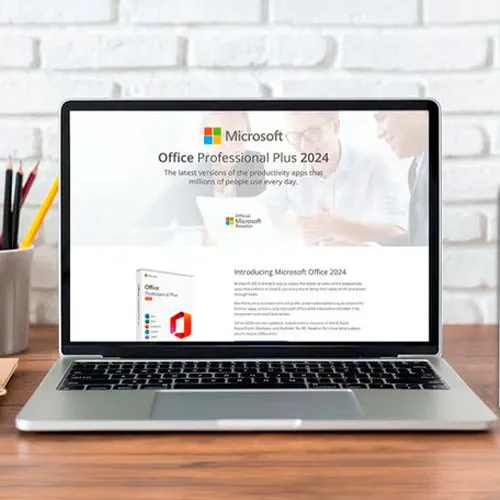
Office 2024 Professional Plus Cd Key: Üretkenliğinizin Anahtarı Serbest Bırakıldı

Microsoft Office 2024 Professional Plus ile üretkenliğin zirvesini deneyimleyin - tüm görevlerde kusursuz verimliliğin anahtarı. Bu nihai üretkenlik paketinin gücünü açığa çıkarmak, belgeleri, verileri ve sunumları oluşturmanın, yönetmenin ve paylaşmanın akıcı ve dinamik bir deneyime dönüştüğü bir dünyaya dalmak anlamına gelir.

Öğrenciler, profesyoneller ve girişimciler için özel olarak tasarlanan bu son teknoloji yazılım paketi, işlerin gerçekleştirilme biçimini kökten değiştiriyor. Dosyalarınıza herhangi bir cihazdan zahmetsizce erişin ve düzenleyin, böylece iş akışınızın kesintisiz ve verimli kalmasını sağlayın. Word, Excel, PowerPoint, Outlook, Access ve OneNote gibi çok yönlü uygulamalar parmaklarınızın ucundayken, başarabileceklerinizin sınırı yok.

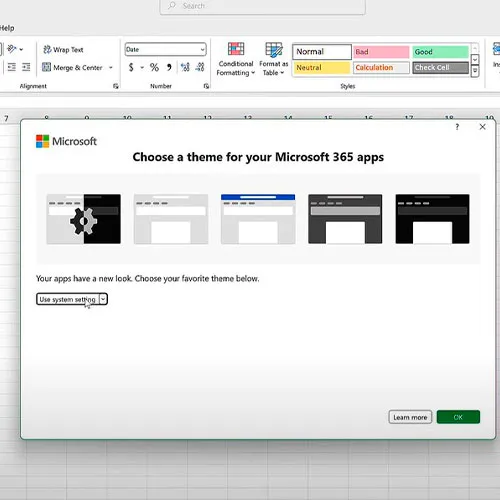
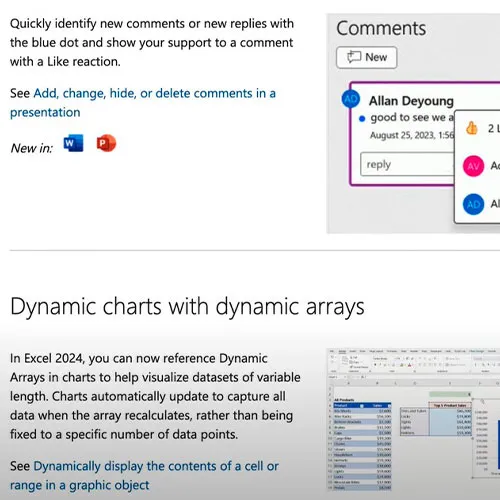
Office 2024 Professional Plus'ın sunduğu en son özellikler ve geliştirmelerle kendinizi güçlendirin, işinizi yaratıcılık ve kesinlik açısından yeni zirvelere taşıyın. Sınırlamalara elveda deyin ve üretkenliğin sınır tanımadığı bir geleceği kucaklayın - hepsi Microsoft Office 2024 Professional Plus Cd Key Global ile.


  • Fatura alacak mıyım?
    Sipariş verildiğinde fatura otomatik olarak oluşturulacaktır.

  • Faturamı nerede bulabilirim?
    Sipariş tamamlandıktan sonra faturaya 'Hesabım' (üst çubuğun sağ üst köşesi) -> 'Sipariş Geçmişi' altından ulaşabilirsiniz.

  • Faturamı düzenleyebilir miyim?
    Şu anda bunu kendiniz yapamazsınız. Lütfen [email protected] adresinden e-posta yoluyla destek ekibimizle iletişime geçin, bu konuda size yardımcı olmaktan mutluluk duyarız. Daha hızlı bir süreç için lütfen sipariş numarasını ve gösterilmesini istediğiniz ilgili bilgileri (adınız, kimlik numaranız/vergi numaranız vb.) ekleyin.

  • Bunu macOS'a kurabilir miyim?
    Hayır, bu ürün macOS'u desteklemiyor, yalnızca Windows 10 ve 11 ile uyumludur.

  • Bu ürünü istediğim yerden kullanabilir miyim?
    Evet bu ürün global versiyondur.

  • Bu ürünü yeni donanıma aktarabilir miyim?
    Hayır, kod 1 adet veya 1 kurulum için geçerlidir - kaldırırsanız veya yeniden kurarsanız yeni bir kod satın almanız gerekebilir.

  • Bu ürünü kurmak için özel bir yol var mı?
    Lütfen 'Aktivasyon' sekmesini okuyunuz.

  • Ya bu ürün için COA etiketine ihtiyacım olursa?
    İsteğiniz üzerine COA etiket baskısı taranarak tarafınıza gönderilebilir, bunun için ek bir ücret ödemeniz gerekmektedir.

To install the correct version of Office ProPlus 2024, please check out the instructions in this PDF: https://download.dlr-as.com/instructions/Installation-Office-ProPlus2024.pdf 

1-After installation, open Word (or any Office app)
When the Office Activation Wizard appears, select “Activate by phone.”
The wizard will display your Installation ID (IID) - you will need this shortly.
The IID is shown as 9 groups of 7 digits.

2-Go to the activation website
Open your browser and go to: https://aka.ms/aoh

3-Sign in
Choose Microsoft Account as the login method and sign in with your Microsoft account.

4-Select “Activate a Microsoft Product”
On the first page, click Activate a Microsoft Product.

5-Choose the product type
Select the category that matches what you are activating:

  • Windows → for Windows activation
  • Microsoft Office → for Office, Project, or Visio
  • Windows Server, etc., if applicable

Note: For Project and Visio, choose Microsoft Office.

6-Select your operating system

7-Choose the product version
Select the version you are activating, for example:

  • Office / Project / Visio 2024
  • Office / Project / Visio 2021
  • Office / Project / Visio 2019, etc. 

8-Enter your Installation ID (IID)
You will see nine empty boxes.
Enter each group of digits from your IID into the matching box (9 groups of 7 digits).
When finished, submit the form to continue.

9-Answer the usage question
When asked, “How many computers have you installed this copy on?”
Type 0, then continue.

10-Receive your Confirmation ID
The website will display your Confirmation ID.

11-Enter the Confirmation ID into your PC
Return to the Office activation wizard and enter the Confirmation ID to finish activation.


 **For a more visual guide, watch our tutorial video here:


Mladen Jevtić 27/11/2025

Works perfect, easy install and activation. Just follow the instructions.

Jonathan Lee 19/11/2025

Works perfectly, you just need to follow the exact steps outlined

Andrew Smith 15/11/2025

I contacted support because i mistakenly selected online activation for my product, they fixed the issue within 30mins and my product is now working fine.

Andrew Smith 15/11/2025

I contacted support because i mistakenly selected online activation, and the fixed the issue in less than 30mins... My product is activated and i am 100% satisfied

Vitor Miguel 14/11/2025

Bought the key, was emailed with the payment confirmation and activated my Office in less than 5 minutes, and had no issues whatsoever. Great! Thumbs up!
Comprei a chave, recebi o email com a confirmação do pagamento e ativei meu Office em menos de 5 minutos, e não tive nenhum problema. Maravilha!

Yorum yap

Not: HTML kullanmayın!
Captcha
Review Score: 5 / 5
Mladen Jevtić 27/11/2025

Works perfect, easy install and activation. Just follow the instructions.

Jonathan Lee 19/11/2025

Works perfectly, you just need to follow the exact steps outlined

Andrew Smith 15/11/2025

I contacted support because i mistakenly selected online activation for my product, they fixed the issue within 30mins and my product is now working fine.

Andrew Smith 15/11/2025

I contacted support because i mistakenly selected online activation, and the fixed the issue in less than 30mins... My product is activated and i am 100% satisfied

Vitor Miguel 14/11/2025

Bought the key, was emailed with the payment confirmation and activated my Office in less than 5 minutes, and had no issues whatsoever. Great! Thumbs up!
Comprei a chave, recebi o email com a confirmação do pagamento e ativei meu Office em menos de 5 minutos, e não tive nenhum problema. Maravilha!