Çok sayıda kopya satın almak istiyorsanız lütfen [email protected] adresine başvurun.
Office 2019 Professional Plus Cd Key Phone Activation

Office 2019 Professional Plus Cd Key Phone Activation

Puanınız

İncelemeler
Fiyat
  • $3.47
cards klarna GPay Apple Pay affirm afterpay
Platformu
Microsoft Windows Microsoft Office
Kazanılan Puanlar
2
Uygunluk
Stokta
Destek
24/7 Destek
Teslimat
Ücretsiz dijital teslimat
Bölgeniz
Destekleniyor
Mevcut seçenekler Office 2019 options

$3.47

sipariş verildiğinde fatura otomatik olarak oluşturulacaktır

Mevcut Diller: ÇOK DİLLİ

AKTİVASYON TALİMATLARI:

1. Resmi yükleyiciyi bu bağlantıdan indirin: Burada
2. Yazılımı etkinleştirmek için tarafımızdan aldığınız ürün anahtarını girin.
3. "Telefonla Etkinleştir" seçeneğini seçin.
4. Aktivasyon kılavuzunda belirtilen telefon numarasını arayın.
5. Arama sırasında sesli mesajdaki talimatları izleyin.

Daha detaylı talimatlar için lütfen indirme bölümünü ziyaret edin ve "Nasıl Etkinleştirilir" butonuna tıklayın.

MacBook'ta çalışmıyor ! Arama çubuğunda Ev ve İş'i arayın.

Kod 1 adet/1 kurulum için geçerlidir. Eğer kaldırıp tekrar kurarsanız yeni bir kod satın almanız gerekebilir.

Android/ChromeOS/iOS Apple cihazlarında çalışmaz. Sadece Windows 10, Windows 11 ile uyumludur.

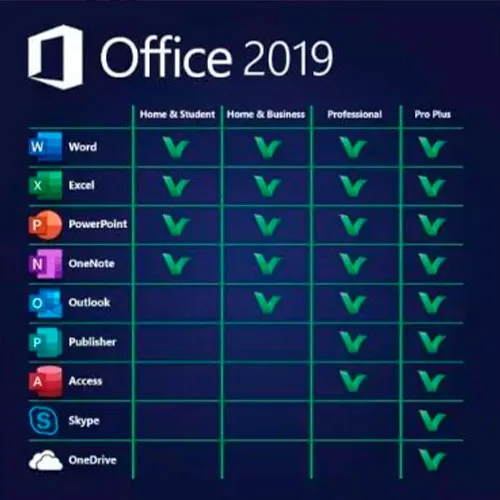
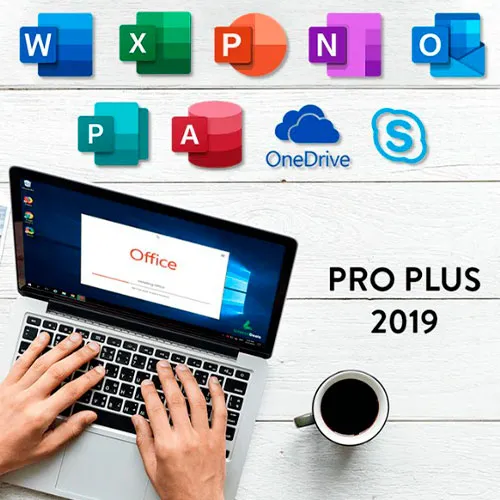
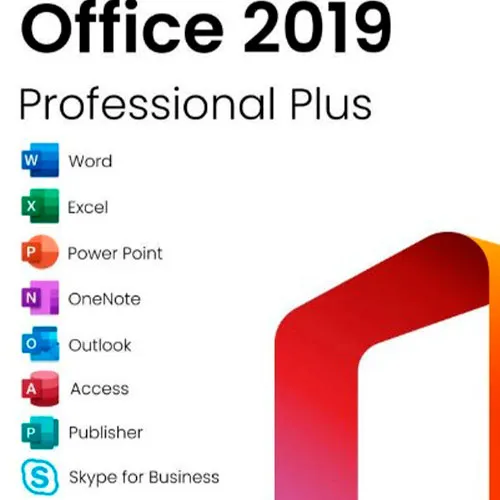
Microsoft Office 2019 Professional Plus , Word, Excel, PowerPoint, OneNote, Outlook, Access, Publisher, Skype for Business'ın klasik 2019 sürümlerini içerir.

Office 2019 Professional Plus, son kullanıcı olarak neredeyse günlük olarak bize hizmet eden güçlü bir araçtır. İş için, öğrenci olarak, notlar için ve e-postalar için. Office 2019 Pro Plus, hayatımızı daha da kolaylaştıracak yeni tasarım ve yeni özellikler sunar! Acele edin ve en ucuz fiyata kendi kopyanızı alın. 7/24 destekle garantili stok.

Windows 11 cd anahtarlarını da BURADA sunuyoruz
Windows 10 cd anahtarları BURADA
Office 2021 cd anahtarları
BURADA

  • Fatura alacak mıyım?
    Sipariş verildiğinde fatura otomatik olarak oluşturulacaktır.

  • Faturamı nerede bulabilirim?
    Sipariş tamamlandıktan sonra faturaya 'Hesabım' (üst çubuğun sağ üst köşesi) -> 'Sipariş Geçmişi' altından ulaşabilirsiniz.

  • Faturamı düzenleyebilir miyim?
    Şu anda bunu kendiniz yapamazsınız. Lütfen [email protected] adresinden e-posta yoluyla destek ekibimizle iletişime geçin, bu konuda size yardımcı olmaktan mutluluk duyarız. Daha hızlı bir süreç için lütfen sipariş numarasını ve gösterilmesini istediğiniz ilgili bilgileri (adınız, kimlik numaranız/vergi numaranız vb.) ekleyin.

  • Bunu macOS'a kurabilir miyim?
    Hayır, bu ürün MacOS'u desteklemiyor.

  • Bu ürünü her yerde kullanabilir miyim?
    Evet, bu Ürün Global versiyondur.

  • Bu ürünü yeni donanıma aktarabilir miyim?
    Hayır, kod 1 adet veya 1 kurulum için geçerlidir - kaldırırsanız veya yeniden kurarsanız yeni bir kod satın almanız gerekebilir.

  • Bu ürünü kurmak için özel bir yol var mı?
    Lütfen 'Aktivasyon' sekmesini okuyunuz.

  • Ya bu ürün için COA etiketine ihtiyacım olursa?
    İsteğiniz üzerine COA etiket baskısı taranarak tarafınıza gönderilebilir, bunun için ek bir ücret ödemeniz gerekmektedir.

ACTIVATION INSTRUCTIONS:

Download the official ISO/image to activate: https://officecdn.microsoft.com/pr/492350f6-3a01-4f97-b9c0-c7c6ddf67d60/media/en-US/ProPlus2019Retail.img

1-After installation, open Word (or any Office app)
When the Office Activation Wizard appears, select “Activate by phone.”
The wizard will display your Installation ID (IID) - you will need this shortly.
The IID is shown as 9 groups of 7 digits.

2-Go to the activation website
Open your browser and go to: https://aka.ms/aoh

3-Sign in
Choose Microsoft Account as the login method and sign in with your Microsoft account.

4-Select “Activate a Microsoft Product”
On the first page, click Activate a Microsoft Product.

5-Choose the product type
Select the category that matches what you are activating:

  • Windows → for Windows activation
  • Microsoft Office → for Office, Project, or Visio
  • Windows Server, etc., if applicable

Note: For Project and Visio, choose Microsoft Office.

6-Select your operating system

7-Choose the product version
Select the version you are activating, for example:

  • Office / Project / Visio 2024
  • Office / Project / Visio 2021
  • Office / Project / Visio 2019, etc. 

8-Enter your Installation ID (IID)
You will see nine empty boxes.
Enter each group of digits from your IID into the matching box (9 groups of 7 digits).
When finished, submit the form to continue.

9-Answer the usage question
When asked, “How many computers have you installed this copy on?”
Type 0, then continue.

10-Receive your Confirmation ID
The website will display your Confirmation ID.

11-Enter the Confirmation ID into your PC
Return to the Office activation wizard and enter the Confirmation ID to finish activation.


For other Office languages, scroll down here: https://gamersoutlet.zendesk.com/hc/en-us/articles/360058263113-Office-2019-pro-plus-activation-methods 

Video Guide:


Niko 25/10/2025

At first attempt I failed to activate, but at second call it was super!

VT1 29/09/2025

product was activated. good!

Hasinul AREFIN 15/09/2025

This is amazing. I am really impressed with this service. Have not faced any issue to install the MS Office.

Sandor Zakarias 05/08/2025

I was dubious, but its legit,!!! Australian Toll Free number is the one that works for Australia, goes through to the official Microsoft Activation Center...A n AI operator texts you a link to your mobile, which then sends you to the activation website specifically for you...(only works once , you have to ring again if you buy 2 which I eneded up doing) Type in the long string of numbers that come up on your computer after instalation and opening Word (And typing in the initial code given to you after the $6.15 purchase. and selecting Phone activation)
And then another code is generated that you type into your Word activation screen on your computer
Its alot of typing in numbers, but worth the effort for AU 6 bucks !! Enjoy

Kevin Oswaldo Magaña Pech 15/07/2025

Good, work, in from mexico

Yorum yap

Not: HTML kullanmayın!
Captcha
Review Score: 5 / 5
Niko 25/10/2025

At first attempt I failed to activate, but at second call it was super!

VT1 29/09/2025

product was activated. good!

Hasinul AREFIN 15/09/2025

This is amazing. I am really impressed with this service. Have not faced any issue to install the MS Office.

Sandor Zakarias 05/08/2025

I was dubious, but its legit,!!! Australian Toll Free number is the one that works for Australia, goes through to the official Microsoft Activation Center...A n AI operator texts you a link to your mobile, which then sends you to the activation website specifically for you...(only works once , you have to ring again if you buy 2 which I eneded up doing) Type in the long string of numbers that come up on your computer after instalation and opening Word (And typing in the initial code given to you after the $6.15 purchase. and selecting Phone activation)
And then another code is generated that you type into your Word activation screen on your computer
Its alot of typing in numbers, but worth the effort for AU 6 bucks !! Enjoy

Kevin Oswaldo Magaña Pech 15/07/2025

Good, work, in from mexico