إذا كنت ترغب في شراء كمية كبيرة من النسخ، يرجى الاتصال بـ [email protected]
أوفيس 2024 بروفيشنال بلس ترخيص رقمي عالمي للتفعيل عبر الهاتف

أوفيس 2024 بروفيشنال بلس ترخيص رقمي عالمي للتفعيل عبر الهاتف

Rating

المراجعات
Official release
2024
سعر
  • $17.40
cards klarna GPay Apple Pay affirm afterpay
النظام الأساسي
Microsoft Windows Microsoft Office
النقاط المكتسبة
15
التوفر
متوفر في المخزون
الدعم
دعم على مدار الساعة
التوصيل
التوصيل الرقمي المجاني
منطقتك
مدعوم
الخيارات المتاحة لـ Office 2024 options


$17.40

إصدار 2024 من Access وExcel وOneNote وOutlook وPowerPoint وWord.

لا يعمل على أجهزة MacOS/ChromeOS/Android/iOS من Apple. متوافق فقط مع Windows 10 وWindows 11.

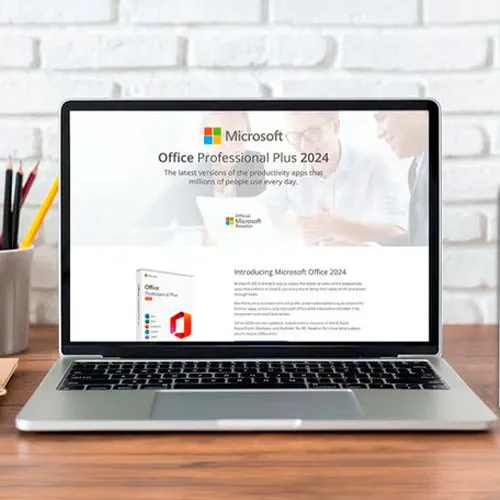
مفتاح قرص Office 2024 Professional Plus: مفتاحك للإنتاجية المطلقة

استمتع بقمة الإنتاجية مع مايكروسوفت أوفيس 2024 بروفيشنال بلس - مفتاحك لتحقيق كفاءة سلسة في جميع المهام. إطلاق العنان لقوة هذه المجموعة الإنتاجية الفائقة يعني الانغماس في عالم يصبح فيه إنشاء المستندات والبيانات والعروض التقديمية وإدارتها ومشاركتها تجربة سلسة وديناميكية.

صُممت هذه المجموعة البرمجية المتطورة خصيصًا للطلاب والمحترفين ورواد الأعمال على حد سواء، وتُحدث ثورة في طريقة إنجاز العمل. يمكنك الوصول إلى ملفاتك وتعديلها بسهولة من أي جهاز، مما يضمن سير عملك بكفاءة عالية ودون انقطاع. مع تطبيقات متعددة الاستخدامات مثل Word وExcel وPowerPoint وOutlook وAccess وOneNote، لا حدود لإنجازاتك.

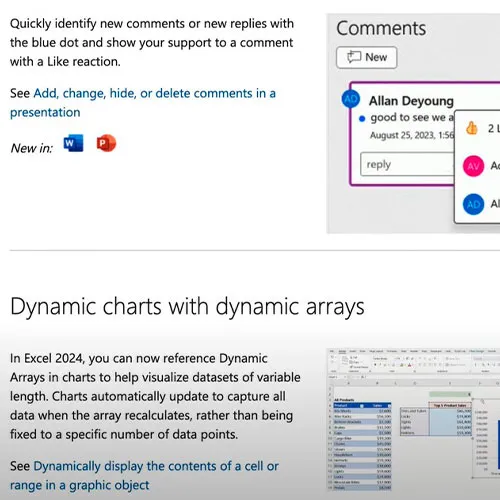
عزز نفسك بأحدث الميزات والتحسينات التي يقدمها Office 2024 Professional Plus، لترتقي بعملك إلى آفاق جديدة من الإبداع والدقة. وداعًا للقيود، وانطلق نحو مستقبل لا حدود فيه للإنتاجية - كل ذلك مع مفتاح القرص المضغوط العالمي لـ Microsoft Office 2024 Professional Plus.


  • هل سأحصل على فاتورة؟
    سيتم إنشاء الفاتورة تلقائيًا عند تقديم الطلب.

  • أين يمكنني العثور على فاتورتي؟
    بمجرد اكتمال الطلب، ستكون الفاتورة متاحة في "حسابي" (الزاوية اليمنى العليا من الشريط العلوي) -> "سجل الطلبات".

  • هل يمكنني تعديل فاتورتي؟
    حاليًا، لا يمكنك القيام بذلك بنفسك. يُرجى التواصل مع فريق الدعم عبر البريد الإلكتروني [email protected]، وسيسعدنا مساعدتك في الأمر. لتسريع العملية، يُرجى تضمين رقم الطلب وأي معلومات أخرى ترغب في عرضها (مثل اسمك، رقم هويتك/رقمك الضريبي، إلخ).

  • هل يمكنني تثبيت هذا على macOS؟
    لا، هذا المنتج لا يدعم نظام macOS، متوافق فقط مع نظامي التشغيل Windows 10 و11.

  • هل يمكنني استرداد هذا المنتج من أي مكان؟
    نعم، هذا المنتج هو النسخة العالمية.

  • هل يمكنني نقل هذا المنتج إلى جهاز جديد؟
    لا، الكود صالح لجهاز كمبيوتر واحد أو تثبيت واحد - إذا قمت بإلغاء التثبيت أو إعادة التثبيت فقد تحتاج إلى شراء كود جديد.

  • هل هناك طريقة محددة لتثبيت هذا المنتج ؟
    يرجى قراءة علامة التبويب "التنشيط".

  • ماذا لو كنت بحاجة إلى ملصق COA لهذا المنتج؟
    يمكن مسح ملصق COA المطبوع وإرساله إليك عند الطلب، مقابل رسوم إضافية.

To install the correct version of Office ProPlus 2024, please check out the instructions in this PDF: https://download.dlr-as.com/instructions/Installation-Office-ProPlus2024.pdf 

1-After installation, open Word (or any Office app)
When the Office Activation Wizard appears, select “Activate by phone.”
The wizard will display your Installation ID (IID) - you will need this shortly.
The IID is shown as 9 groups of 7 digits.

2-Go to the activation website
Open your browser and go to: https://aka.ms/aoh

3-Sign in
Choose Microsoft Account as the login method and sign in with your Microsoft account.

4-Select “Activate a Microsoft Product”
On the first page, click Activate a Microsoft Product.

5-Choose the product type
Select the category that matches what you are activating:

  • Windows → for Windows activation
  • Microsoft Office → for Office, Project, or Visio
  • Windows Server, etc., if applicable

Note: For Project and Visio, choose Microsoft Office.

6-Select your operating system

7-Choose the product version
Select the version you are activating, for example:

  • Office / Project / Visio 2024
  • Office / Project / Visio 2021
  • Office / Project / Visio 2019, etc. 

8-Enter your Installation ID (IID)
You will see nine empty boxes.
Enter each group of digits from your IID into the matching box (9 groups of 7 digits).
When finished, submit the form to continue.

9-Answer the usage question
When asked, “How many computers have you installed this copy on?”
Type 0, then continue.

10-Receive your Confirmation ID
The website will display your Confirmation ID.

11-Enter the Confirmation ID into your PC
Return to the Office activation wizard and enter the Confirmation ID to finish activation.


 **For a more visual guide, watch our tutorial video here:


Mladen Jevtić 27/11/2025

Works perfect, easy install and activation. Just follow the instructions.

Jonathan Lee 19/11/2025

Works perfectly, you just need to follow the exact steps outlined

Andrew Smith 15/11/2025

I contacted support because i mistakenly selected online activation for my product, they fixed the issue within 30mins and my product is now working fine.

Andrew Smith 15/11/2025

I contacted support because i mistakenly selected online activation, and the fixed the issue in less than 30mins... My product is activated and i am 100% satisfied

Vitor Miguel 14/11/2025

Bought the key, was emailed with the payment confirmation and activated my Office in less than 5 minutes, and had no issues whatsoever. Great! Thumbs up!
Comprei a chave, recebi o email com a confirmação do pagamento e ativei meu Office em menos de 5 minutos, e não tive nenhum problema. Maravilha!

اكتب مراجعة

ملاحظة: HTML غير مترجم!
Captcha
Review Score: 5 / 5
Mladen Jevtić 27/11/2025

Works perfect, easy install and activation. Just follow the instructions.

Jonathan Lee 19/11/2025

Works perfectly, you just need to follow the exact steps outlined

Andrew Smith 15/11/2025

I contacted support because i mistakenly selected online activation for my product, they fixed the issue within 30mins and my product is now working fine.

Andrew Smith 15/11/2025

I contacted support because i mistakenly selected online activation, and the fixed the issue in less than 30mins... My product is activated and i am 100% satisfied

Vitor Miguel 14/11/2025

Bought the key, was emailed with the payment confirmation and activated my Office in less than 5 minutes, and had no issues whatsoever. Great! Thumbs up!
Comprei a chave, recebi o email com a confirmação do pagamento e ativei meu Office em menos de 5 minutos, e não tive nenhum problema. Maravilha!