إذا كنت ترغب في شراء كمية كبيرة من النسخ، يرجى الاتصال بـ [email protected]
Office 2019 Professional Plus Cd Key Phone Activation RETAIL

Office 2019 Professional Plus Cd Key Phone Activation RETAIL

Rating

المراجعات
سعر
  • $8.70
cards klarna GPay Apple Pay affirm afterpay
النظام الأساسي
Microsoft Windows Microsoft Office
النقاط المكتسبة
7
التوفر
متوفر في المخزون
الدعم
دعم على مدار الساعة
التوصيل
التوصيل الرقمي المجاني
منطقتك
مدعوم
الخيارات المتاحة لـ Office 2019 options

$8.70

سيتم إنشاء الفاتورة تلقائيًا عند تقديم الطلب

اللغات المتوفرة: متعددة اللغات

هذه هي النسخة المخصصة للبيع بالتجزئة من تنشيط الهاتف لـ Office 2019.

تعليمات التفعيل:

1. قم بتنزيل برنامج التثبيت الرسمي من هذا الرابط: هنا
2. أدخل مفتاح المنتج الذي تلقيته منا لتفعيل البرنامج.
3. حدد خيار "التنشيط عبر الهاتف".
4. اتصل برقم الهاتف الموجود في إرشادات التنشيط.
5. اتبع الإرشادات الموجودة في الرسالة الصوتية أثناء المكالمة.

للحصول على تعليمات أكثر تفصيلاً، يرجى زيارة قسم التنزيل والنقر فوق الزر "كيفية التنشيط".

الكود صالح لجهاز كمبيوتر واحد / تثبيت واحد - إذا قمت بإلغاء التثبيت / إعادة التثبيت فقد تحتاج إلى شراء كود جديد.

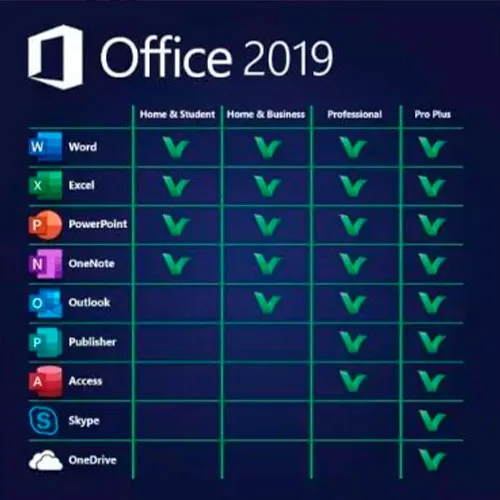
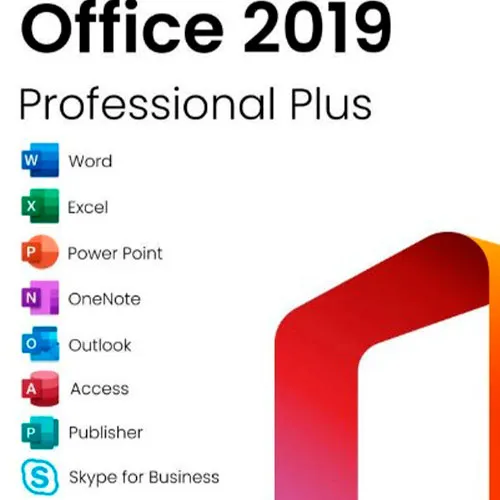
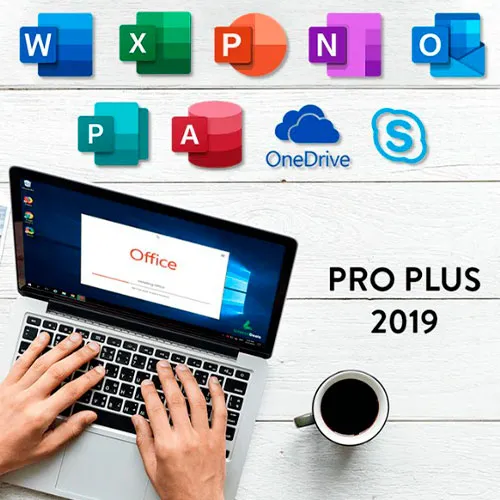
يتضمن Microsoft Office 2019 Professional Plus إصدارات 2019 الكلاسيكية من Word وExcel وPowerPoint وOneNote وOutlook وAccess وPublisher وSkype for Business.

يعد Office 2019 professional plus أداة قوية تخدمنا كمستخدمين نهائيين بشكل يومي تقريبًا. للعمل، كطالب، لتدوين الملاحظات ولإرسال البريد الإلكتروني. يوفر Office 2019 pro plus تصميمًا جديدًا وميزات جديدة ستجعل حياتنا أسهل! سارع بالحصول على نسختك الخاصة بأرخص سعر على الإطلاق. مخزون مضمون مع دعم على مدار الساعة طوال أيام الأسبوع.

نحن نقدم أيضًا مفاتيح أقراص Windows 11 هنا
مفاتيح أقراص Windows 10 هنا
مفاتيح اسطوانة اوفيس 2021
هنا

  • هل سأحصل على فاتورة؟
    سيتم إنشاء الفاتورة تلقائيًا عند تقديم الطلب.

  • أين يمكنني العثور على فاتورتي؟
    بمجرد اكتمال الطلب، ستكون الفاتورة متاحة في "حسابي" (الزاوية اليمنى العليا من الشريط العلوي) -> "سجل الطلبات".

  • هل يمكنني تعديل فاتورتي؟
    لا يمكنك القيام بذلك بنفسك حاليًا. يُرجى الاتصال بفريق الدعم لدينا عبر البريد الإلكتروني على [email protected]، وسنسعد بمساعدتك في هذا الأمر. لتسريع العملية، يُرجى تضمين رقم الطلب وأي معلومات ذات صلة تريد إظهارها (مثل اسمك ورقم الهوية/الرقم الضريبي وما إلى ذلك).

  • هل يمكنني تثبيت هذا على macOS؟
    لا، هذا المنتج لا يدعم MacOS.

  • هل يمكنني استرداد هذا المنتج في أي مكان؟
    نعم، هذا المنتج هو الإصدار العالمي.

  • هل يمكنني نقل هذا المنتج إلى جهاز جديد؟
    لا، الكود صالح لجهاز كمبيوتر واحد أو تثبيت واحد - إذا قمت بإلغاء التثبيت أو إعادة التثبيت فقد تحتاج إلى شراء كود جديد.

  • هل هناك طريقة محددة لتثبيت هذا المنتج؟
    يرجى قراءة علامة التبويب "التنشيط".

  • ماذا لو كنت بحاجة إلى ملصق COA لهذا المنتج؟
    يمكن مسح ملصق COA المطبوع وإرساله إليك عند الطلب، مقابل رسوم إضافية.

ACTIVATION INSTRUCTIONS:

Download the official ISO/image to activate: https://officecdn.microsoft.com/pr/492350f6-3a01-4f97-b9c0-c7c6ddf67d60/media/en-US/ProPlus2019Retail.img 

1-After installation, open Word (or any Office app)
When the Office Activation Wizard appears, select “Activate by phone.”
The wizard will display your Installation ID (IID) - you will need this shortly.
The IID is shown as 9 groups of 7 digits.

2-Go to the activation website
Open your browser and go to: https://aka.ms/aoh

3-Sign in
Choose Microsoft Account as the login method and sign in with your Microsoft account.

4-Select “Activate a Microsoft Product”
On the first page, click Activate a Microsoft Product.

5-Choose the product type
Select the category that matches what you are activating:

  • Windows → for Windows activation
  • Microsoft Office → for Office, Project, or Visio
  • Windows Server, etc., if applicable

Note: For Project and Visio, choose Microsoft Office.

6-Select your operating system

7-Choose the product version
Select the version you are activating, for example:

  • Office / Project / Visio 2024
  • Office / Project / Visio 2021
  • Office / Project / Visio 2019, etc. 

8-Enter your Installation ID (IID)
You will see nine empty boxes.
Enter each group of digits from your IID into the matching box (9 groups of 7 digits).
When finished, submit the form to continue.

9-Answer the usage question
When asked, “How many computers have you installed this copy on?”
Type 0, then continue.

10-Receive your Confirmation ID
The website will display your Confirmation ID.

11-Enter the Confirmation ID into your PC
Return to the Office activation wizard and enter the Confirmation ID to finish activation.


For other Office languages, scroll down here: https://gamersoutlet.zendesk.com/hc/en-us/articles/360058263113-Office-2019-pro-plus-activation-methods 

Video Guide:


Frank 10/11/2023

Wasn't 100% sure on activation so contacted Support. In just a few minutes they replied with the necessary information. Activation of Office 2019 Pro was successful. Thank you!

Konstantinos 14/04/2023

Purchased a phone activation key. During the activation, I got informed that the key was not valid.
After contacting the support, they provide me immediately with a valid key and activated my product.
I will buy again for sure!

Saj Gul 24/01/2023

First class service and delivery

Saj Gul 24/01/2023

First class delivery and service

Zoilo Garcia 10/01/2023

Habria que renovarlas anualmente o son perpetuas?

اكتب مراجعة

ملاحظة: HTML غير مترجم!
Captcha
Review Score: 5 / 5
Frank 10/11/2023

Wasn't 100% sure on activation so contacted Support. In just a few minutes they replied with the necessary information. Activation of Office 2019 Pro was successful. Thank you!

Konstantinos 14/04/2023

Purchased a phone activation key. During the activation, I got informed that the key was not valid.
After contacting the support, they provide me immediately with a valid key and activated my product.
I will buy again for sure!

Saj Gul 24/01/2023

First class service and delivery

Saj Gul 24/01/2023

First class delivery and service

Zoilo Garcia 10/01/2023

Habria que renovarlas anualmente o son perpetuas?