Pokud byste si chtěli koupit větší množství kopií, kontaktujte prosím [email protected]
Kód platí pro 1 ks / 1 instalaci - pokud provedete odinstalaci/znovu instalaci, budete si možná muset zakoupit nový kód.
Microsoft Windows Server Datacenter 2025 (doživotní licence / Global)
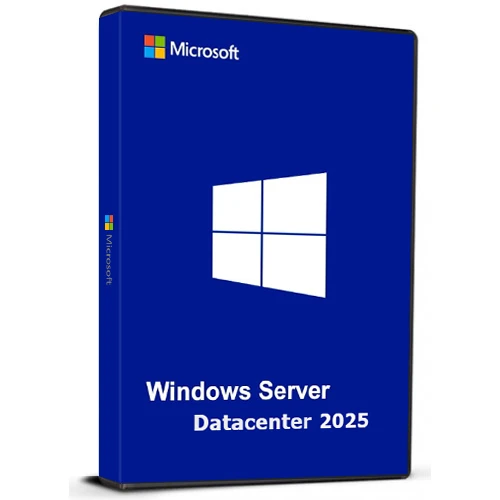

Microsoft Windows Server Datacenter 2025 (doživotní licence / Global)

Hodnocení

Recenze
Cena
  • $17.24
cards klarna GPay Apple Pay affirm afterpay

Oficiální Licence: Global | 24/7 Podpora z USA | Gamers Outlet - CD Keys

Platforma
Microsoft Lifetime License
Získané body
15
Dostupnost
Skladem
Podpora
24/7 Podpora
Doručení
Bezplatné digitální doručení
Váš region
Podporováno
Dostupné možnosti pro Windows Server Option
$17.24

Okamžitá Aktivace: Microsoft Windows Server Datacenter 2025 (Lifetime License / Global) CD Key

Windows Server Datacenter 2025 nabízí firmám vysoce škálovatelnou, bezpečnou a hybridní platformu. Je navržena pro správu rozsáhlých aplikací náročných na data, a to jak lokálně, tak v cloudu.

Klíčové body:

Hybridní cloudová integrace
Spravujte místní i cloudové prostředky prostřednictvím Azure Arc a zajistěte si jednotné prostředí.
Pokročilé zabezpečení
Vylepšená ochrana s aktualizovanou službou Active Directory pro lepší zabezpečení identity a dat.
Vynikající výkon
Optimalizováno pro velké pracovní zátěže, jako je SQL Server, s rychlejším síťovým připojením a živým hotpatchingem pro minimalizaci prostojů.
Připraveno pro umělou inteligenci
Spouštějte úlohy umělé inteligence a strojového učení efektivně s akcelerací GPU.
Uživatelsky přívětivý
Známé a snadno použitelné rozhraní s podporou moderních funkcí, jako je WiFi a Bluetooth.

Vytvořeno tak, aby splňovalo potřeby dnešních rychle se rozvíjejících podniků a nabízelo flexibilitu pro růst a adaptaci na budoucí technologie.

  • Dostanu fakturu?
    Faktura se automaticky vygeneruje po odeslání objednávky.

  • Kde najdu svou fakturu?
    Po dokončení objednávky bude faktura k dispozici v sekci „Můj účet“ (pravý horní roh horní lišty) -> „Historie objednávek“.

  • Mohu si upravit fakturu?
    V současné době to sami nemůžete udělat. Kontaktujte prosím naši podporu e-mailem na adrese [email protected] a my vám s touto záležitostí rádi pomůžeme. Pro rychlejší proces prosím uveďte číslo objednávky a veškeré relevantní informace, které si přejete zobrazit (například vaše jméno, identifikační číslo/daňové číslo atd.).

  • Můžu si to nainstalovat na macOS?
    Ne, tento produkt nepodporuje MacOS.

  • Mohu si tento produkt uplatnit kdekoli?
    Ano, tento produkt je globální verze.

  • Mohu tento produkt přenést na nový hardware?
    Ne, kód platí pro 1 ks nebo 1 instalaci – pokud provedete odinstalaci nebo přeinstalaci, budete si možná muset zakoupit nový kód.

  • Existuje nějaký specifický způsob, jak musím tento produkt nainstalovat?
    Přečtěte si prosím záložku „Aktivace“.

  • Co když pro daný produkt potřebuji nálepku s certifikátem pravosti (COA)?
    Štítek s certifikátem pravosti vám může být na požádání naskenován a zaslán za příplatek.

ACTIVATION INSTRUCTIONS

Download and install Windows Server Datacenter 2025 using the ISO below:

X23-81958_26100.1742.240906-0331.ge_release_svc_refresh_SERVER_OEMRET_x64FRE_en-us.iso

M D 18/03/2026

i can confirm this method is working : DISM /online /Set-Edition:ServerDatacenter /ProductKey:D764K-2NDRG-47T6Q-P8T8W-YP6DF /AcceptEula

Sebastiaan 05/03/2026

Works when you use the iso linked in 'how to activate'

RayGreen 22/01/2026

I purchased this Windows Server 2025 license recently and it worked well, thanks! The price is reasonable too. If you already downloaded the ISO from Microsoft, with the OS installed, run the DISM /online .... command using an administrator account as others said in the reviews, but with your own purchased key. Thanks again! I will definitely consider this company for my software needs in the future.

Carl 10/07/2025

I purchased a Windows Server 2025 Datacenter key after installing the official ISO downloaded directly from Microsoft's website (Evaluation version). Before activating the OS with your purchased key, you must first upgrade the edition using the following steps:

How to Activate:
Click Start, type CMD, right-click and select Run as Administrator.

Enter the following command and press Enter:

DISM /online /Set-Edition:ServerDatacenter /ProductKey:D764K-2NDRG-47T6Q-P8T8W-YP6DF /AcceptEula

Wait for the process to complete (may take several minutes).

The server will automatically reboot.

Once restarted, go to Settings > Activation.

Click Activate Now, then Change Product Key.

Enter your purchased key and follow the prompts.

After activation, proceed with Windows Updates and you're good to go.

Oliver Krause 26/02/2025

Super-Schneller Versand online direkt nach Bezahlung. Funktioniert auch mit deutschem Evaluierungs-ISO und anschließendem Befehl "DISM /online /Set-Edition:ServerDatacenter /ProductKey:D764K-2NDRG-47T6Q-P8T8W-YP6DF /AcceptEula", anschließendem Neustart - zum Schluss den gekauften Key eingeben. Aktivierung hat reibungslos funktioniert.

Napsat recenzi

Poznámky: HTML nejsou přeloženy
Captcha
Review Score: 5 / 5
M D 18/03/2026

i can confirm this method is working : DISM /online /Set-Edition:ServerDatacenter /ProductKey:D764K-2NDRG-47T6Q-P8T8W-YP6DF /AcceptEula

Sebastiaan 05/03/2026

Works when you use the iso linked in 'how to activate'

RayGreen 22/01/2026

I purchased this Windows Server 2025 license recently and it worked well, thanks! The price is reasonable too. If you already downloaded the ISO from Microsoft, with the OS installed, run the DISM /online .... command using an administrator account as others said in the reviews, but with your own purchased key. Thanks again! I will definitely consider this company for my software needs in the future.

Carl 10/07/2025

I purchased a Windows Server 2025 Datacenter key after installing the official ISO downloaded directly from Microsoft's website (Evaluation version). Before activating the OS with your purchased key, you must first upgrade the edition using the following steps:

How to Activate:
Click Start, type CMD, right-click and select Run as Administrator.

Enter the following command and press Enter:

DISM /online /Set-Edition:ServerDatacenter /ProductKey:D764K-2NDRG-47T6Q-P8T8W-YP6DF /AcceptEula

Wait for the process to complete (may take several minutes).

The server will automatically reboot.

Once restarted, go to Settings > Activation.

Click Activate Now, then Change Product Key.

Enter your purchased key and follow the prompts.

After activation, proceed with Windows Updates and you're good to go.

Oliver Krause 26/02/2025

Super-Schneller Versand online direkt nach Bezahlung. Funktioniert auch mit deutschem Evaluierungs-ISO und anschließendem Befehl "DISM /online /Set-Edition:ServerDatacenter /ProductKey:D764K-2NDRG-47T6Q-P8T8W-YP6DF /AcceptEula", anschließendem Neustart - zum Schluss den gekauften Key eingeben. Aktivierung hat reibungslos funktioniert.

Support