Pokud si chcete koupit velké množství kopií, kontaktujte prosím [email protected]
Office 2019 Professional Plus Cd Key Phone Activation

Office 2019 Professional Plus Cd Key Phone Activation

Hodnocení

Cena
  • $3.47
cards klarna GPay Apple Pay affirm afterpay
Platforma
Microsoft Windows Microsoft Office
Získané body
2
Dostupnost
Skladem
Podpora
24/7 Podpora
Doručení
Bezplatné digitální doručení
Váš region
Podporováno
Dostupné možnosti pro Office 2019 options

$3.47

faktura se vygeneruje automaticky po zadání objednávky

Dostupné jazyky: MULTILANGUAGE

POKYNY PRO AKTIVACE:

1. Stáhněte si oficiální instalační program z tohoto odkazu: Zde
2. Pro aktivaci softwaru zadejte kód Product Key, který jste od nás obdrželi.
3. Vyberte možnost „Aktivovat telefonem“.
4. Zavolejte na telefonní číslo uvedené v pokynech pro aktivaci.
5. Během hovoru postupujte podle pokynů v hlasové zprávě.

Pro podrobnější pokyny navštivte sekci stahování a klikněte na tlačítko „Jak aktivovat“.

Nefunguje na MacBooku ! Vyhledejte vyhledávací pole Home and Business @.

Kód platí pro 1ks/1 instalaci. pokud odinstalujete/znovu nainstalujete, možná budete muset zakoupit nový kód.

Nefunguje na zařízeních Apple se systémem Android/ChromeOS/iOS. Kompatibilní pouze s Windows 10, Windows 11.

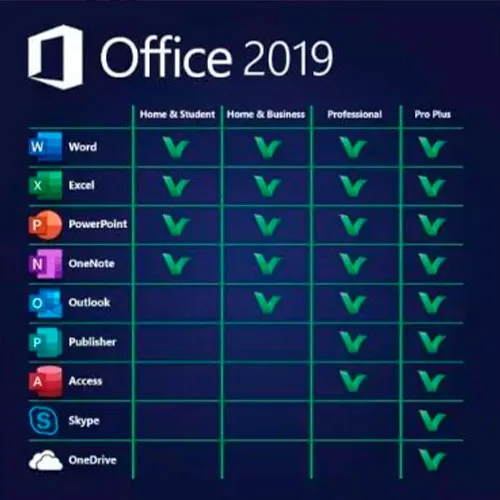
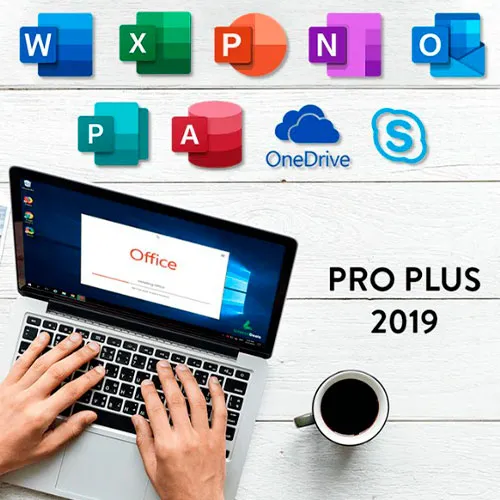
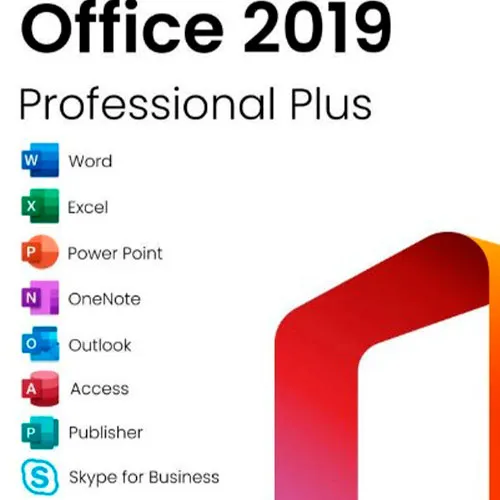
Microsoft Office 2019 Professional Plus obsahuje klasické verze 2019 aplikací Word, Excel, PowerPoint, OneNote, Outlook, Access, Publisher, Skype pro firmy.

Office 2019 professional plus je výkonný nástroj, který nám jako koncovým uživatelům slouží téměř denně. Pro práci, jako student, pro poznámky a pro e-maily. Office 2019 pro plus poskytuje nový design a nové funkce, které nám ještě více usnadní život! Pospěšte si a pořiďte si vlastní kopii za nejnižší cenu. Garantované zásoby s 24/7 podporou.

ZDE také nabízíme CD klíče pro Windows 11
Windows 10 CD klíče ZDE
CD klíče Office 2021
ZDE

  • Dostanu fakturu?
    Faktura se vygeneruje automaticky po zadání objednávky.

  • Kde najdu fakturu?
    Po dokončení objednávky bude faktura k dispozici pod 'Můj účet' (pravý horní roh horní lišty) -> 'Historie objednávek'.

  • Mohu upravit svou fakturu?
    V současné době to nemůžete udělat sami. Kontaktujte prosím naši podporu prostřednictvím e-mailu na adrese [email protected] a my vám rádi s touto záležitostí pomůžeme. Pro rychlejší proces uveďte číslo objednávky a všechny relevantní informace, které chcete zobrazit (jako je vaše jméno, IČO/daňové číslo atd.).

  • Mohu to nainstalovat na macOS?
    Ne, tento produkt nepodporuje MacOS.

  • Mohu tento produkt někde uplatnit?
    Ano, tento produkt je globální verze.

  • Mohu tento produkt přenést na nový hardware?
    Ne, kód je platný pro 1 počítač nebo 1 instalaci – pokud odinstalujete nebo znovu nainstalujete, možná budete muset zakoupit nový kód.

  • Potřebuji tento produkt nějakým způsobem nainstalovat?
    Přečtěte si prosím záložku 'Aktivace'.

  • Co když potřebuji k tomuto produktu nálepku COA?
    Tisk štítku COA lze naskenovat a zaslat vám na požádání za příplatek.

ACTIVATION INSTRUCTIONS:

Download the official ISO/image to activate: https://officecdn.microsoft.com/pr/492350f6-3a01-4f97-b9c0-c7c6ddf67d60/media/en-US/ProPlus2019Retail.img

1-After installation, open Word (or any Office app)
When the Office Activation Wizard appears, select “Activate by phone.”
The wizard will display your Installation ID (IID) - you will need this shortly.
The IID is shown as 9 groups of 7 digits.

2-Go to the activation website
Open your browser and go to: https://aka.ms/aoh

3-Sign in
Choose Microsoft Account as the login method and sign in with your Microsoft account.

4-Select “Activate a Microsoft Product”
On the first page, click Activate a Microsoft Product.

5-Choose the product type
Select the category that matches what you are activating:

  • Windows → for Windows activation
  • Microsoft Office → for Office, Project, or Visio
  • Windows Server, etc., if applicable

Note: For Project and Visio, choose Microsoft Office.

6-Select your operating system

7-Choose the product version
Select the version you are activating, for example:

  • Office / Project / Visio 2024
  • Office / Project / Visio 2021
  • Office / Project / Visio 2019, etc. 

8-Enter your Installation ID (IID)
You will see nine empty boxes.
Enter each group of digits from your IID into the matching box (9 groups of 7 digits).
When finished, submit the form to continue.

9-Answer the usage question
When asked, “How many computers have you installed this copy on?”
Type 0, then continue.

10-Receive your Confirmation ID
The website will display your Confirmation ID.

11-Enter the Confirmation ID into your PC
Return to the Office activation wizard and enter the Confirmation ID to finish activation.


For other Office languages, scroll down here: https://gamersoutlet.zendesk.com/hc/en-us/articles/360058263113-Office-2019-pro-plus-activation-methods 

Video Guide:


Niko 25/10/2025

At first attempt I failed to activate, but at second call it was super!

VT1 29/09/2025

product was activated. good!

Hasinul AREFIN 15/09/2025

This is amazing. I am really impressed with this service. Have not faced any issue to install the MS Office.

Sandor Zakarias 05/08/2025

I was dubious, but its legit,!!! Australian Toll Free number is the one that works for Australia, goes through to the official Microsoft Activation Center...A n AI operator texts you a link to your mobile, which then sends you to the activation website specifically for you...(only works once , you have to ring again if you buy 2 which I eneded up doing) Type in the long string of numbers that come up on your computer after instalation and opening Word (And typing in the initial code given to you after the $6.15 purchase. and selecting Phone activation)
And then another code is generated that you type into your Word activation screen on your computer
Its alot of typing in numbers, but worth the effort for AU 6 bucks !! Enjoy

Kevin Oswaldo Magaña Pech 15/07/2025

Good, work, in from mexico

Napsat recenzi

Poznámky: HTML nejsou přeloženy
Captcha
Review Score: 5 / 5
Niko 25/10/2025

At first attempt I failed to activate, but at second call it was super!

VT1 29/09/2025

product was activated. good!

Hasinul AREFIN 15/09/2025

This is amazing. I am really impressed with this service. Have not faced any issue to install the MS Office.

Sandor Zakarias 05/08/2025

I was dubious, but its legit,!!! Australian Toll Free number is the one that works for Australia, goes through to the official Microsoft Activation Center...A n AI operator texts you a link to your mobile, which then sends you to the activation website specifically for you...(only works once , you have to ring again if you buy 2 which I eneded up doing) Type in the long string of numbers that come up on your computer after instalation and opening Word (And typing in the initial code given to you after the $6.15 purchase. and selecting Phone activation)
And then another code is generated that you type into your Word activation screen on your computer
Its alot of typing in numbers, but worth the effort for AU 6 bucks !! Enjoy

Kevin Oswaldo Magaña Pech 15/07/2025

Good, work, in from mexico