Wenn Sie eine größere Anzahl Exemplare kaufen möchten, kontaktieren Sie bitte [email protected].
Aufgrund der kürzlichen Aktualisierungen von Microsoft Office für MacOS empfehlen wir, vor dem Fortfahren die Registerkarte „Aktivierung“ zu überprüfen.
Word, Excel, PowerPoint, OneNote und Outlook in der Version 2016.
Kompatibel mit: Mac OS X, Sie benötigen Mac OS X 10.15 (Catalina) oder neuer.
Microsoft Office 2016 Home and Business (Mac / Kontogebundene Lizenz) (Lebenslange Lizenz / Global)
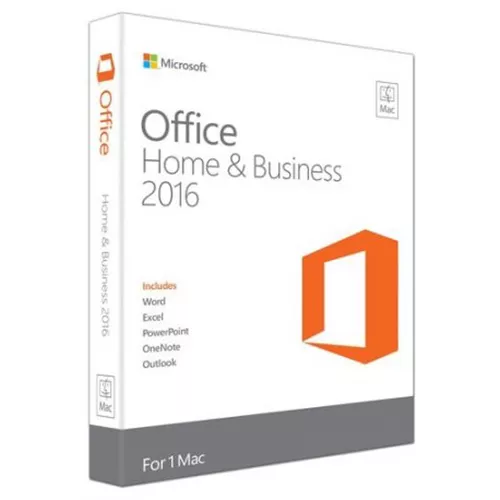

Microsoft Office 2016 Home and Business (Mac / Kontogebundene Lizenz) (Lebenslange Lizenz / Global)
Bewertung

Bewertungen
Preis
  • $13.79
cards klarna GPay Apple Pay affirm afterpay

Offizielle Lizenz: Global | Support in den USA rund um die Uhr | Gamers Outlet – CD-Keys

Plattform
Microsoft Lifetime License
Bonuspunkte
11
Erzielte Punkte
Nicht auf Lager
Support
24/7 Support
Lieferung
Kostenlose digitale Lieferung
Ihre Region
Unterstützt
Verfügbare Optionen für Office 2016 options

$13.79

Sofortige Aktivierung: Microsoft Office 2016 Home and Business (Mac / an ein Konto gebundene Lizenz) (lebenslange Lizenz / Global) CD-Key

MS Office Home & Business 2016 für Mac richtet sich an Nutzer und kleine Unternehmen, die Office mit den leistungsstarken Funktionen von Outlook für E-Mails, Kalender und Kontakte nutzen möchten. Es ist das Office, das Sie kennen und dem Sie vertrauen, aktualisiert, um die neuesten Mac-Funktionen zu nutzen, darunter Retina-Display und Vollbildansicht.

Aufgrund der jüngsten Aktualisierungen für Microsoft Office für macOS empfehlen wir, die Registerkarte „Aktivierung“ zu überprüfen, bevor Sie fortfahren

2016er-Version von Word, Excel, PowerPoint, OneNote und Outlook.

Kompatibel mit: Mac OS X; Sie müssen Mac OS X 10.15 (Catalina) oder höher verwenden

ANLEITUNG ZUR AKTIVIERUNG:

Im Gegensatz zu anderen Websites funktioniert unser Code auf der OFFIZIELLEN Aktivierungswebsite: https://setup.office.com/


  • Werde ich eine Rechnung erhalten?
    Die Rechnung wird automatisch nach der Bestellung erstellt.

  • Wo finde ich meine Rechnung?
    Sobald die Bestellung abgeschlossen ist, ist die Rechnung unter „Mein Konto“ (oben rechts in der oberen Leiste) → „Bestellhistorie“ verfügbar.

  • Kann ich meine Rechnung bearbeiten?
    Aktuell können Sie dies nicht selbst erledigen. Bitte kontaktieren Sie unseren Support per E-Mail unter [email protected]. Wir helfen Ihnen gerne weiter. Für eine schnellere Bearbeitung geben Sie bitte Ihre Bestellnummer und alle relevanten Informationen an, die angezeigt werden sollen (z. B. Name, Ausweis-/Steuernummer usw.).

  • Kann ich das unter macOS installieren?
    Ja, dieses Produkt unterstützt MacOS (erfordert 10.15 Catalina oder höher ).

  • Kann ich dieses Produkt irgendwo einlösen?
    Ja, dieses Produkt ist eine globale Version.

  • Kann ich dieses Produkt auf neue Hardware übertragen?
    Ja, dieser Schlüssel kann mit Ihrem Microsoft-Konto verknüpft werden.

  • Gibt es eine bestimmte Vorgehensweise, die ich bei der Installation dieses Produkts beachten muss?
    Bitte lesen Sie den Reiter „Aktivierung“.

  • Was ist, wenn ich für dieses Produkt einen COA-Aufkleber benötige?
    Das COA-Etikett kann auf Anfrage und gegen Aufpreis eingescannt und Ihnen zugesandt werden.

Please redeem your code here: setup.office.com

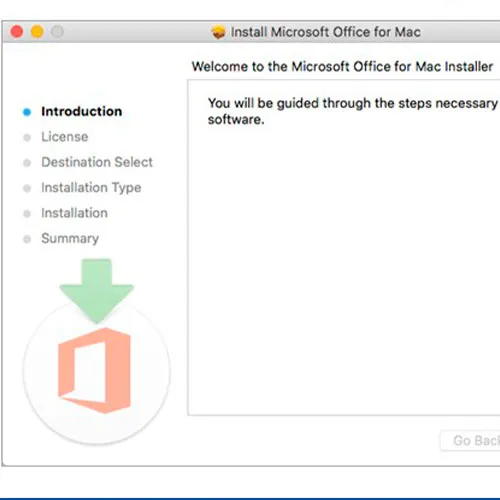
It will let you download the installer for your Mac.

Notice:

At the end of the installation a window may appear stating that an Office upgrade is required.
Please note that selecting this option will upgrade your installation to Office 365/2024, which will prevent you from fully activating Office 2016/2019.
If you attempt to log in after this upgrade,  Office will not be able to locate a valid license for your current installation.
This is due to recent updates, which require an Office 2021/2024 license or an active Office 365 subscription (version 16.90 and later).

To avoid this, skip any Office updates offered during the installation process.
Also, uncheck the option to "Automatically keep Microsoft apps up to date.
" After that, simply click the red "X" at the top left of the window, log in with your Microsoft account, and complete the activation process.

IAN PAGET 08.08.2025

uploaded and works!!! once i Uninstall newer versions and stop all updates. perfect

Victorm 27.06.2025

Funcionó perfecto en una mac viejita con sistema operativo 12.7.6 Monterrey

Joel Huveneers EI 07.05.2025

Très efficace! Pour 12euros, j'ai récupéré word et excel, sur mon macbook pro Catalina, merci!

Jose Andres 06.04.2025

Todo bien con el pago y la entrega de la key hay que tener un poco de paciencia mientras esperas el correo de la confirmación, lo que si falta es información al momento de la activación ni hablar de encontrar el link de descarga en la página de Microsoft, recomendado

Kevin Pereira 18.03.2025

Hey im from Panama and I just give it a try and guess what, it worked and very fast so I will give 100% of credibility for this website, thank you!

+ Bewertung

Hinweis: HTML ist nicht verfügbar!
Captcha
Review Score: 5 / 5
IAN PAGET 08.08.2025

uploaded and works!!! once i Uninstall newer versions and stop all updates. perfect

Victorm 27.06.2025

Funcionó perfecto en una mac viejita con sistema operativo 12.7.6 Monterrey

Joel Huveneers EI 07.05.2025

Très efficace! Pour 12euros, j'ai récupéré word et excel, sur mon macbook pro Catalina, merci!

Jose Andres 06.04.2025

Todo bien con el pago y la entrega de la key hay que tener un poco de paciencia mientras esperas el correo de la confirmación, lo que si falta es información al momento de la activación ni hablar de encontrar el link de descarga en la página de Microsoft, recomendado

Kevin Pereira 18.03.2025

Hey im from Panama and I just give it a try and guess what, it worked and very fast so I will give 100% of credibility for this website, thank you!

Support