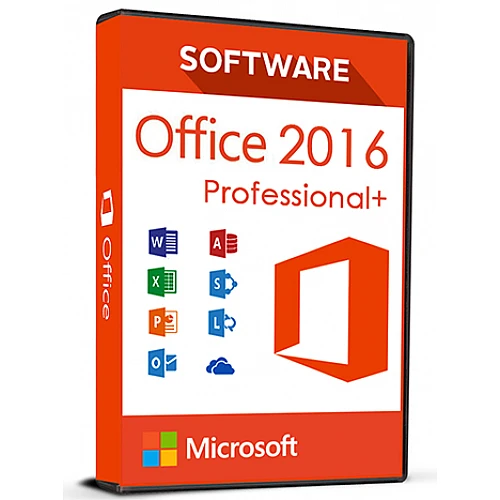
Sofortige Aktivierung: Microsoft Office 2016 Pro Plus (Aktivierung per Telefon) (Lebenslange Lizenz / Global) CD-Key
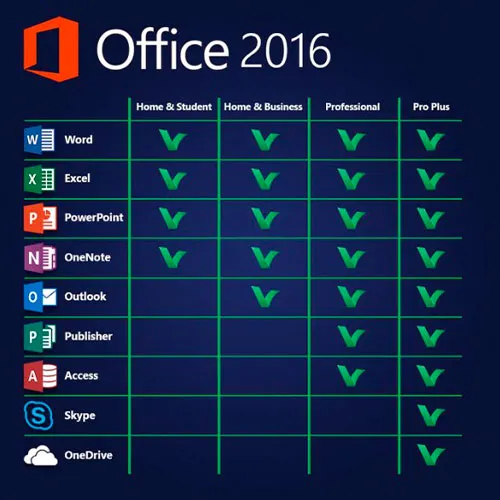
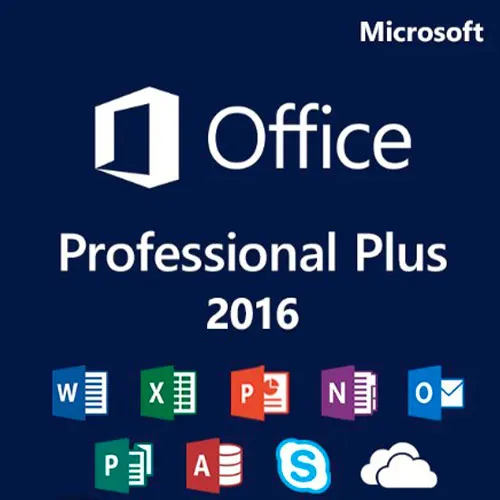
Diese Version von MS Office 2016 enthält
Word, Excel, PowerPoint, OneNote, Outlook, Publisher, Skype for
Business und Access zur dauerhaften Nutzung auf einem PC (kann
nur einmal genutzt werden). Erstellen Sie Serienbriefe oder Datenbanken, verwalten Sie Zahlen und Tabellen,
gestalten Sie Präsentationen, organisieren Sie E-Mails und vieles mehr!
Microsoft Office Professional Plus 2016 richtet sich in erster Linie an
Unternehmen und erfüllt selbst höchste Ansprüche. Mit den
Programmen Word, Excel, PowerPoint, OneNote, Outlook, Publisher, Access
und Skype for Business erfüllt Office Professional Plus 2016 alle
Anforderungen, die an eine umfassende Office-Software gestellt werden. Ob
Sie Serienbriefe erstellen, Zahlen und Tabellen verwalten,
Präsentationen gestalten, Datenbanken anlegen oder Ihre E-Mails organisieren möchten – Ihre
beruflichen oder privaten Projekte lassen sich mit den Office-Anwendungen
im Handumdrehen erledigen.
AKTIVIERUNGSANLEITUNG:
1. Herunterladen Sie das offizielle Installationsprogramm über diesen Link:
Hier2. Geben Sie den Product Key ein, den Sie von uns erhalten haben, um die Software zu aktivieren.
3. Wählen Sie die Option „Per Telefon aktivieren“.
Für eine detailliertere Anleitung besuchen Sie bitte den Bereich zum Herunterladen und klicken Sie auf die Schaltfläche „So aktivieren“.
Wir bieten außerdem Windows 11 CD-Keys HIER an 
- Werde ich eine Rechnung erhalten?
Die Rechnung wird automatisch nach der Bestellung erstellt.
- Wo finde ich meine Rechnung?
Sobald die Bestellung abgeschlossen ist, ist die Rechnung unter „Mein Konto“ (oben rechts in der oberen Leiste) → „Bestellhistorie“ verfügbar.
- Kann ich meine Rechnung bearbeiten?
Aktuell können Sie dies nicht selbst erledigen. Bitte kontaktieren Sie unseren Support per E-Mail unter [email protected]. Wir helfen Ihnen gerne weiter. Für eine schnellere Bearbeitung geben Sie bitte Ihre Bestellnummer und alle relevanten Informationen an, die angezeigt werden sollen (z. B. Name, Ausweis-/Steuernummer usw.).
- Kann ich das unter macOS installieren?
Nein, dieses Produkt unterstützt MacOS nicht.
- Kann ich dieses Produkt irgendwo einlösen?
Ja, dieses Produkt ist eine globale Version.
- Kann ich dieses Produkt auf neue Hardware übertragen?
Nein, der Code ist nur für 1 PC oder 1 Installation gültig. Wenn Sie das Programm deinstallieren oder neu installieren, müssen Sie möglicherweise einen neuen Code kaufen.
- Gibt es eine bestimmte Vorgehensweise, die ich bei der Installation dieses Produkts beachten muss?
Bitte lesen Sie den Reiter „Aktivierung“.
- Was ist, wenn ich für dieses Produkt einen COA-Aufkleber benötige?
Das COA-Etikett kann auf Anfrage und gegen Aufpreis eingescannt und Ihnen zugesandt werden.
ACTIVATION INSTRUCTIONS:
Download the official ISO/image to activate: https://officecdn.microsoft.com/pr/492350f6-3a01-4f97-b9c0-c7c6ddf67d60/media/en-US/ProPlusRetail.img
1-After installation, open Word (or any Office app)
When the Office Activation Wizard appears, select “Activate by phone.”
The wizard will display your Installation ID (IID) - you will need this shortly.
The IID is shown as 9 groups of 7 digits.
2-Go to the activation website
Open your browser and go to: https://aka.ms/aoh
3-Sign in
Choose Microsoft Account as the login method and sign in with your Microsoft account.
4-Select “Activate a Microsoft Product”
On the first page, click Activate a Microsoft Product.
5-Choose the product type
Select the category that matches what you are activating:
- Windows → for Windows activation
- Microsoft Office → for Office, Project, or Visio
- Windows Server, etc., if applicable
Note: For Project and Visio, choose Microsoft Office.
6-Select your operating system
7-Choose the product version
Select the version you are activating, for example:
- Office / Project / Visio 2024
- Office / Project / Visio 2021
- Office / Project / Visio 2019, etc.
8-Enter your Installation ID (IID)
You will see nine empty boxes.
Enter each group of digits from your IID into the matching box (9 groups of 7 digits).
When finished, submit the form to continue.
9-Answer the usage question
When asked, “How many computers have you installed this copy on?”
Type 0, then continue.
10-Receive your Confirmation ID
The website will display your Confirmation ID.
11-Enter the Confirmation ID into your PC
Return to the Office activation wizard and enter the Confirmation ID to finish activation.
Video Guide:









































 Lifetime License


