Sofortige Aktivierung: Microsoft Office 2021 Pro Plus (Aktivierung per Telefon) (Lebenslange Lizenz / Global) CD-Key
Was ist im Lieferumfang von Microsoft Office 2021 Professional Plus (ISO) enthalten?
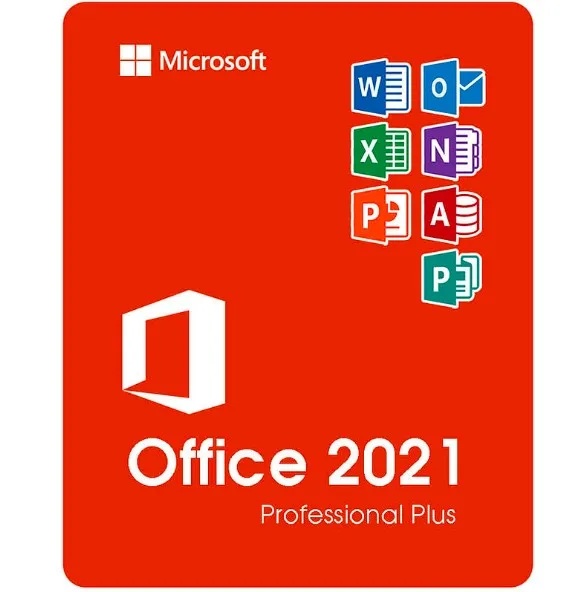
Microsoft Office 2021 Professional Plus ist die umfassendste Einmal-Kauf-Version von Office für Windows-Anwender. Diese Edition enthält alle zentralen Microsoft-Produktivitätsanwendungen, die in Unternehmen, im Bildungswesen und in professionellen Umgebungen zum Einsatz kommen:
Word 2021 – Erweiterte Funktionen zur Erstellung und Bearbeitung von Dokumenten
Excel 2021 – Leistungsstarke Tabellenkalkulation, Datenanalyse und Formeln
PowerPoint 2021 – Professionelle Präsentationen und Design-Tools
Outlook 2021 – E-Mail-, Kalender- und Kontaktverwaltung
Publisher 2021 – Marketingmaterialien, Broschüren und Layouts
Access 2021 – Erstellung und Verwaltung von Datenbanken (nur Windows)
Sie erhalten die vollständigen Desktop-Versionen dieser Programme – kein Abonnement erforderlich.
Was „Professional Plus“ bedeutet (im Vergleich zu den Home & Business-Versionen)
Office 2021 ist in mehreren Editionen erhältlich, wobei „Professional Plus“ die höchste verfügbare Version darstellt.
Version | Enthaltene Anwendungen | Am besten geeignet für |
|---|
Home & Student | Word, Excel, PowerPoint | Schüler und Privatnutzer |
Privat & Geschäft | Word, Excel, PowerPoint, Outlook | Nutzer in kleinen Unternehmen |
Professional Plus | Word, Excel, PowerPoint, Outlook, Publisher, Access | Fachleute, Unternehmen, fortgeschrittene Nutzer |
Professional Plus umfasst zusätzlich Access und Publisher und eignet sich daher ideal für:
Unternehmen, die Daten verwalten
Marketing- und Designmaterialien
Office-Umgebungen, die den vollen Funktionsumfang benötigen
Unterstützte Systeme und Sprachen
Dieses Produkt läuft auf:
✔ Windows
10✔ Windows
11❌ Nicht kompatibel mit macOS, Chromebooks, iOS oder Android.
Sprachunterstützung:
Das ISO-Image ermöglicht das Installieren in mehreren von Microsoft unterstützten Sprachen, darunter Englisch, Spanisch, Deutsch, Französisch, Italienisch und viele andere.
So funktioniert die Lieferung
Nach dem Kauf:
Erhalten Sie Ihren Aktivierungsschlüssel sofort per E-Mail.
Sie erhalten einen Link zum Herunterladen der Office 2021-ISO-Datei.
Befolgen Sie die einfachen Schritte zum Installieren.
Aktivieren Sie Office mit Ihrem Product Key.
Es wird keine physische CD versendet – alles erfolgt digital und sofort.
Was ist die Office 2021-ISO-Datei?
Eine ISO-Datei ist ein vollständiges Installationsimage von Microsoft Office. Damit können Sie:
Office zu installieren, ohne ein Microsoft-Konto-Abonnement zu benötigen
eine Kopie für zukünftige Neuinstallationen aufzubewahren
Das Installieren auch ohne ständige Internetverbindung durchführen
So verwenden Sie die ISO-Datei
Herunterladen Sie die ISO-Datei.
Klicken Sie mit der rechten Maustaste auf die Datei → wählen Sie „Einbinden“.
Führen Sie „Setup.exe“ aus, um Office zu installieren.
Geben Sie Ihren Product Key ein, wenn Sie dazu aufgefordert werden.
Die ISO-Datei enthält das offizielle Office-Installationspaket, das für Systembereitstellungen verwendet wird.
Warum die ISO-Version wählen?
✔ Vollständiges Office-Installationspaket
✔ Nützlich für fortgeschrittene Benutzer und IT-Umgebungen
✔ Praktisch für
Neuinstallationen ✔ Keine Abonnementgebühren – einmal bezahlen, dauerhaft nutzen
- Werde ich eine Rechnung erhalten?
Die Rechnung wird automatisch nach der Bestellung erstellt.
- Wo finde ich meine Rechnung?
Sobald die Bestellung abgeschlossen ist, ist die Rechnung unter „Mein Konto“ (oben rechts in der oberen Leiste) → „Bestellhistorie“ verfügbar.
- Kann ich meine Rechnung bearbeiten?
Aktuell können Sie dies nicht selbst erledigen. Bitte kontaktieren Sie unseren Support per E-Mail unter [email protected]. Wir helfen Ihnen gerne weiter. Für eine schnellere Bearbeitung geben Sie bitte Ihre Bestellnummer und alle relevanten Informationen an, die angezeigt werden sollen (z. B. Name, Ausweis-/Steuernummer usw.).
- Kann ich das unter macOS installieren?
Nein, dieses Produkt unterstützt macOS nicht, es ist nur mit Windows 10 und 11 kompatibel.
- Kann ich dieses Produkt irgendwo einlösen?
Ja, dieses Produkt ist eine globale Version.
- Kann ich dieses Produkt auf neue Hardware übertragen?
Nein, der Code ist nur für 1 PC oder 1 Installation gültig. Wenn Sie das Programm deinstallieren oder neu installieren, müssen Sie möglicherweise einen neuen Code kaufen.
- Gibt es eine bestimmte Vorgehensweise, die ich bei der Installation dieses Produkts beachten muss?
Bitte lesen Sie den Reiter „Aktivierung“.
- Was ist, wenn ich für dieses Produkt einen COA-Aufkleber benötige?
Das COA-Etikett kann auf Anfrage und gegen Aufpreis eingescannt und Ihnen zugesandt werden.
ACTIVATION INSTRUCTIONS:
Download the official ISO/image to activate: https://officecdn.microsoft.com/pr/492350f6-3a01-4f97-b9c0-c7c6ddf67d60/media/en-us/ProPlus2021Retail.img (Other languages can be found below)
1-After installation, open Word (or any Office app)
When the Office Activation Wizard appears, select “Activate by phone.”
The wizard will display your Installation ID (IID) - you will need this shortly.
The IID is shown as 9 groups of 7 digits.
2-Go to the activation website
Open your browser and go to: https://aka.ms/aoh
3-Sign in
Choose Microsoft Account as the login method and sign in with your Microsoft account.
4-Select “Activate a Microsoft Product”
On the first page, click Activate a Microsoft Product.
5-Choose the product type
Select the category that matches what you are activating:
- Windows → for Windows activation
- Microsoft Office → for Office, Project, or Visio
- Windows Server, etc., if applicable
Note: For Project and Visio, choose Microsoft Office.
6-Select your operating system
7-Choose the product version
Select the version you are activating, for example:
- Office / Project / Visio 2024
- Office / Project / Visio 2021
- Office / Project / Visio 2019, etc.
8-Enter your Installation ID (IID)
You will see nine empty boxes.
Enter each group of digits from your IID into the matching box (9 groups of 7 digits).
When finished, submit the form to continue.
9-Answer the usage question
When asked, “How many computers have you installed this copy on?”
Type 0, then continue.
10-Receive your Confirmation ID
The website will display your Confirmation ID.
11-Enter the Confirmation ID into your PC
Return to the Office activation wizard and enter the Confirmation ID to finish activation.
More languages:
https://www.gamers-outlet.net/download-office-2021-professional-plus-download-links-languages
Video Guide:












































 Lifetime License


