La factura se generará automáticamente al realizar un pedido.
Idiomas disponibles: MULTILENGUAJE
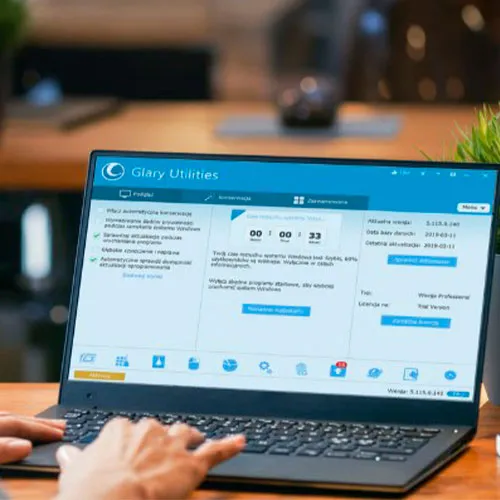
Este código solo funciona con la versión Glary Utilities Pro 5.
-Proporciona una solución integral para optimizar el rendimiento de la PC.
-Aumenta la velocidad de la PC y corrige errores frustrantes, bloqueos y congelamientos.
-Cuenta con funcionalidad de un solo clic y opciones fáciles y automatizadas.
-Protege tu privacidad y hace que tu computadora sea más rápida y limpia

- ¿Recibiré una factura?
La factura se generará automáticamente al realizar un pedido.
- ¿Dónde puedo encontrar mi factura?
Una vez completado el pedido, la factura estará disponible en 'Mi cuenta' (esquina superior derecha de la barra superior) -> 'Historial de pedidos'.
- ¿Puedo editar mi factura?
Actualmente, no puede hacerlo usted mismo. Por favor, contacte con nuestro servicio de atención al cliente por correo electrónico a [email protected] y con gusto le ayudaremos. Para agilizar el proceso, incluya el número de pedido y cualquier información relevante que desee que se muestre (como su nombre, DNI/NIF, etc.).
- ¿Puedo instalar esto en macOS?
No, este producto no es compatible con MacOS.
- ¿Puedo canjear este producto en cualquier lugar?
Sí, este producto es una versión global.
- ¿Puedo transferir este producto a un nuevo hardware?
No, el código es válido para 1 computadora o 1 instalación. Si lo desinstalas o lo reinstalas es posible que debas comprar un código nuevo.
- ¿Hay alguna forma específica en la que deba instalar este producto?
Este código solo funciona con la versión Glary Utilities Pro 5.
Para obtener más información, lea la pestaña "Activación".
ACTIVATION INSTRUCTIONS:
1- Please click on the following link to download the setup files for version 5: https://download.glarysoft.com/gu5setup.exe
*The official website now only offers version 6, so you can't use that link anymore
2- Once the file is downloaded, launch it and follow the instructions to install it.
When prompted, use the key that you received from us for the activation of the software.
3- After opening the application, you will see an option to "skip this version". Please select that option, then click "Activate Now". (see image below)

Follow the activation process and your software will be ready to use.
4- Once you have everything set up, go to the settings within the software and look for an option that refers to updates.
If there is a checkmark or some kind of selection next to "Automatically Check for Updates" or similar, uncheck or deselect it to prevent the software from automatically updating to a different version.