Si deseas comprar una gran cantidad de copias, comunícate con [email protected]
Office 2024 Profesional Plus Licencia digital global para activación telefónica

Office 2024 Profesional Plus Licencia digital global para activación telefónica

Clasificación:

Official release
2024
Precio
  • $17.40
cards klarna GPay Apple Pay affirm afterpay
Plataforma
Microsoft Windows Microsoft Office
Puntos ganados
15
Existencia
En stock
Soporte
24/7 Soporte
Entrega
Entrega digital gratuita
Tu región
Compatible
Opciones disponibles para Office 2024 options


$17.40

Versión 2024 de Access, Excel, OneNote, Outlook, PowerPoint y Word.

No funciona en dispositivos Apple con macOS, ChromeOS, Android o iOS. Compatible solo con Windows 10 y Windows 11.

Clave de CD de Office 2024 Professional Plus: su clave para una productividad desatada

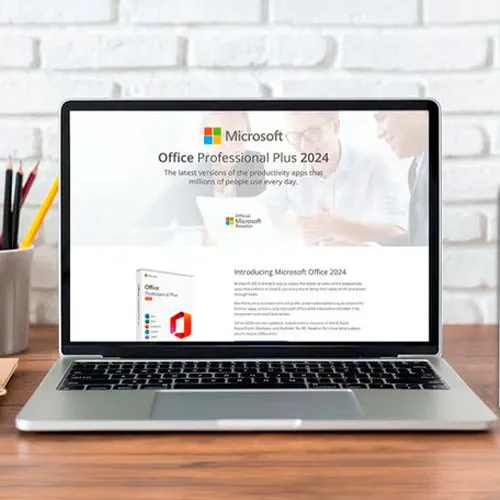
Experimente la máxima productividad con Microsoft Office 2024 Professional Plus: la clave para una eficiencia impecable en todas las tareas. Liberar el poder de esta suite de productividad definitiva significa sumergirse en un mundo donde crear, administrar y compartir documentos, datos y presentaciones se convierte en una experiencia fluida y dinámica.

Diseñado para estudiantes, profesionales y emprendedores, este innovador paquete de software revoluciona la forma de trabajar. Accede y edita tus archivos fácilmente desde cualquier dispositivo, garantizando un flujo de trabajo ininterrumpido y eficiente. Con aplicaciones versátiles como Word, Excel, PowerPoint, Outlook, Access y OneNote a tu disposición, no hay límites a tus logros.

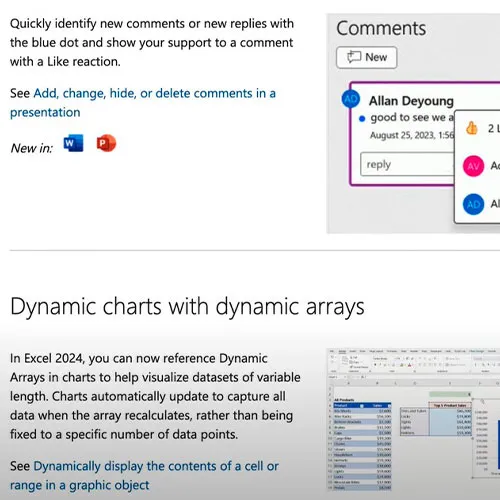
Empodérate con las últimas funciones y mejoras de Office 2024 Professional Plus, elevando tu trabajo a nuevas cotas de creatividad y precisión. Dile adiós a las limitaciones y abraza un futuro donde la productividad no tiene límites, todo con la clave de CD global de Microsoft Office 2024 Professional Plus.


  • ¿Recibiré una factura?
    La factura se generará automáticamente al realizar un pedido.

  • ¿Dónde puedo encontrar mi factura?
    Una vez completado el pedido, la factura estará disponible en ‘Mi cuenta’ (esquina superior derecha de la barra superior) -> ‘Historial de pedidos’.

  • ¿Puedo editar mi factura?
    Actualmente, no puede hacerlo usted mismo. Por favor, contacte con nuestro servicio de atención al cliente por correo electrónico a [email protected] y con gusto le ayudaremos. Para agilizar el proceso, incluya el número de pedido y cualquier información relevante que desee que se muestre (como su nombre, DNI/NIF, etc.).

  • ¿Puedo instalar esto en macOS?
    No, este producto no es compatible con macOS, solo es compatible con Windows 10 y 11.

  • ¿Puedo canjear este producto desde cualquier lugar?
    Sí, este producto es una versión global.

  • ¿Puedo transferir este producto a un nuevo hardware?
    No, el código es válido para 1 computadora o 1 instalación. Si lo desinstalas o lo reinstalas es posible que debas comprar un código nuevo.

  • ¿Hay alguna forma específica en la que deba instalar este producto ?
    Por favor, lea la pestaña 'Activación'.

  • ¿Qué pasa si necesito una etiqueta COA para ese producto?
    La etiqueta COA impresa se puede escanear y enviar si la solicita, por un cargo adicional.

To install the correct version of Office ProPlus 2024, please check out the instructions in this PDF: https://download.dlr-as.com/instructions/Installation-Office-ProPlus2024.pdf 

1-After installation, open Word (or any Office app)
When the Office Activation Wizard appears, select “Activate by phone.”
The wizard will display your Installation ID (IID) - you will need this shortly.
The IID is shown as 9 groups of 7 digits.

2-Go to the activation website
Open your browser and go to: https://aka.ms/aoh

3-Sign in
Choose Microsoft Account as the login method and sign in with your Microsoft account.

4-Select “Activate a Microsoft Product”
On the first page, click Activate a Microsoft Product.

5-Choose the product type
Select the category that matches what you are activating:

  • Windows → for Windows activation
  • Microsoft Office → for Office, Project, or Visio
  • Windows Server, etc., if applicable

Note: For Project and Visio, choose Microsoft Office.

6-Select your operating system

7-Choose the product version
Select the version you are activating, for example:

  • Office / Project / Visio 2024
  • Office / Project / Visio 2021
  • Office / Project / Visio 2019, etc. 

8-Enter your Installation ID (IID)
You will see nine empty boxes.
Enter each group of digits from your IID into the matching box (9 groups of 7 digits).
When finished, submit the form to continue.

9-Answer the usage question
When asked, “How many computers have you installed this copy on?”
Type 0, then continue.

10-Receive your Confirmation ID
The website will display your Confirmation ID.

11-Enter the Confirmation ID into your PC
Return to the Office activation wizard and enter the Confirmation ID to finish activation.


 **For a more visual guide, watch our tutorial video here:


Mladen Jevtić 27/11/2025

Works perfect, easy install and activation. Just follow the instructions.

Jonathan Lee 19/11/2025

Works perfectly, you just need to follow the exact steps outlined

Andrew Smith 15/11/2025

I contacted support because i mistakenly selected online activation for my product, they fixed the issue within 30mins and my product is now working fine.

Andrew Smith 15/11/2025

I contacted support because i mistakenly selected online activation, and the fixed the issue in less than 30mins... My product is activated and i am 100% satisfied

Vitor Miguel 14/11/2025

Bought the key, was emailed with the payment confirmation and activated my Office in less than 5 minutes, and had no issues whatsoever. Great! Thumbs up!
Comprei a chave, recebi o email com a confirmação do pagamento e ativei meu Office em menos de 5 minutos, e não tive nenhum problema. Maravilha!

Escribir Opinión

Nota: No se permite HTML!
Captcha
Review Score: 5 / 5
Mladen Jevtić 27/11/2025

Works perfect, easy install and activation. Just follow the instructions.

Jonathan Lee 19/11/2025

Works perfectly, you just need to follow the exact steps outlined

Andrew Smith 15/11/2025

I contacted support because i mistakenly selected online activation for my product, they fixed the issue within 30mins and my product is now working fine.

Andrew Smith 15/11/2025

I contacted support because i mistakenly selected online activation, and the fixed the issue in less than 30mins... My product is activated and i am 100% satisfied

Vitor Miguel 14/11/2025

Bought the key, was emailed with the payment confirmation and activated my Office in less than 5 minutes, and had no issues whatsoever. Great! Thumbs up!
Comprei a chave, recebi o email com a confirmação do pagamento e ativei meu Office em menos de 5 minutos, e não tive nenhum problema. Maravilha!