

























If you'd like to buy a big amount of copies, please contact [email protected]
You cannot link this license to a personal account or log into an account while using the software, as the license is tied exclusively to your system or device.
Adobe Photoshop Elements 2026 (Windows) (רישיון לכל החיים – גלובלי)
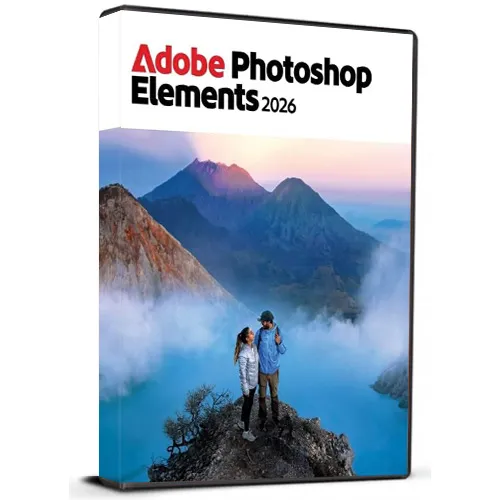

Adobe Photoshop Elements 2026 (Windows) (רישיון לכל החיים – גלובלי)

דירוג

ביקורות
מְחִיר
  • $51.91
cards klarna GPay Apple Pay affirm afterpay

רישיון רשמי: גלובלי | תמיכה 24/7 מארה"ב | Gamers Outlet - CD Keys

פּלַטפוֹרמָה
Adobe Lifetime License
נקודות שנצברו
30
זמינות
במלאי
תמיכה
תמיכה 24/7
משלוח
משלוח דיגיטלי חינם
האזור שלך
נתמך

$51.91

אספקה מיידית: Adobe Photoshop Elements 2026 (Windows) (Lifetime License / גלובלי) Game Key

רכשו את Adobe Photoshop Elements 2026 ב-Windows עם קוד דיגיטלי לכל החיים ותיהנו מכלי עריכת תמונות עוצמתיים המיועדים הן למתחילים והן למשתמשים מנוסים. Photoshop Elements מאפשרת לכם בקלות לשפר, לארגן, לרטש ולשנות את התמונות שלכם באופן יצירתי באמצעות ממשק אינטואיטיבי ותכונות עריכה חכמות. גרסה רב-לשונית זו תומכת בשפות רבות, ומאפשרת לכם להשתמש בתוכנה בשפה המועדפת עליכם. בין אם אתם רוצים להסיר אובייקטים לא רצויים, לשפר צבעים, ליצור אפקטים מרשימים, לשחזר תמונות ישנות או לעצב פרויקטים יצירתיים, Photoshop Elements מספקת מגוון רחב של כלים שימושיים.


תכונות המוצר:

  • קוד דיגיטלי לכל החיים
  • לPC Windows
  • תמיכה רב-לשונית
  • כלי עריכת תמונות קלים לשימוש
  • אפקטים ושיפורים יצירתיים
  • מתאים לפרויקטים אישיים ומקצועיים
  • משלוח דיגיטלי


לאחר הרכישה, תקבלו את קוד הדיגיטלי והוראות ההורדה לגישה נוחה לתוכנה.

הערה: מוצר זה מיועד ל-Windows ודורש מערכת תואמת.

  • האם אקבל חשבונית?
    החשבונית תופק באופן אוטומטי עם ביצוע ההזמנה.

  • היכן אוכל למצוא את החשבונית שלי?
    לאחר השלמת ההזמנה, החשבונית תהיה זמינה תחת 'החשבון שלי' (בפינה הימנית העליונה של הסרגל העליון) -> 'היסטוריית הזמנות'.

  • האם אוכל לערוך את החשבונית שלי?
    נכון לעכשיו, אינך יכול לעשות זאת בעצמך. אנא פנה לשירות התמיכה שלנו בדוא"ל לכתובת [email protected], ונשמח לסייע לך בעניין. כדי לזרז את התהליך, אנא ציין את מספר ההזמנה וכל מידע רלוונטי שברצונך שיופיע (כגון שמך, מספר זהות/מס וכו').

  • האם ניתן להתקין את המוצר ב-macOS?
    לא, מוצר זה אינו תומך ב-macOS.

  • האם ניתן לממש את המוצר הזה מכל מקום?
    כן, המוצר הזה הוא גרסה גלובלית.

  • האם ניתן להעביר את המוצר לחומרה חדשה?
    לא, הקוד תקף ל-PC אחד או להתקנה אחת – אם תסיר את ההתקנה או תתקין מחדש, ייתכן שתצטרך לרכוש קוד חדש.

  • האם יש דרך ספציפית שבה עליי להתקין את המוצר הזה?
    לקבלת מידע נוסף, אנא קראו את הכרטיסייה 'הפעלה'.

Please follow below mentioned steps:


1. Download the Software Download link: Download Adobe Photoshop 2026 ZIP

Please note: You need to download the ZIP folder first. After the download is complete, you must extract (unzip) the ZIP folder using WinRAR, 7-Zip, or the Windows default extractor.


2. Extract the ZIP Folder

Step 1: Locate the downloaded ZIP file on your windows computer.

Step 2: Right-click the ZIP file. 

Step 3: Choose Extract All... (Windows) or use WinRAR / 7-Zip and select an extraction option. 

Step 4: Wait until the extraction is finished. 

Step 5: Open the newly created extracted folder.


Important: Do not start the installation directly from inside the ZIP file. The software must be installed from the fully extracted folder. Starting the installer from the ZIP folder may cause the installation to fail or not work correctly.


3. Start the Installation

Step 1: Open the extracted folder.

Step 2: Locate the installation/setup file provided in the folder.

Step 3: Double-click the setup/installer and follow the on-screen installation instructions.

Step 4: Allow the installer to complete before launching the application.


4. You may refer to Video Installation Guide Link

If you prefer a visual walkthrough, use the video guide above and follow the same extraction and installation steps shown in this PDF.

✓ Download the ZIP folder

✓ Wait for the download to finish

✓ Extract the ZIP using Windows Extract All, WinRAR, or 7-Zip

✓ Open the extracted folder

✓ Start installation from the extracted folder

✗ Do NOT install directly from inside the ZIP folder

אין ביקורות עבור מוצר זה.

כתוב סקירה

הערה HTML אינו מתורגם!
Captcha
Support


