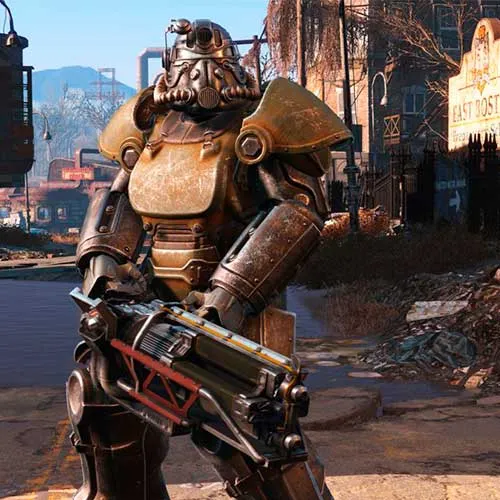
Season Pass ל-Fallout 4 (מפתח PC Steam / גלובלי)
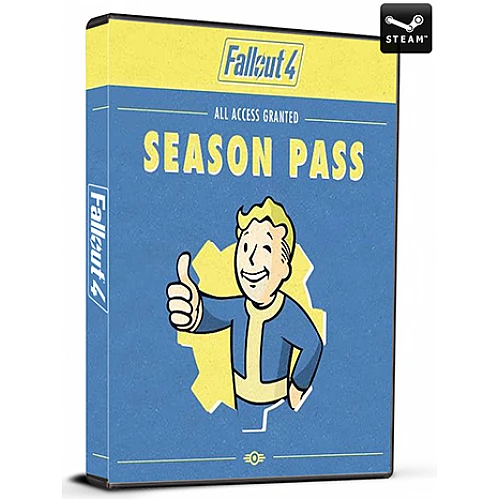
Season Pass ל-Fallout 4 (מפתח PC Steam / גלובלי)

דירוג

ביקורות
מְחִיר
  • $10.99
cards klarna GPay Apple Pay affirm afterpay

רישיון רשמי: גלובלי | תמיכה בארה"ב 24/7 | Gamers Outlet - סידיקי

פּלַטפוֹרמָה
Steam PC Steam Key
נקודות שנצברו
9
זמינות
אין במלאי
תמיכה
תמיכה 24/7
משלוח
משלוח דיגיטלי חינם
האזור שלך
נתמך


$10.99

משלוח מיידי: מפתח למשחק Fallout 4 Season Pass (PC Steam / גלובלי)

שלוש הסיבות העיקריות לרכוש את ה-Season Pass של Fallout 4


1. ה-Season Pass של Fallout 4 מכיל את כל התוספות ש-Bethesda הוציאה למשחק בחבילה אחת מושלמת!
2. "Automatron", "Wasteland Workshop", "Far Harbor", "Contraptions Workshop", "Vault-Tec Workshop" ו-"Nuka-World" – הכל כלול ב-Season Pass!
3. ממכשירים משוגעים שמשפרים את ההתנחלויות שלכם ועד מיקומים וסיפורים חדשים וענקיים, ה-Season Pass מכיל שעות רבות של תוכן חדש ומרתק.

מה כדאי לדעת לפני רכישת Season Pass של Fallout 4
מה כלול ב-Season Pass של Fallout 4?

ה-Season Pass של Fallout 4 כולל:
- "אוטומטרון"
- Wasteland Workshop
- Far Harbor
- סדנת Contraptions
- Vault-Tec Workshop
- נוקה-וורלד

  • האם אקבל חשבונית?
    חשבונית תיווצר אוטומטית עם ביצוע הזמנה.

  • היכן אוכל למצוא את החשבונית שלי?
    לאחר השלמת ההזמנה, החשבונית תהיה זמינה תחת 'החשבון שלי' (בפינה הימנית העליונה של הסרגל העליון) -> 'היסטוריית הזמנות'.

  • האם אני יכול לערוך את החשבונית שלי?
    נכון לעכשיו, אינך יכול לעשות זאת בעצמך. אנא צור קשר עם התמיכה שלנו באמצעות דוא"ל לכתובת [email protected], ונשמח לסייע לך בנושא. לקבלת תהליך מהיר יותר, אנא כלול את מספר ההזמנה וכל מידע רלוונטי שברצונך שיוצג (כגון שמך, מספר תעודת זהות/מס וכו').

  • האם מוצר זה מתאים לכל פלטפורמה?
    לא, מוצר זה ספציפי לפלטפורמת Steam.

  • האם ניתן לממש את המוצר הזה בכל מקום?
    כן, מוצר זה הוא גרסה גלובלית.

  • האם מוצר זה הוא משחק, קרדיט, מנוי או DLC?
    מוצר זה הוא ה-DLC של המשחק - Games Pass ולא יכלול את משחק הבסיס.

  • האם אני יכול להעביר את המשחק הזה לחומרה חדשה או לקונסולה חדשה?
    כן, המפתח הזה מקושר לחשבון Steam שלך.

  • האם יש דרך ספציפית שאני צריך להתקין את המוצר הזה?
    אנא קרא את לשונית 'הפעלה'.

Please follow the steps below to redeem your Steam key:

1) Download and install the Steam client on your PC: https://store.steampowered.com/about/
2) Open the Steam client, log in or create an account if you don't have one, and locate the Games tab on the top menu. Click this and then select "Activate a Product on Steam…"


3) Enter your code into the product activation field


Your game is now viewable in the "Library" tab and is available to download/install when you're ready.
Happy Gaming!

*D* 07/10/2022

I always have a positive experience when shopping on this website. The products are of excellent quality, the prices are fair, and the customer service team is attentive and helpful.

Justin Watts 03/12/2018

Code was good, was able to use the code in the us. And was alot faster than g2a, thanks yall

r.mooren 03/12/2015

worked perfectly , thanks ..again :)

כתוב סקירה

הערה HTML אינו מתורגם!
Captcha
Review Score: 5 / 5
*D* 07/10/2022

I always have a positive experience when shopping on this website. The products are of excellent quality, the prices are fair, and the customer service team is attentive and helpful.

Justin Watts 03/12/2018

Code was good, was able to use the code in the us. And was alot faster than g2a, thanks yall

r.mooren 03/12/2015

worked perfectly , thanks ..again :)

Support