





























If you'd like to buy a big amount of copies, please contact [email protected]
You cannot link this license to a personal account or log into an account while using the software, as the license is tied exclusively to your system or device.
Adobe Photoshop Elements 2026 (Windows) (Licenza a vita - Global)
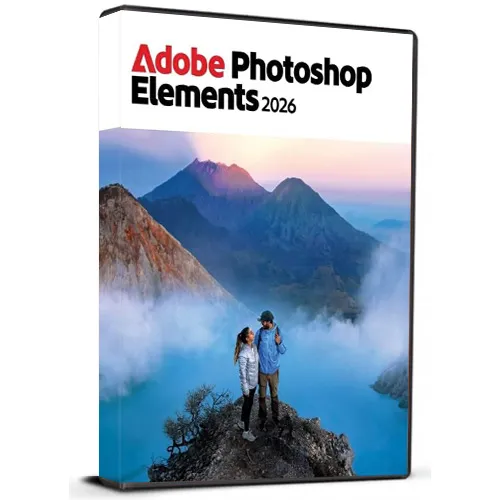

Adobe Photoshop Elements 2026 (Windows) (Licenza a vita - Global)

Rating

Recensioni
Prezzo
  • $51.91
cards klarna GPay Apple Pay affirm afterpay

Licenza Ufficiale: Globale | Supporto USA 24/7 | Gamers Outlet - CD Keys

Piattaforma
Adobe Lifetime License
Punti guadagnati
30
Availability
Disponibile
Assistenza
24/7 Assistenza
Consegna
Consegna digitale gratuita
La tua regione
Supportato

$51.91

Consegna Istantanea: Adobe Photoshop Elements 2026 (Windows) (Lifetime License / Globale) Game Key

Acquista Adobe Photoshop Elements 2026 per Windows con una chiave di licenza a vita e scopri i potenti strumenti di fotoritocco pensati sia per i principianti che per gli utenti esperti. Photoshop Elements semplifica il miglioramento, l'organizzazione, il ritocco e la trasformazione creativa delle tue foto grazie a un'interfaccia intuitiva e a funzioni di editing intelligenti. Questa versione multilingue supporta diverse lingue, permettendoti di utilizzare il software nella tua lingua preferita. Che tu voglia rimuovere oggetti indesiderati, migliorare i colori, creare effetti straordinari, restaurare vecchie foto o realizzare progetti creativi, Photoshop Elements offre un'ampia gamma di strumenti utili.


Caratteristiche del prodotto:

  • Chiave di licenza a vita
  • Per PC Windows
  • Supporto multilingue
  • Strumenti di fotoritocco facili da usare
  • Effetti creativi e miglioramenti
  • Adatto a progetti personali e professionali
  • Consegna in formato digitale


Dopo l'acquisto, riceverai la chiave di licenza e le istruzioni per la scarica, che ti consentiranno di accedere comodamente al software.

Nota: questo prodotto è destinato a Windows e richiede un sistema compatibile.

  • Riceverò una fattura?
    La fattura verrà generata automaticamente al momento dell'invio dell'ordine.

  • Dove posso trovare la mia fattura?
    Una volta completato l'ordine, la fattura sarà disponibile nella sezione "Il mio account" (in alto a destra nella barra superiore) -> "Cronologia ordini"

    .
  • Posso modificare la mia fattura?
    Al momento non è possibile farlo autonomamente. Contatta il nostro servizio di assistenza via e-mail all'indirizzo [email protected] e saremo lieti di aiutarti. Per velocizzare la procedura, ti preghiamo di includere il numero d’ordine e tutte le informazioni rilevanti che desideri vengano riportate (come il tuo nome, il numero di identificazione fiscale, ecc.).

  • Posso installarlo su macOS?
    No, questo prodotto non supporta macOS.

  • Posso attivare questo prodotto da qualsiasi luogo?
    Sì, questo prodotto è una versione Global.

  • Posso trasferire questo prodotto su un nuovo dispositivo?
    No, il codice è valido per 1 PC o 1 installazione: se disinstalli o reinstalli il prodotto, potrebbe essere necessario acquistare un nuovo codice.

  • C’è un modo specifico per installare questo prodotto?
    Per ulteriori informazioni, si prega di consultare la scheda “Attivazione”.

Please follow below mentioned steps:


1. Download the Software Download link: Download Adobe Photoshop 2026 ZIP

Please note: You need to download the ZIP folder first. After the download is complete, you must extract (unzip) the ZIP folder using WinRAR, 7-Zip, or the Windows default extractor.


2. Extract the ZIP Folder

Step 1: Locate the downloaded ZIP file on your windows computer.

Step 2: Right-click the ZIP file. 

Step 3: Choose Extract All... (Windows) or use WinRAR / 7-Zip and select an extraction option. 

Step 4: Wait until the extraction is finished. 

Step 5: Open the newly created extracted folder.


Important: Do not start the installation directly from inside the ZIP file. The software must be installed from the fully extracted folder. Starting the installer from the ZIP folder may cause the installation to fail or not work correctly.


3. Start the Installation

Step 1: Open the extracted folder.

Step 2: Locate the installation/setup file provided in the folder.

Step 3: Double-click the setup/installer and follow the on-screen installation instructions.

Step 4: Allow the installer to complete before launching the application.


4. You may refer to Video Installation Guide Link

If you prefer a visual walkthrough, use the video guide above and follow the same extraction and installation steps shown in this PDF.

✓ Download the ZIP folder

✓ Wait for the download to finish

✓ Extract the ZIP using Windows Extract All, WinRAR, or 7-Zip

✓ Open the extracted folder

✓ Start installation from the extracted folder

✗ Do NOT install directly from inside the ZIP folder

There are no reviews for this product.

Write a review

Note: HTML is not translated!
Captcha
Support


