la fattura verrà generata automaticamente al momento dell'effettuazione dell'ordine
Lingue disponibili: MULTILINGUA
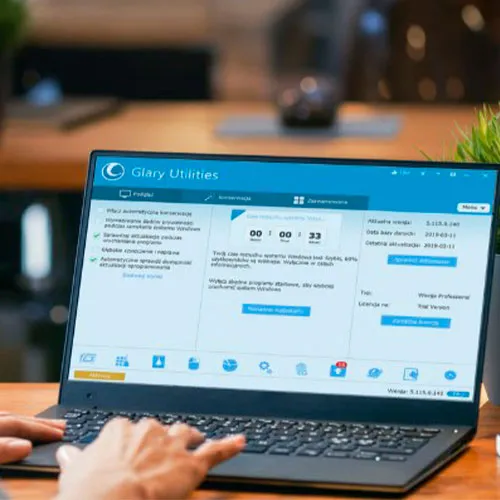
Questo codice funziona solo con la versione Glary Utilities Pro 5.
-Fornisce una soluzione unica per l'ottimizzazione delle prestazioni del PC
- Aumenta la velocità del PC e corregge errori, arresti anomali e blocchi fastidiosi
-Funzionalità con un clic e opzioni semplici e automatizzate
-Protegge la tua privacy e rende il tuo computer più veloce e pulito

- Riceverò una fattura?
La fattura verrà generata automaticamente al momento dell'effettuazione dell'ordine.
- Dove posso trovare la mia fattura?
Una volta completato l'ordine, la fattura sarà disponibile in "Il mio account" (angolo in alto a destra della barra superiore) -> "Cronologia ordini".
- Posso modificare la mia fattura?
Al momento, non è possibile farlo autonomamente. Contatta il nostro supporto via e-mail all'indirizzo [email protected] e saremo lieti di aiutarti. Per una procedura più rapida, includi il numero d'ordine e qualsiasi informazione pertinente che desideri venga visualizzata (come nome, codice fiscale/codice fiscale, ecc.).
- Posso installarlo su macOS?
No, questo prodotto non supporta MacOS.
- Posso riscattare questo prodotto ovunque?
Sì, questo prodotto è una versione globale.
- Posso trasferire questo prodotto su un nuovo hardware?
No, il codice è valido per 1 PC o 1 installazione. Se lo disinstalli o lo reinstalli, potresti dover acquistare un nuovo codice.
- C'è un modo specifico per installare questo prodotto?
Questo codice funziona solo con la versione Glary Utilities Pro 5.
Per maggiori informazioni, leggere la scheda "Attivazione".
ACTIVATION INSTRUCTIONS:
1- Please click on the following link to download the setup files for version 5: https://download.glarysoft.com/gu5setup.exe
*The official website now only offers version 6, so you can't use that link anymore
2- Once the file is downloaded, launch it and follow the instructions to install it.
When prompted, use the key that you received from us for the activation of the software.
3- After opening the application, you will see an option to "skip this version". Please select that option, then click "Activate Now". (see image below)

Follow the activation process and your software will be ready to use.
4- Once you have everything set up, go to the settings within the software and look for an option that refers to updates.
If there is a checkmark or some kind of selection next to "Automatically Check for Updates" or similar, uncheck or deselect it to prevent the software from automatically updating to a different version.