Attivazione immediata: Microsoft Office 2016 Pro Plus (attivazione tramite telefono) (licenza a vita / Globale) Chiave CD
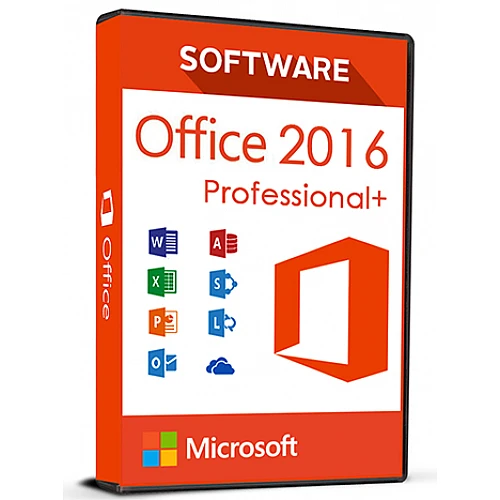
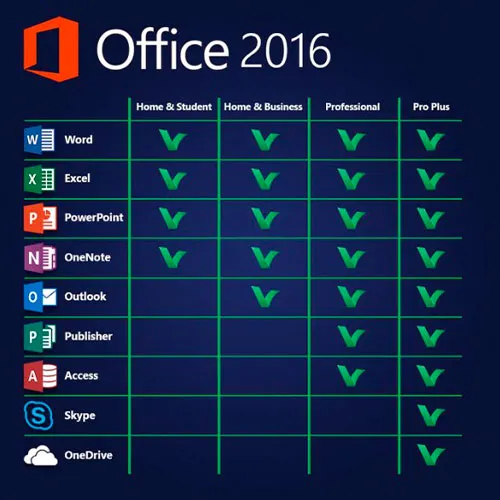
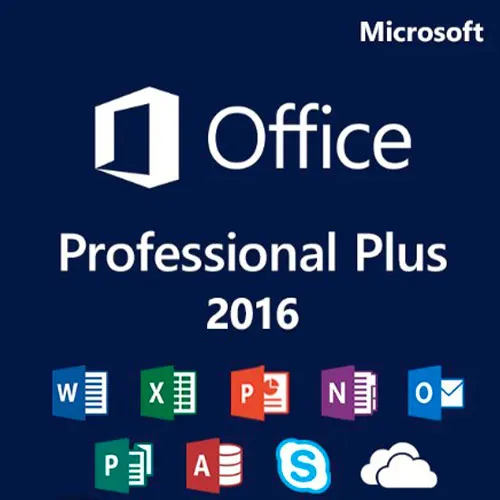
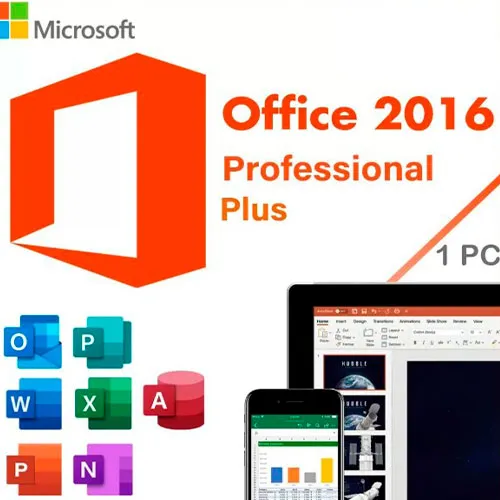
Questa versione di MS Office 2016 contiene
Word, Excel, PowerPoint, OneNote, Outlook, Publisher, Skype for
Business e Access, da utilizzare in modo permanente su 1 PC (utilizzabile
una sola volta). Crea lettere tipo o database, gestisci grafici e tabelle,
progetta presentazioni, organizza le e-mail e molto altro ancora!
Microsoft Office Professional Plus 2016 è destinato principalmente alle
aziende e soddisfa anche le aspettative più elevate. Con i
programmi Word, Excel, PowerPoint, OneNote, Outlook, Publisher, Access
e Skype for Business, Office Professional Plus 2016 soddisfa tutti i
requisiti richiesti a un software per ufficio completo. Che si tratti di
creare lettere tipo, gestire grafici e tabelle, progettare
presentazioni, creare database o organizzare le e-mail, i vostri
progetti professionali o privati possono essere realizzati con le applicazioni Office
in un batter d’occhio.
ISTRUZIONI PER L’ATTIVAZIONE:
1. Scarica il programma di installazione ufficiale da questo link:
Qui2. Inserisci la chiave del prodotto che ti abbiamo fornito per attivare il software.
3. Seleziona l’opzione “Attiva per telefono”.
Per istruzioni più dettagliate, visita la sezione Scarica e clicca sul pulsante “Come attivare”.
Offriamo anche Windows 11 chiavi CD QUI Office 2021 Chiavi CD QUI 
- Riceverò una fattura?
La fattura verrà generata automaticamente al momento dell'ordine.
- Dove posso trovare la mia fattura?
Una volta completato l'ordine, la fattura sarà disponibile nella sezione "Il mio account" (in alto a destra nella barra superiore) -> "Cronologia ordini".
- Posso modificare la mia fattura?
Al momento non è possibile farlo autonomamente. Si prega di contattare il nostro supporto via e-mail all'indirizzo [email protected]; saremo lieti di aiutarvi. Per velocizzare la procedura, si prega di includere il numero d'ordine e qualsiasi altra informazione rilevante che si desidera visualizzare (come nome, codice fiscale/partita IVA, ecc.).
- Posso installarlo su macOS?
No, questo prodotto non è compatibile con MacOS.
- Posso riscattare questo prodotto da qualche parte?
Sì, questo prodotto è una versione globale.
- Posso trasferire questo prodotto su un nuovo hardware?
No, il codice è valido per 1 PC o 1 installazione. Se disinstalli o reinstalli il programma, potresti dover acquistare un nuovo codice.
- C'è una procedura specifica che devo seguire per installare questo prodotto?
Si prega di leggere la scheda "Attivazione".
- E se avessi bisogno di un'etichetta COA per quel prodotto?
Su richiesta e con un costo aggiuntivo, è possibile scansionare e ricevere la stampa dell'etichetta del certificato di analisi (COA).
ACTIVATION INSTRUCTIONS:
Download the official ISO/image to activate: https://officecdn.microsoft.com/pr/492350f6-3a01-4f97-b9c0-c7c6ddf67d60/media/en-US/ProPlusRetail.img
1-After installation, open Word (or any Office app)
When the Office Activation Wizard appears, select “Activate by phone.”
The wizard will display your Installation ID (IID) - you will need this shortly.
The IID is shown as 9 groups of 7 digits.
2-Go to the activation website
Open your browser and go to: https://aka.ms/aoh
3-Sign in
Choose Microsoft Account as the login method and sign in with your Microsoft account.
4-Select “Activate a Microsoft Product”
On the first page, click Activate a Microsoft Product.
5-Choose the product type
Select the category that matches what you are activating:
- Windows → for Windows activation
- Microsoft Office → for Office, Project, or Visio
- Windows Server, etc., if applicable
Note: For Project and Visio, choose Microsoft Office.
6-Select your operating system
7-Choose the product version
Select the version you are activating, for example:
- Office / Project / Visio 2024
- Office / Project / Visio 2021
- Office / Project / Visio 2019, etc.
8-Enter your Installation ID (IID)
You will see nine empty boxes.
Enter each group of digits from your IID into the matching box (9 groups of 7 digits).
When finished, submit the form to continue.
9-Answer the usage question
When asked, “How many computers have you installed this copy on?”
Type 0, then continue.
10-Receive your Confirmation ID
The website will display your Confirmation ID.
11-Enter the Confirmation ID into your PC
Return to the Office activation wizard and enter the Confirmation ID to finish activation.
Video Guide:









































 Lifetime License


