Attivazione immediata: Microsoft Office 2021 Pro Plus (attivazione tramite telefono) (licenza a vita / Globale) Chiave CD
Cosa è incluso in Microsoft Office 2021 Professional Plus (ISO)
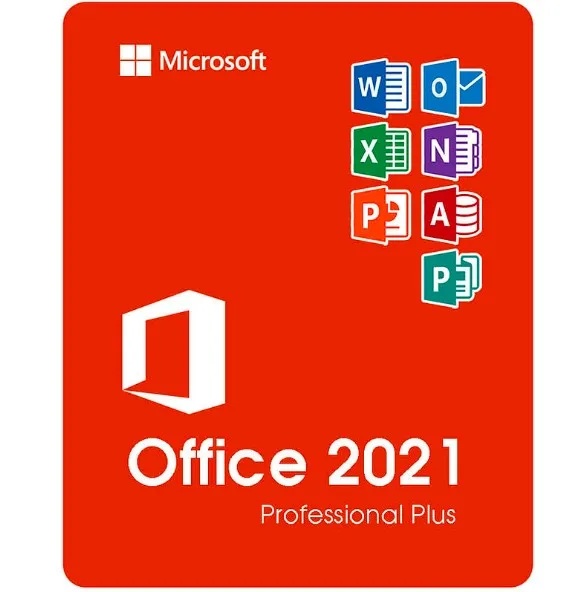
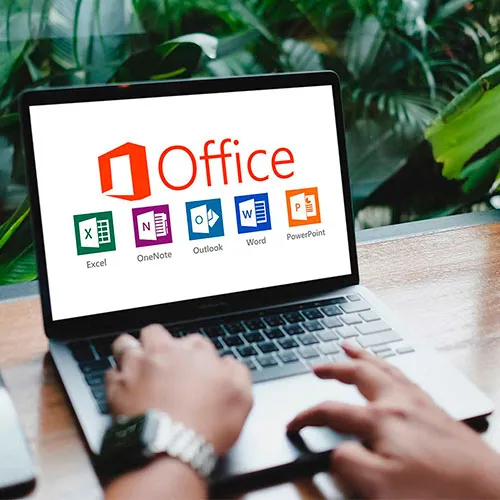
Microsoft Office 2021 Professional Plus è la versione più completa di Office, acquistabile una tantum, destinata agli utenti Windows. Questa edizione include tutte le principali applicazioni Microsoft per la produttività utilizzate in ambito aziendale, scolastico e professionale:
Word 2021 – Creazione e modifica avanzata di documenti
Excel 2021 – Fogli di calcolo potenti, analisi dei dati e formule
PowerPoint 2021 – Presentazioni professionali e strumenti di progettazione
Outlook 2021 – Gestione di e-mail, calendario e contatti
Publisher 2021 – Materiali di marketing, brochure e impaginazioni
Access 2021 – Creazione e gestione di database (solo Windows)
Riceverai le versioni desktop complete di questi programmi, senza bisogno di alcun abbonamento.
Cosa significa “Professional Plus” (rispetto alle versioni Home e Business)
Office 2021 è disponibile in diverse edizioni, ma “Professional Plus” è la versione di livello più alto.
Versione | App incluse | Ideale per |
|---|
Home & Student | Word, Excel, PowerPoint | Studenti e uso domestico |
Casa e lavoro | Word, Excel, PowerPoint, Outlook | Utenti di piccole imprese |
Professional Plus | Word, Excel, PowerPoint, Outlook, Publisher, Access | Professionisti, aziende, utenti esperti |
Professional Plus include anche Access e Publisher, rendendolo ideale per:
Aziende che gestiscono dati
Materiali di marketing e progettazione
Ambienti Office che richiedono funzionalità complete
Sistemi e lingue supportati
Questo prodotto funziona su:
✔ Windows
10✔ Windows
11❌ Non compatibile con MacOS, Chromebook, iOS o Android.
Supporto linguistico:
l’ISO consente l’installazione in diverse lingue supportate da Microsoft, tra cui inglese, spagnolo, tedesco, francese, italiano e molte altre.
Come funziona la consegna
Dopo l'acquisto:
Riceverai immediatamente la tua chiave di attivazione via e-mail.
Riceverai un link per scaricare il file ISO Office 2021.
Segui i semplici passaggi di installazione.
Attiva Office utilizzando la tua chiave del prodotto.
Non viene spedito alcun disco fisico: tutto è digitale e immediato.
Che cos’è il file ISO Office 2021?
Un file ISO è un'immagine di installazione completa di Microsoft Office. Ti permette di:
Installa Office senza bisogno di un abbonamento a un account Microsoft
Conservare una copia per future reinstallazioni
Installa anche senza una connessione Internet costante
Come utilizzare il file ISO
Scarica il file ISO.
Fai clic con il tasto destro del mouse sul file → seleziona "Monta".
Esegui Setup.exe per installare Office.
Inserisci la chiave del prodotto quando richiesto.
L'ISO contiene il pacchetto di installazione ufficiale di Office utilizzato per le distribuzioni di sistema.
Perché scegliere la versione ISO?
✔
Pacchetto di installazione completo di Office✔ Utile per utenti esperti e
ambienti IT✔ Comodo per le
reinstallazioni✔ Nessun canone di abbonamento: si paga una volta sola e si usa per sempre
- Riceverò una fattura?
La fattura verrà generata automaticamente al momento dell'ordine.
- Dove posso trovare la mia fattura?
Una volta completato l'ordine, la fattura sarà disponibile nella sezione "Il mio account" (in alto a destra nella barra superiore) -> "Cronologia ordini".
- Posso modificare la mia fattura?
Al momento non è possibile farlo autonomamente. Si prega di contattare il nostro supporto via e-mail all'indirizzo [email protected]; saremo lieti di aiutarvi. Per velocizzare la procedura, si prega di includere il numero d'ordine e qualsiasi altra informazione rilevante che si desidera visualizzare (come nome, codice fiscale/partita IVA, ecc.).
- Posso installarlo su macOS?
No, questo prodotto non è compatibile con macOS, ma solo con Windows 10 e 11.
- Posso riscattare questo prodotto da qualche parte?
Sì, questo prodotto è una versione globale.
- Posso trasferire questo prodotto su un nuovo hardware?
No, il codice è valido per 1 PC o 1 installazione. Se disinstalli o reinstalli il programma, potresti dover acquistare un nuovo codice.
- C'è una procedura specifica che devo seguire per installare questo prodotto?
Si prega di leggere la scheda "Attivazione".
- E se avessi bisogno di un'etichetta COA per quel prodotto?
Su richiesta e con un costo aggiuntivo, è possibile scansionare e ricevere la stampa dell'etichetta del certificato di analisi (COA).
ACTIVATION INSTRUCTIONS:
Download the official ISO/image to activate: https://officecdn.microsoft.com/pr/492350f6-3a01-4f97-b9c0-c7c6ddf67d60/media/en-us/ProPlus2021Retail.img (Other languages can be found below)
1-After installation, open Word (or any Office app)
When the Office Activation Wizard appears, select “Activate by phone.”
The wizard will display your Installation ID (IID) - you will need this shortly.
The IID is shown as 9 groups of 7 digits.
2-Go to the activation website
Open your browser and go to: https://aka.ms/aoh
3-Sign in
Choose Microsoft Account as the login method and sign in with your Microsoft account.
4-Select “Activate a Microsoft Product”
On the first page, click Activate a Microsoft Product.
5-Choose the product type
Select the category that matches what you are activating:
- Windows → for Windows activation
- Microsoft Office → for Office, Project, or Visio
- Windows Server, etc., if applicable
Note: For Project and Visio, choose Microsoft Office.
6-Select your operating system
7-Choose the product version
Select the version you are activating, for example:
- Office / Project / Visio 2024
- Office / Project / Visio 2021
- Office / Project / Visio 2019, etc.
8-Enter your Installation ID (IID)
You will see nine empty boxes.
Enter each group of digits from your IID into the matching box (9 groups of 7 digits).
When finished, submit the form to continue.
9-Answer the usage question
When asked, “How many computers have you installed this copy on?”
Type 0, then continue.
10-Receive your Confirmation ID
The website will display your Confirmation ID.
11-Enter the Confirmation ID into your PC
Return to the Office activation wizard and enter the Confirmation ID to finish activation.
More languages:
https://www.gamers-outlet.net/download-office-2021-professional-plus-download-links-languages
Video Guide:











































 Lifetime License


