Se desideri acquistare un gran numero di copie, contatta [email protected]
Questa è la versione RETAIL dell'attivazione telefonica di Office 2019.
Il codice è valido per 1 PC / 1 installazione - se disinstalli/reinstalli potrebbe essere necessario acquistare un nuovo codice.
Microsoft Office 2019 Pro Plus Retail (Attivazione tramite telefono) (Licenza a vita / Global)

Microsoft Office 2019 Pro Plus Retail (Attivazione tramite telefono) (Licenza a vita / Global)
Rating

Recensioni
Prezzo
  • $8.63
cards klarna GPay Apple Pay affirm afterpay

Licenza ufficiale: Globale | Assistenza negli Stati Uniti 24 ore su 24, 7 giorni su 7 | Gamers Outlet - Chiavi CD

Piattaforma
Microsoft Lifetime License
Punti guadagnati
7
Availability
Disponibile
Assistenza
24/7 Assistenza
Consegna
Consegna digitale gratuita
La tua regione
Supportato
Opzioni disponibili per Office 2019 options

$8.63

Attivazione immediata: Microsoft Office 2019 Pro Plus Retail (Attivazione telefonica) (Licenza a vita / Globale) Chiave CD

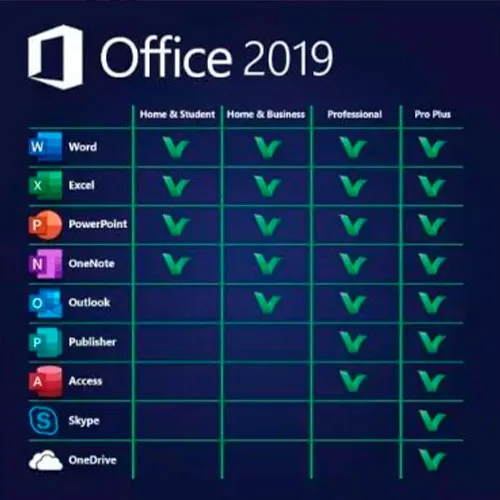
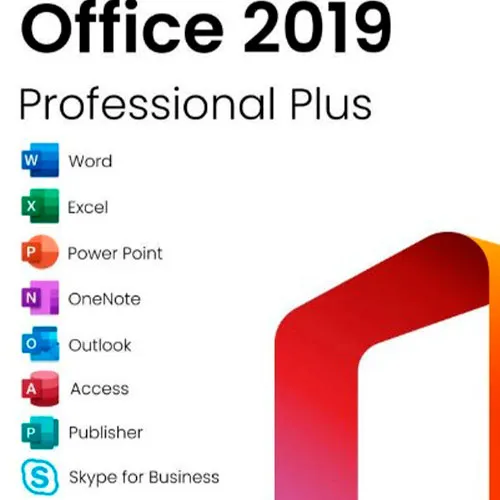
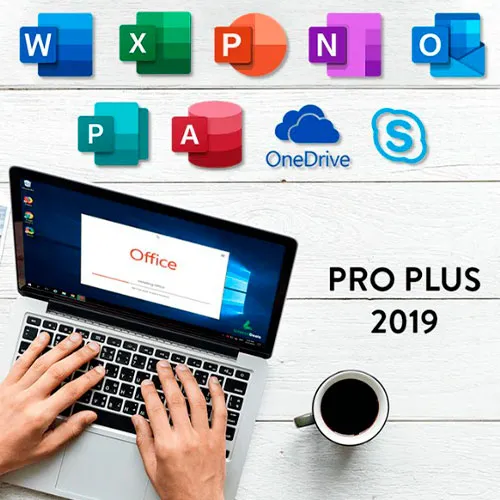
Microsoft Office 2019 Professional Plus include le versioni classiche 2019 di Word, Excel, PowerPoint, OneNote, Outlook, Access, Publisher e Skype for Business.

Office 2019 Professional Plus è uno strumento potente che noi utenti finali utilizziamo quasi quotidianamente. Per il lavoro, per lo studio, per prendere appunti e per inviare e-mail. Office 2019 Pro Plus offre un nuovo design e nuove funzionalità che renderanno la nostra vita ancora più facile! Affrettati ad acquistare la tua copia al prezzo più conveniente sul mercato. Disponibilità garantita con assistenza 24 ore su 24, 7 giorni su 7.

ISTRUZIONI PER L’ATTIVAZIONE:

1. Scarica il programma di installazione ufficiale da questo link: Qui
2. Inserisci la chiave del prodotto che ti abbiamo fornito per attivare il software.
3. Seleziona l’opzione “Attiva per telefono”.

Per istruzioni più dettagliate, visita la sezione Scarica e clicca sul pulsante "Come attivare".

  • Riceverò una fattura?
    La fattura verrà generata automaticamente al momento dell'ordine.

  • Dove posso trovare la mia fattura?
    Una volta completato l'ordine, la fattura sarà disponibile nella sezione "Il mio account" (in alto a destra nella barra superiore) -> "Cronologia ordini".

  • Posso modificare la mia fattura?
    Al momento non è possibile farlo autonomamente. Si prega di contattare il nostro supporto via e-mail all'indirizzo [email protected]; saremo lieti di aiutarvi. Per velocizzare la procedura, si prega di includere il numero d'ordine e qualsiasi altra informazione rilevante che si desidera visualizzare (come nome, codice fiscale/partita IVA, ecc.).

  • Posso installarlo su macOS?
    No, questo prodotto non è compatibile con MacOS.

  • Posso riscattare questo prodotto da qualche parte?
    Sì, questo prodotto è una versione globale.

  • Posso trasferire questo prodotto su un nuovo hardware?
    No, il codice è valido per 1 PC o 1 installazione. Se disinstalli o reinstalli il programma, potresti dover acquistare un nuovo codice.

  • C'è una procedura specifica che devo seguire per installare questo prodotto?
    Si prega di leggere la scheda "Attivazione".

  • E se avessi bisogno di un'etichetta COA per quel prodotto?
    Su richiesta e con un costo aggiuntivo, è possibile scansionare e ricevere la stampa dell'etichetta del certificato di analisi (COA).

ACTIVATION INSTRUCTIONS:

Download the official ISO/image to activate: https://officecdn.microsoft.com/pr/492350f6-3a01-4f97-b9c0-c7c6ddf67d60/media/en-US/ProPlus2019Retail.img 

1-After installation, open Word (or any Office app)
When the Office Activation Wizard appears, select “Activate by phone.”
The wizard will display your Installation ID (IID) - you will need this shortly.
The IID is shown as 9 groups of 7 digits.

2-Go to the activation website
Open your browser and go to: https://aka.ms/aoh

3-Sign in
Choose Microsoft Account as the login method and sign in with your Microsoft account.

4-Select “Activate a Microsoft Product”
On the first page, click Activate a Microsoft Product.

5-Choose the product type
Select the category that matches what you are activating:

  • Windows → for Windows activation
  • Microsoft Office → for Office, Project, or Visio
  • Windows Server, etc., if applicable

Note: For Project and Visio, choose Microsoft Office.

6-Select your operating system

7-Choose the product version
Select the version you are activating, for example:

  • Office / Project / Visio 2024
  • Office / Project / Visio 2021
  • Office / Project / Visio 2019, etc. 

8-Enter your Installation ID (IID)
You will see nine empty boxes.
Enter each group of digits from your IID into the matching box (9 groups of 7 digits).
When finished, submit the form to continue.

9-Answer the usage question
When asked, “How many computers have you installed this copy on?”
Type 0, then continue.

10-Receive your Confirmation ID
The website will display your Confirmation ID.

11-Enter the Confirmation ID into your PC
Return to the Office activation wizard and enter the Confirmation ID to finish activation.


For other Office languages, scroll down here: https://gamersoutlet.zendesk.com/hc/en-us/articles/360058263113-Office-2019-pro-plus-activation-methods 

Video Guide:


Frank 10/11/2023

Wasn't 100% sure on activation so contacted Support. In just a few minutes they replied with the necessary information. Activation of Office 2019 Pro was successful. Thank you!

Konstantinos 14/04/2023

Purchased a phone activation key. During the activation, I got informed that the key was not valid.
After contacting the support, they provide me immediately with a valid key and activated my product.
I will buy again for sure!

Saj Gul 24/01/2023

First class service and delivery

Saj Gul 24/01/2023

First class delivery and service

Zoilo Garcia 10/01/2023

Habria que renovarlas anualmente o son perpetuas?

Write a review

Note: HTML is not translated!
Captcha
Review Score: 5 / 5
Frank 10/11/2023

Wasn't 100% sure on activation so contacted Support. In just a few minutes they replied with the necessary information. Activation of Office 2019 Pro was successful. Thank you!

Konstantinos 14/04/2023

Purchased a phone activation key. During the activation, I got informed that the key was not valid.
After contacting the support, they provide me immediately with a valid key and activated my product.
I will buy again for sure!

Saj Gul 24/01/2023

First class service and delivery

Saj Gul 24/01/2023

First class delivery and service

Zoilo Garcia 10/01/2023

Habria que renovarlas anualmente o son perpetuas?

Support