Anno 1503 History Edition Europe (PC Ubisoft Connect Key / Europe)
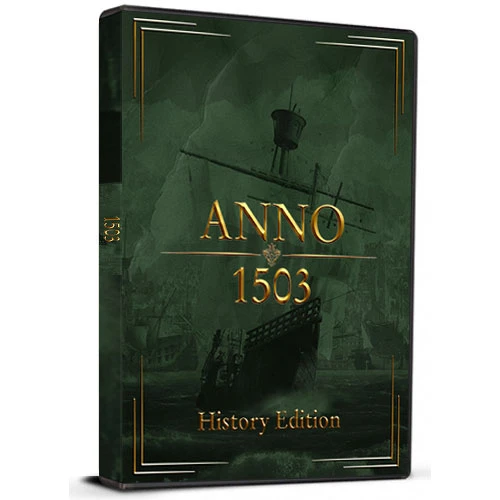
Anno 1503 History Edition Europe (PC Ubisoft Connect Key / Europe)
Rating

レビュー
価格
  • $5.88
cards klarna GPay Apple Pay affirm afterpay

公式ライセンス: ヨーロッパ | 24時間年中無休の米国サポート | Gamers Outlet - CD Keys

プラットフォーム
Uplay PC Ubisoft Connect Key
獲得ポイント
5
在庫状況
在庫切れ
サポート
24/7 サポート
配送
無料のデジタル配送
あなたの地域
非対応

$5.88

即時配信: Anno 1503 History Edition ヨーロッパ (PC Ubisoft Connect Key / ヨーロッパ) Game Key

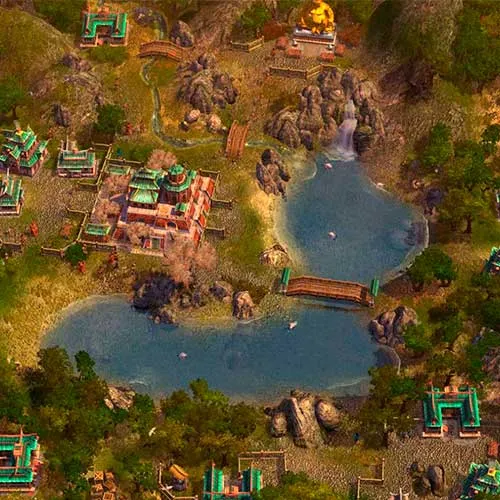
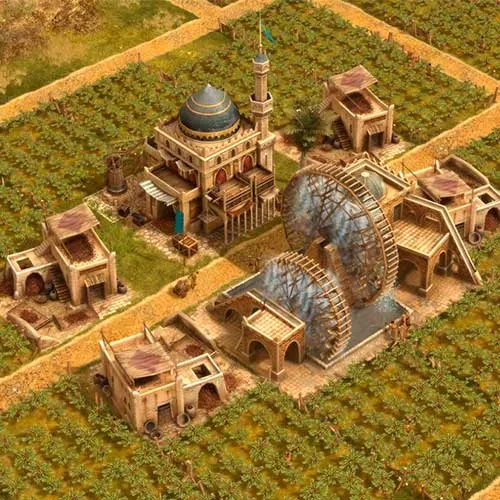
Anno 1503 History Editionは、Max Design Games Studioが開発し、Ubisoftが2003年に発売したリアルタイムストラテジーゲームです。人気シリーズ「Anno」をベースにした本作は、中世を舞台にしたターン制ストラテジーゲームです。プレイヤーは入植者のコロニーを運営し、資源を活用して都市を建設し、経済を発展させていきます。また、充実した交易システムと多彩な軍事オプションも用意されています。

『Anno 1503 History Edition』は『Anno 1503』のリマスター版で、2012年にリリースされました。グラフィックの向上、経済バランスの調整、マルチプレイヤーモードなどの新コンテンツが追加されています。プレイヤーは4段階の難易度から選択でき、ゲームのパラメーターをカスタマイズして独自のゲーム体験を楽しむことができます。また、『Anno 1503 World Editor』という機能も搭載されており、プレイヤーは独自のマップやシナリオを作成できます。

総じて、『Anno 1503 History Edition』は楽しめる戦略ゲームであり、Annoシリーズへの素晴らしい追加作品と言えるでしょう。グラフィックの向上、経済バランスの調整、そして新たなコンテンツによって、プレイヤーは没入感のあるゲーム体験を味わうことができます。また、本作は高度なMOD対応が可能で、プレイヤーは独自のシナリオやマップを作成できます。繰り返しプレイできる本作は、何時間でも楽しめること間違いなしです。


  • 請求書は届きますか?
    ご注文いただくと、請求書が自動的に作成されます。

  • 請求書はどこで確認できますか?
    注文が完了すると、請求書は「マイアカウント」(上部バーの右上隅)→「注文履歴」から確認できます。

  • 請求書を編集できますか?
    現在、お客様ご自身でこの操作を行うことはできません。[email protected]までメールにてサポートにお問い合わせください。喜んでお手伝いさせていただきます。より迅速な対応のため、ご注文番号と表示をご希望される関連情報(氏名、身分証明書番号/納税者番号など)をメールにご記入ください。

  • この製品はすべてのプラットフォームに対応していますか?
    いいえ、この製品はUplayプラットフォーム専用です。

  • この商品はどこでも引き換えられますか?
    いいえ、この製品はヨーロッパからのみアクティベート可能です。
    対応している国の一覧を見るには、「お住まいの地域を確認してください」ボタンをクリックしてください。


  • この商品はゲーム、クレジット、サブスクリプション、それともDLCですか?
    この製品は、基本ゲームのヒストリーエディションです。

  • このゲームを新しいハードウェアや新しいコンソールに移行できますか?
    はい、このキーはあなたのUplayアカウントに紐付けられています。

  • この製品をインストールするにあたって、何か特別な手順が必要ですか?
    「アクティベーション」タブをお読みください。

To activate your product key on the Ubisoft Connect client, please follow these simple steps: 

  1. Download and open Ubisoft Connect: https://ubisoftconnect.com/#experience-pc-section
  2. If you don't have an account, create one or log in: https://www.ubisoft.com/help/article/000078663
  3. Click the 3 lines icon in the top left corner of the application: https://imgur.com/a/aMlMQLg
  4. Choose "Activate a key" from the dropdown menu.
  5. Enter your product key into the "Activation Code" field.
  6. Click "Activate" to confirm.

The game/downloadable content will now appear in your library.

tan gian 16/03/2023

The ease of navigation and the fantastic product range on this website keep me coming back. Their customer service is always attentive and willing to assist with any issues.

レビューを書く

注: HTML は翻訳されません!
Captcha
Review Score: 5 / 5
tan gian 16/03/2023

The ease of navigation and the fantastic product range on this website keep me coming back. Their customer service is always attentive and willing to assist with any issues.

Support