Arizona Sunshine - Deluxe Upgrade DLC (PC Steam Key / Global)

Arizona Sunshine - Deluxe Upgrade DLC (PC Steam Key / Global)
Rating

レビュー
価格
  • $2.46
cards klarna GPay Apple Pay affirm afterpay

公式ライセンス: グローバル | 24時間年中無休の米国サポート | Gamers Outlet - CD Keys

プラットフォーム
Steam PC Steam Key
獲得ポイント
2
在庫状況
在庫切れ
サポート
24/7 サポート
配送
無料のデジタル配送
あなたの地域
対応済み

$2.46

即時配信: Arizona Sunshine - Deluxe Upgrade DLC (PC Steam Key / グローバル) Game Key

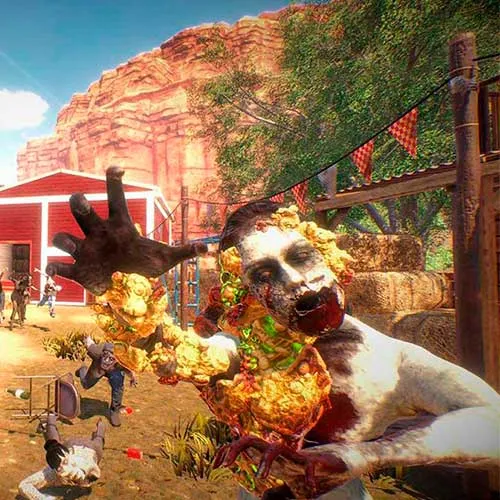
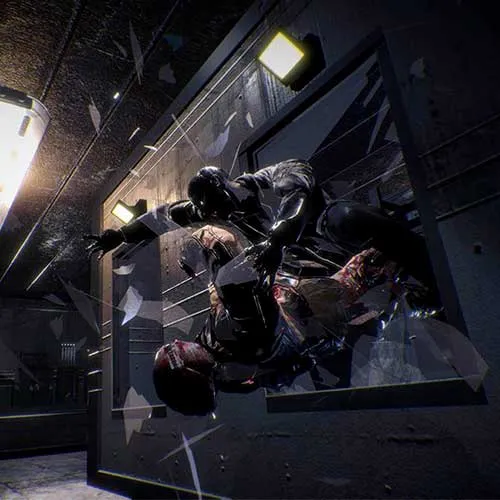
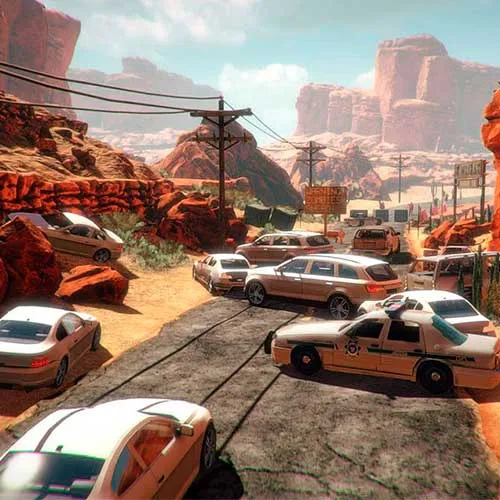
『Arizona Sunshine – Deluxe Upgrade DLC』は、Vertigo Gamesが開発した人気ゾンビシューティングゲーム『Arizona Sunshine』の追加コンテンツです。このDLCでは、Mini-14ライフルなどの武器やコンテンツがゲームに追加されます。また、プレイヤーは「The Dead Valley」と「The Last Resort」という2つの限定レベルにもアクセスできます。さらに、ハードコアプレイヤー向けに新たな難易度「I am Legend」も追加されます。加えて、このDLCでは、様々な限定アイテムを使ってキャラクターをカスタマイズすることも可能です。

ゲームプレイ

Arizona Sunshine – Deluxe Upgrade DLCは、終末世界を舞台にゾンビの大群と戦う一人称視点シューティングゲームです。プレイヤーは、ピストル、ショットガン、アサルトライフルなど、様々な武器から選択してゾンビの大群と戦うことができます。また、最大3人のフレンドと協力してゾンビの大群に立ち向かう協力プレイモードも搭載されています。さらに、昼夜で出現する敵や武器が異なる独自の「昼夜システム」も採用されています。

特徴

『Arizona Sunshine – Deluxe Upgrade DLC』は、プレイヤーに様々な機能を提供します。限定レベル「The Dead Valley」と「The Last Resort」に加え、新たな難易度「I am Legend」が追加されます。また、帽子やシャツなどの限定アイテムでキャラクターをカスタマイズすることも可能です。さらに、Oculus RiftとHTC Viveに対応し、最大4人までプレイ可能な協力マルチプレイヤーモードも搭載。物理移動とテレポートの両方に対応しているため、プレイヤーは自由に移動できます。


  • 請求書は届きますか?
    ご注文いただくと、請求書が自動的に作成されます。

  • 請求書はどこで確認できますか?
    注文が完了すると、請求書は「マイアカウント」(上部バーの右上隅)→「注文履歴」から確認できます。

  • 請求書を編集できますか?
    現在、お客様ご自身でこの操作を行うことはできません。[email protected]までメールにてサポートにお問い合わせください。喜んでお手伝いさせていただきます。より迅速な対応のため、ご注文番号と表示をご希望される関連情報(氏名、身分証明書番号/納税者番号など)をメールにご記入ください。

  • この製品はすべてのプラットフォームに対応していますか?
    いいえ、この製品はSteamプラットフォーム専用です。

  • この商品はどこでも引き換えられますか?
    はい、この製品はグローバル版です。

  • この商品はゲーム、クレジット、サブスクリプション、それともDLCですか?
    本製品はゲームのダウンロードコンテンツ(DLC)であり、基本ゲームは含まれていません。

  • このゲームを新しいハードウェアや新しいコンソールに移行できますか?
    はい、このキーはあなたのSteamアカウントに紐付けられています。

  • この製品をインストールするにあたって、何か特別な手順が必要ですか?
    「アクティベーション」タブをお読みください。

Please follow the steps below to redeem your Steam key:

1) Download and install the Steam client on your PC: https://store.steampowered.com/about/
2) Open the Steam client, log in or create an account if you don't have one, and locate the Games tab on the top menu. Click this and then select "Activate a Product on Steam…"


3) Enter your code into the product activation field


Your game is now viewable in the "Library" tab and is available to download/install when you're ready.
Happy Gaming!

Ellen A M 12/03/2023

I am consistently impressed with the wide variety of products available on this website. The user-friendly interface makes shopping a breeze, and the customer service team is always helpful and attentive.

レビューを書く

注: HTML は翻訳されません!
Captcha
Review Score: 5 / 5
Ellen A M 12/03/2023

I am consistently impressed with the wide variety of products available on this website. The user-friendly interface makes shopping a breeze, and the customer service team is always helpful and attentive.

Support