大量にご購入をご希望の場合は、[email protected]までご連絡ください。
このコードは1台のPC/1回のインストールにのみ有効です。アンインストール/再インストールを行う場合は、新しいコードを購入する必要がある場合があります。
Microsoft Windows サーバー・データセンター 2025(永久ライセンス/グローバル版)
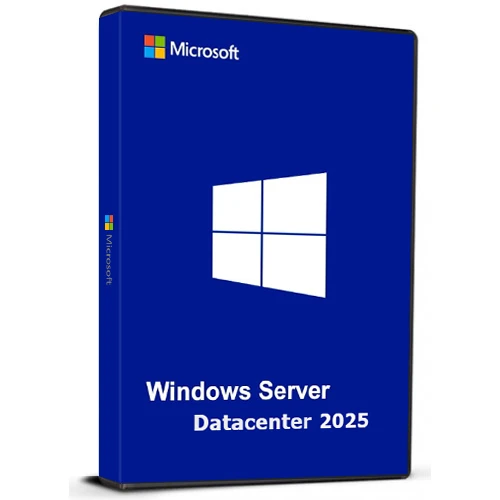

Microsoft Windows サーバー・データセンター 2025(永久ライセンス/グローバル版)

Rating

レビュー
価格
  • $17.24
cards klarna GPay Apple Pay affirm afterpay

公式ライセンス: グローバル | 24時間年中無休の米国サポート | Gamers Outlet - CD Keys

プラットフォーム
Microsoft Lifetime License
獲得ポイント
15
在庫状況
在庫あり
サポート
24/7 サポート
配送
無料のデジタル配送
あなたの地域
対応済み
利用可能なオプション Windows Server Option

$17.24

即時有効化: Microsoft Windows Server Datacenter 2025 (Lifetime License / グローバル) CD Key

Windows Server Datacenter 2025は、企業向けに拡張性、セキュリティ、ハイブリッド対応性に優れたプラットフォームを提供します。オンプレミス環境とクラウド環境の両方で、大規模かつデータ集約型のアプリケーションを管理できるように設計されています。

主な特長:

ハイブリッドクラウド統合
Azure Arc を通じてオンプレミスとクラウドのリソースを管理することで、統一されたエクスペリエンスを実現します。
高度なセキュリティ
Active Directoryのアップグレードにより、IDとデータのセキュリティが強化され、保護機能がさらに向上しました。
優れた性能
SQL Serverなどの負荷の高いワークロード向けに最適化されており、高速なネットワークとライブホットパッチによりダウンタイムを最小限に抑えます。
AI対応
GPUアクセラレーションを活用して、AIおよび機械学習タスクを効率的に実行しましょう。
使いやすい
Wi-FiやBluetoothなどの最新機能に対応した、使い慣れた操作しやすいインターフェース。

今日の急速に変化するビジネスニーズを満たすように設計されており、将来のテクノロジーに合わせて成長・適応できる柔軟性を提供します。

  • 請求書は届きますか?
    ご注文いただくと、請求書が自動的に作成されます。

  • 請求書はどこで確認できますか?
    注文が完了すると、請求書は「マイアカウント」(上部バーの右上隅)→「注文履歴」から確認できます。

  • 請求書を編集できますか?
    現在、お客様ご自身でこの操作を行うことはできません。[email protected]までメールにてサポートにお問い合わせください。喜んでお手伝いさせていただきます。より迅速な対応のため、ご注文番号と表示をご希望される関連情報(氏名、ID番号/納税者番号など)をメールにご記入ください。

  • これをmacOSにインストールできますか?
    いいえ、この製品はmacOSに対応していません。

  • この商品はどこからでも引き換えられますか?
    はい、この製品はグローバル版です。

  • この製品を新しいハードウェアに移行できますか?
    いいえ、このコードは1台のPCまたは1回のインストールにのみ有効です。アンインストールまたは再インストールする場合は、新しいコードを購入する必要がある場合があります。

  • この製品をインストールするにあたって、何か特別な手順が必要ですか?
    「アクティベーション」タブをお読みください。

  • その製品にCOAステッカーが必要な場合はどうすればいいですか?
    ご要望に応じて、追加料金でCOAラベルの印刷物をスキャンして送信いたします。

ACTIVATION INSTRUCTIONS

Download and install Windows Server Datacenter 2025 using the ISO below:

X23-81958_26100.1742.240906-0331.ge_release_svc_refresh_SERVER_OEMRET_x64FRE_en-us.iso

M D 18/03/2026

i can confirm this method is working : DISM /online /Set-Edition:ServerDatacenter /ProductKey:D764K-2NDRG-47T6Q-P8T8W-YP6DF /AcceptEula

Sebastiaan 05/03/2026

Works when you use the iso linked in 'how to activate'

RayGreen 22/01/2026

I purchased this Windows Server 2025 license recently and it worked well, thanks! The price is reasonable too. If you already downloaded the ISO from Microsoft, with the OS installed, run the DISM /online .... command using an administrator account as others said in the reviews, but with your own purchased key. Thanks again! I will definitely consider this company for my software needs in the future.

Carl 10/07/2025

I purchased a Windows Server 2025 Datacenter key after installing the official ISO downloaded directly from Microsoft's website (Evaluation version). Before activating the OS with your purchased key, you must first upgrade the edition using the following steps:

How to Activate:
Click Start, type CMD, right-click and select Run as Administrator.

Enter the following command and press Enter:

DISM /online /Set-Edition:ServerDatacenter /ProductKey:D764K-2NDRG-47T6Q-P8T8W-YP6DF /AcceptEula

Wait for the process to complete (may take several minutes).

The server will automatically reboot.

Once restarted, go to Settings > Activation.

Click Activate Now, then Change Product Key.

Enter your purchased key and follow the prompts.

After activation, proceed with Windows Updates and you're good to go.

Oliver Krause 26/02/2025

Super-Schneller Versand online direkt nach Bezahlung. Funktioniert auch mit deutschem Evaluierungs-ISO und anschließendem Befehl "DISM /online /Set-Edition:ServerDatacenter /ProductKey:D764K-2NDRG-47T6Q-P8T8W-YP6DF /AcceptEula", anschließendem Neustart - zum Schluss den gekauften Key eingeben. Aktivierung hat reibungslos funktioniert.

レビューを書く

注: HTML は翻訳されません!
Captcha
Review Score: 5 / 5
M D 18/03/2026

i can confirm this method is working : DISM /online /Set-Edition:ServerDatacenter /ProductKey:D764K-2NDRG-47T6Q-P8T8W-YP6DF /AcceptEula

Sebastiaan 05/03/2026

Works when you use the iso linked in 'how to activate'

RayGreen 22/01/2026

I purchased this Windows Server 2025 license recently and it worked well, thanks! The price is reasonable too. If you already downloaded the ISO from Microsoft, with the OS installed, run the DISM /online .... command using an administrator account as others said in the reviews, but with your own purchased key. Thanks again! I will definitely consider this company for my software needs in the future.

Carl 10/07/2025

I purchased a Windows Server 2025 Datacenter key after installing the official ISO downloaded directly from Microsoft's website (Evaluation version). Before activating the OS with your purchased key, you must first upgrade the edition using the following steps:

How to Activate:
Click Start, type CMD, right-click and select Run as Administrator.

Enter the following command and press Enter:

DISM /online /Set-Edition:ServerDatacenter /ProductKey:D764K-2NDRG-47T6Q-P8T8W-YP6DF /AcceptEula

Wait for the process to complete (may take several minutes).

The server will automatically reboot.

Once restarted, go to Settings > Activation.

Click Activate Now, then Change Product Key.

Enter your purchased key and follow the prompts.

After activation, proceed with Windows Updates and you're good to go.

Oliver Krause 26/02/2025

Super-Schneller Versand online direkt nach Bezahlung. Funktioniert auch mit deutschem Evaluierungs-ISO und anschließendem Befehl "DISM /online /Set-Edition:ServerDatacenter /ProductKey:D764K-2NDRG-47T6Q-P8T8W-YP6DF /AcceptEula", anschließendem Neustart - zum Schluss den gekauften Key eingeben. Aktivierung hat reibungslos funktioniert.

Support